
A custom logo used to cost between $500 and $5,000 and take two to six weeks. In 2026, you can create a logo with AI in less time than it takes to make coffee, and the results are good enough that 40% of small businesses now skip designers entirely for their first identity.
That number is not a marketing slogan. It is the actual share of small businesses using AI tools for visual branding as of this year, according to the latest design industry data. The global AI logo generator market sat at roughly $333 million in 2023 and is on track to clear $2 billion by 2033.
This guide walks you through the exact process used by founders, freelancers, and agencies to generate a professional logo in five minutes or less. You will learn what AI logo generators actually do behind the scenes, the prompt structure that produces a usable mark on the first try, the five-step workflow we recommend, which tools are worth your time in 2026, and how to avoid the most common mistakes that turn an AI logo into something that looks generic.
1. What Is an AI Logo Generator?
An AI logo generator is a software tool that produces original logo designs from a short input. You give it a business name, an industry, a few style preferences, and the platform returns dozens of usable logo concepts in seconds. The newer generation of tools also bundles a full brand kit with business cards, social media covers, letterheads, and color systems, so you walk away with more than a single image file.
There are two technical approaches behind the tools available today. The first uses generative diffusion models, similar to the systems that produce AI images, trained on millions of logos and design references. The second relies on template intelligence, where the AI does not draw the logo from scratch but pairs your inputs with a library of vector elements, fonts, and color systems, then arranges them in compositions a human designer would consider valid.
Both approaches now produce work that, in blind tests run by design publications, regularly fool readers who are asked to spot the AI-generated mark in a lineup. The gap between a freelancer Fiverr logo and a quality AI logo has effectively closed for most use cases at the small-business and startup level.
You can browse the broader category of these tools in the AI Image Tools directory on Vhiz, which is where most logo generators are catalogued.
2. Why AI Logo Creation Matters in 2026
Speed is the obvious answer, but it is not the only one. The deeper shift is that branding is no longer a gatekept skill that requires hiring expertise before you have validated an idea.
A few numbers from the most recent industry reports are worth holding onto:
- AI-powered tools have cut average logo design turnaround times by up to 50% compared to traditional agency timelines.
- Around 80% of all logo design workflows in 2026 now incorporate AI assistance in some form, even at established agencies that still charge premium rates.
- Roughly 40% of small businesses created their current logo using an AI tool, a number that was under 10% just three years ago.
- A logo influences around 90% of a customer’s first impression of a brand, which is why a fast iteration loop matters even more than a perfect first draft.
The practical impact is that a founder can test five name and logo combinations on a Tuesday afternoon, get external feedback on Wednesday, and have a launch-ready identity by Friday. Three years ago the same workflow took a month and cost as much as a used car.
For marketing teams, the same logic applies. You can prototype microsite branding, secondary product line identities, and event marks without putting them on a design team roadmap. The brand kit you generate is editable, so revisions do not require a back-and-forth thread.
3. How AI Logo Generators Actually Work
Understanding what is happening behind the interface helps you write better inputs, which is the single biggest lever you control over the quality of your output.
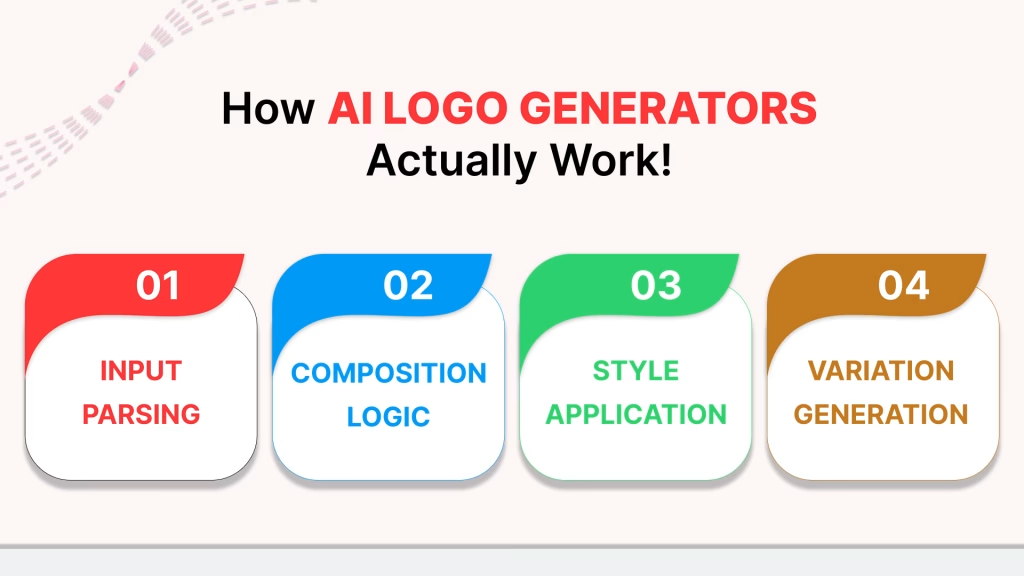
A modern AI logo generator does roughly four things in sequence:
Step 1: Input Parsing
The tool reads your business name, industry, slogan, and any style words you provide. It maps these to a set of internal tags, so a fitness brand with the words ‘modern’ and ‘energetic’ pulls from a very different visual library than a law firm with ‘trustworthy’ and ‘established’.
Step 2: Composition Logic
The system decides on a layout structure. Will the icon sit to the left of the text, above it, or be combined into a monogram? Will the text be one line, two, or stacked? This stage uses design heuristics borrowed from human practice, things like the golden ratio, optical balance, and readable hierarchy.
Step 3: Style Application
Colors, typography, and icon style are chosen from systems that pair well together. The newer platforms use perceptual color matching, so the secondary brand colors actually work with the primary mark rather than clashing with it. Typography is paired using the same kind of weight and x-height matching that a trained designer would use intuitively.
Step 4: Variation Generation
The tool produces twenty to fifty variations rather than one logo, on the assumption that you will edit the one that catches your eye rather than commit to the first result. This is why the best workflow involves scanning quickly, picking three favorites, and refining, instead of demanding the perfect logo on the first generation.
The platforms that produce noticeably better results in 2026 are the ones that have invested in step three, the style application layer. Generic logo makers fail here because their color and font pairings feel templated. Quality tools have spent the last two years training on what actually works in real brand systems.
4. Step-by-Step: Create a Logo with AI in Under 5 Minutes
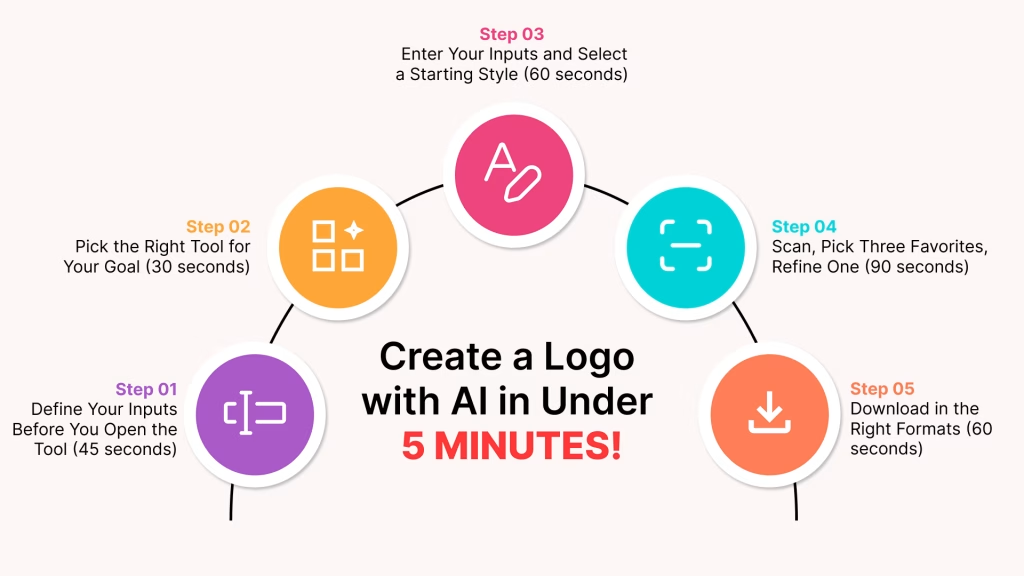
This is the workflow that consistently produces a usable logo on the first or second attempt. The total time budget is five minutes; the actual generation step takes about ten seconds.
Step 1: Define Your Inputs Before You Open the Tool (45 seconds)
Open a notes app and write down three things:
- Your business name as you want it to appear, including any punctuation.
- Your industry, expressed in two or three words rather than a category dropdown selection. ‘Independent coffee roastery’ works better than ‘Food & Beverage’.
- Three adjectives that describe how you want the brand to feel. Pick from opposing pairs: modern or classic, bold or subtle, playful or serious, premium or accessible. Three words is the sweet spot. More than five and the AI hedges.
This pre-work matters because most people start the generation process by guessing, which produces guess-quality logos.
Step 2: Pick the Right Tool for Your Goal (30 seconds)
If you need a complete brand kit (logo, business card, social covers, letterhead), use a full branding platform. If you only need a single logo file for an MVP or side project, a stripped-down logo generator is faster. See the comparison in Section 5.
Step 3: Enter Your Inputs and Select a Starting Style (60 seconds)
Most platforms ask for your business name, slogan (optional), and a style preference. Choose two to three icon categories that match your industry but avoid the obvious clichés. A coffee brand does not need a coffee bean icon; an abstract mark often outperforms a literal one.
If the tool offers a color preference picker, choose one primary color and let the AI fill in the rest. Picking the full palette at this stage over-constrains the output.
Step 4: Scan, Pick Three Favorites, Refine One (90 seconds)
The AI will produce between twenty and sixty options. Skim quickly. Mark three that you would consider using. Then pick the strongest and open it in the editor.
Common edits that take seconds and dramatically improve the result:
- Adjust the spacing between the icon and the text. Most defaults are slightly too tight.
- Try one font weight lighter than the default. Logos often look more premium with slightly less weight.
- Swap the primary color to a less saturated version. Pure colors look amateur in print.
Step 5: Download in the Right Formats (60 seconds)
Export your final logo in at least four formats:
- SVG for any digital or print application where you need to scale.
- PNG with transparent background for websites and slide decks.
- PDF for print vendors who request a vector format.
- Black-on-white and white-on-black versions for usage on photo backgrounds.
If the platform offers a brand book or brand kit download, take it. The color codes and font names will save you fifteen minutes of work later when you build your website or social profiles.
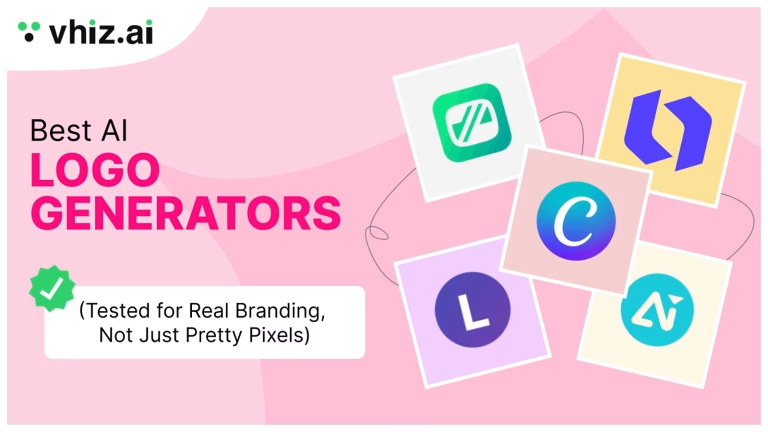
5. Best AI Logo Generators in 2026
These are the tools producing the highest quality output for the broadest range of users in 2026. The ranking reflects design quality, editing flexibility, file export options, and clarity around commercial rights.
1. Looka
Looka has been a long-standing favorite for polished startup branding. The AI produces clean, professional results, and the brand kit add-on includes social media templates and brand guidelines. The editing interface is approachable for non-designers. Pricing starts around $20 for the basic package. Best for users who want a recognizable, conservative brand identity quickly.
2. Canva AI Logo Generator
Canva’s logo tool is the most beginner-friendly option, and the free tier is genuinely usable. The strength is the surrounding ecosystem: once your logo is made, you can apply it to thousands of templates for social posts, decks, and ads inside the same app. The weakness is that Canva logos can feel templated if you do not edit aggressively. Best for users already living inside Canva for content creation.
3. Brandmark
Brandmark stands out for the depth of customization. Unlimited edits, unique design styles, and a strong focus on the icon-text relationship. The interface takes a few minutes longer to learn, but power users get more control than they would on most competitors. Best for users who want to iterate heavily on a single concept rather than pick from a large set.
4. Designs.ai
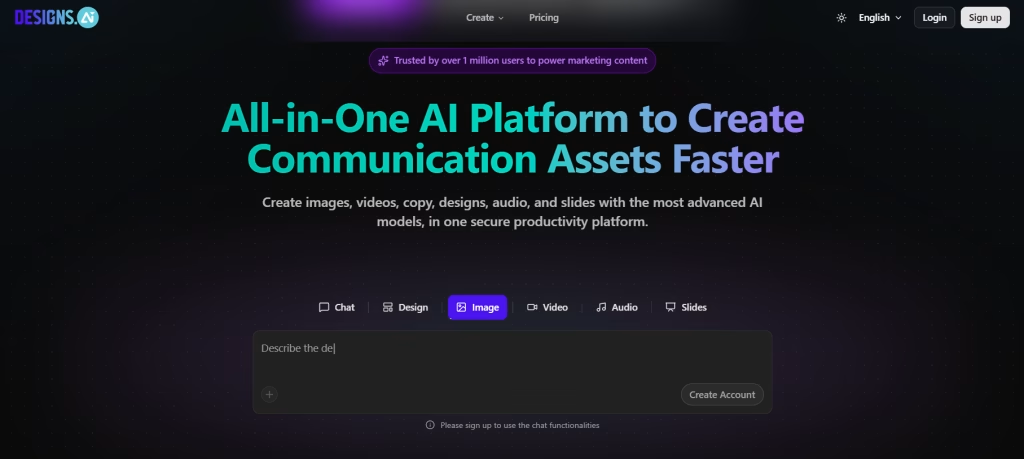
Designs.ai puts a heavy emphasis on commercial rights transparency, which matters more than most people realize until they need to defend their trademark. The interface is clean, the file export options are complete (SVG, PNG, JPG, PDF), and there is a free tier worth testing. Best for users who plan to trademark their logo and want clarity on usage rights from day one.
5. Logomaker
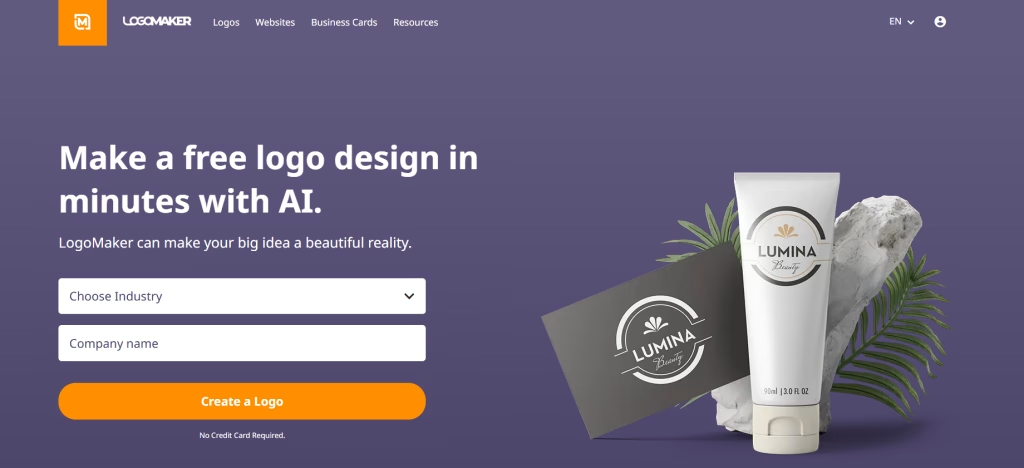
Logomaker’s one-time fee structure is appealing for budget-conscious founders who do not want recurring subscription costs. The output is solid for the price, though customization is more limited than on the platforms above. Best for one-and-done logo projects with a fixed budget.
6. Tailor Brands
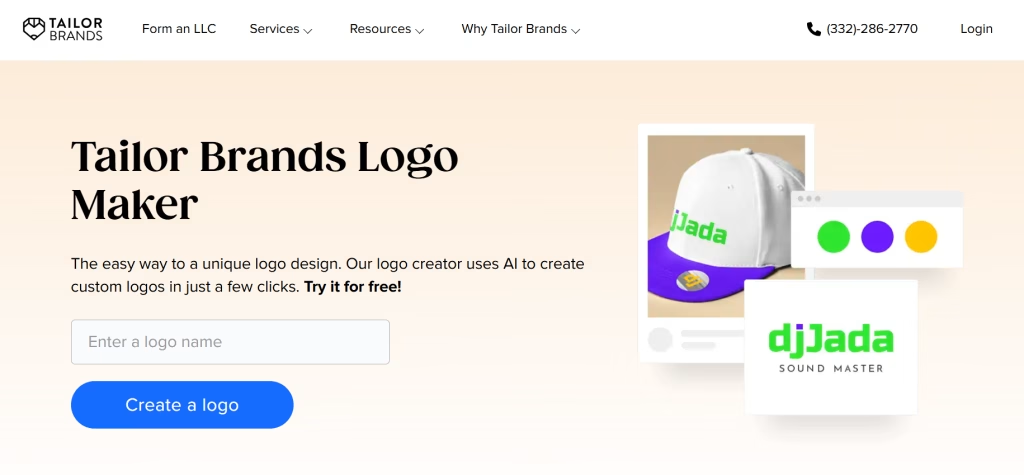
Tailor Brands bundles logo creation with broader business setup features, including LLC formation and basic business tools. The logo output is good, and the appeal is the workflow integration if you are setting up a business from scratch. Best for founders who want to consolidate vendors at the formation stage.
7. BrandCrowd
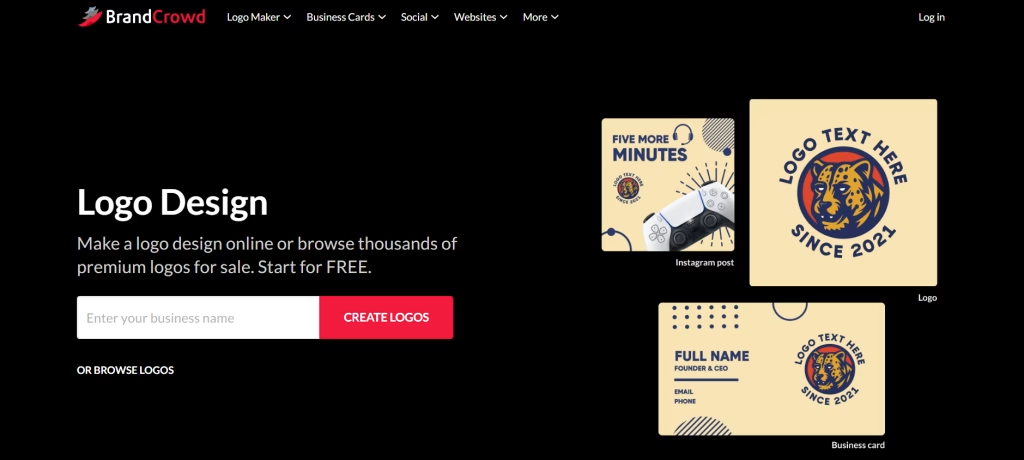
BrandCrowd uses a hybrid approach, pairing AI suggestions with a large library of designer-made templates. The quality of the templates is high, and the customization controls are clear. Best for users who like the template-first approach over pure AI generation.
For more category-by-category comparisons, the AI Productivity Tools and
AI Marketing Tools directories on Vhiz cover the broader ecosystem of branding and design platforms.
6. AI Logo Generator vs Traditional Designer: Cost and Time Comparison
The honest answer to ‘should I use AI or hire a designer’ depends on three factors: your budget, your timeline, and the level of differentiation your industry demands.
Here is what the actual numbers look like in 2026:
| Factor | AI Logo Generator | Freelance Designer | Branding Agency |
| Cost | $0 to $60 one-time | $300 to $1,500 | $5,000 to $50,000+ |
| Time to first draft | 30 seconds | 3 to 7 days | 2 to 6 weeks |
| Revisions included | Unlimited | 2 to 3 | 3 to 5 rounds |
| Brand kit included | Usually yes | Sometimes | Yes |
| Commercial rights | Clear, transferred on purchase | Clear, transferred on purchase | Clear, transferred on contract |
| Trademark eligible | Yes, with human editing | Yes | Yes |
| Best for | MVPs, side projects, small businesses | Established small businesses, growing startups | Mid-market and enterprise companies |
The cost differential is the headline number, but the time-to-validation gap is the more important one. AI logo generation lets you test a brand identity before you commit to it. You can create three variations of a brand name, generate identities for each, and put them in front of potential customers before deciding which direction to commit to.
A designer cannot match that loop on cost or speed. What a designer does offer, and what AI still cannot replicate well, is brand strategy. If your business depends on a defensible, distinctive identity in a saturated market, the strategic work that happens before the design starts is where a good designer earns their fee.
For most users in 2026, the right answer is to start with AI, ship a workable identity, and upgrade to a designer or agency later when the business has validated and the cost of a premium brand investment is justified by the revenue.
7. Common Mistakes When Creating a Logo with AI
These are the patterns we see repeated by users who walk away frustrated with their AI logo. Each one is fixable in under a minute once you know to look for it.
Mistake 1: Using Too Many Descriptive Words in the Prompt
The AI hedges when it has to balance ten adjectives. Three words produces a sharper output. If you want ‘modern, clean, professional, trustworthy, innovative, friendly, approachable, premium’ you will get a generic logo. If you want ‘modern, premium, geometric’ you will get something with point of view.
Mistake 2: Locking In Colors Too Early
Most users start by picking their color palette, then generate. This forces the AI to optimize for your color choice rather than for a good logo. Reverse the order: generate first with default colors, find a composition you like, then change colors at the end.
Mistake 3: Picking the First Logo That Catches Your Eye
The first logo that catches your eye is almost never the best one. It is just the one that pattern-matches against logos you have seen before. Scan the full set, mark three, sit with them for an hour, then decide. If you cannot wait an hour, at least pick three favorites and compare them side by side before committing.
Mistake 4: Skipping the Black-and-White Test
A logo that only works in color is a fragile logo. Print, embossing, single-color merchandise, and certain digital contexts all require a single-color version. Before you finalize, view your logo in pure black on pure white. If it reads as cleanly as the color version, you are good. If it falls apart, simplify.
Mistake 5: Using Literal Icons in Saturated Categories
A coffee bean for a coffee brand, a fork and knife for a restaurant, a tooth for a dental clinic. These icons are everywhere. The fastest way to make your logo distinctive is to use an abstract or unrelated icon instead, then let the brand name carry the category context.
8. How to Make Your AI Logo Look Professional
The difference between an obvious AI logo and a polished one comes down to four edits you can make in under two minutes.
Reduce the Saturation of Your Primary Color
Default AI logos often use pure, fully-saturated colors because they read well in the preview thumbnails. In real use, slightly desaturated colors look more sophisticated. Take your hex code and reduce its saturation by 10 to 20%.
Tighten or Loosen the Letter Spacing
Most AI logos ship with default kerning. A 2% increase in letter spacing on a wordmark can make a logo feel more premium and confident. A small adjustment, but it reads visibly different.
Adjust the Icon-to-Text Size Ratio
The default ratio is usually slightly off. Try making the icon a little smaller relative to the text, or shift it horizontally to balance the optical weight. Optical balance, not mathematical balance, is what makes a logo feel professional.
Replace the Default Font with One That Fits the Brand Voice
Even a single-word brand identity can be transformed by a font change. The font is the voice of the brand. If your brand is technical and modern, look for a geometric sans-serif. If it is editorial and considered, a serif with slight contrast will outperform a generic sans.
These four edits are the ones designers make without thinking about them. They are also the ones AI defaults skip past. Two minutes of post-generation editing closes most of the gap between AI output and a professional brand mark.
9. File Formats and Commercial Rights You Need to Know
A logo is not just an image. It is a usable asset that you will deploy across print, screen, and merchandise. Getting the right files at the start saves hours of trouble later.
The Four Formats Every Logo Needs
- SVG (Scalable Vector Graphics). The master file. Vector format means you can scale it to any size without losing quality. Use for websites, print, large-format signage, and anywhere else you need flexibility.
- PNG with transparent background. The web-ready file. Use for websites, social media profiles, slide decks, and digital documents where you need the logo to sit on a colored or photographic background.
- PDF. The print-vendor file. Most print shops will ask for a PDF rather than an SVG. Useful for business cards, letterheads, packaging, and signage.
- JPG. The fallback file. Lower quality than PNG but smaller file size, useful when you need a simple raster image with a solid background.
Commercial Rights Checklist
On commercial rights, the rules in 2026 are clearer than they were even a year ago, but they still vary by platform. Three points to confirm before you finalize:
12. Does the platform transfer full commercial ownership on purchase? Quality tools do. Some free generators retain rights or apply a usage license rather than a full transfer.
13. Can you trademark the logo? In the United States, the Copyright Office’s current position is that works generated entirely by AI without meaningful human input are not eligible for copyright protection. The practical workaround is to add meaningful human editing (color adjustments, font changes, layout tweaks) to the AI output before claiming the result as your own. Most platforms expect this and structure their workflow around it.
14. Are there ongoing licensing fees? A few platforms charge per use or per download. Verify before purchase.
For more on commercial usage of AI-generated content broadly, the U.S. Copyright Office has published the most recent official guidance: Copyright and Artificial Intelligence.
10. When You Should Not Use an AI Logo Generator
AI logo generation has real limits. There are situations where the time and cost savings do not justify the result.
Skip AI and hire a designer when:
- Your industry is design-led and your logo will be judged by design professionals. Architecture firms, design studios, premium fashion brands, and high-end hospitality often need a level of strategic and crafted output that AI cannot yet match.
- You are funded and the brand is your main differentiator. If your company will be on the homepage of TechCrunch within six months, the marginal cost of a designer is small compared to the brand value at stake.
- You need a deeply original concept that breaks visual category conventions. AI is trained on what already exists. If you want a logo that genuinely does not look like anything in your category, you need a human strategic creative.
- The logo will be the center of a long-running advertising campaign. Campaign-level brand work, including motion treatments, sonic identities, and brand worlds, still benefits from designer involvement.
For everything else, including the first iteration of nearly any business identity, AI logo generation is the right call in 2026.
11. Frequently Asked Questions
How long does it take to create a logo with AI?
A complete logo from input to final download takes between three and five minutes on most platforms in 2026. The AI itself generates options in under ten seconds. The remaining time is spent reviewing variations, making small edits to colors and spacing, and downloading the file formats you need. Beginners often spend longer the first time as they learn the interface, but the second logo they create on the same platform is typically finished in under two minutes.
Are AI-generated logos free to use commercially?
It depends on the platform. Quality AI logo generators transfer full commercial ownership when you purchase or download the final files. Some free tools only grant a personal-use license or retain ownership of the design, which can cause legal issues later. Before you finalize a logo, check the platform licensing terms, look for the phrase ‘full commercial rights’ or ‘ownership transferred’, and download a copy of the license agreement for your records.
Can I trademark a logo created with AI?
You can, with one important caveat. In the United States, the Copyright Office’s current position is that purely AI-generated work without meaningful human creative input is not eligible for copyright protection. The practical workaround is to add meaningful human editing to the AI output, such as adjusting colors, modifying typography, or refining the layout, then registering the resulting design. Most quality platforms structure their workflow around this expectation, so the standard editing process you would do anyway is usually sufficient.
What is the best free AI logo generator in 2026?
For genuinely free logo generation with a usable result, several platforms allow you to generate, preview, and customize for free with payment required only at the download stage. Others offer a fully free tier with some feature limits. Both produce results good enough for early-stage businesses and side projects. If you need a fully free download as well, expect lower customization depth or watermarked outputs.
Will my AI logo look generic or like everyone else’s?
Only if you accept the default output. AI logo generators produce dozens of variations, and the difference between a generic and a distinctive logo usually comes down to two minutes of post-generation editing: changing the icon to something abstract rather than literal, swapping the default font, adjusting the color saturation, and refining the spacing. Users who edit aggressively get results that look custom; users who download the first option often get something forgettable.
Do I need any design skills to use an AI logo generator?
No. The platforms in this guide are designed for non-designers, with drag-and-drop interfaces, preset style options, and guided workflows. Some design literacy helps, in the sense that knowing what good typography and color balance look like will speed up your editing. But the tools assume zero technical knowledge and produce usable output without any.
What file formats should I download my logo in?
At minimum, download SVG, PNG with transparent background, and PDF. SVG is the master vector format, useful at any size. PNG is the web and digital workhorse. PDF is what most print vendors will request. If the platform offers black-and-white versions of your logo, download those as well, since you will need them for single-color print applications and contrast-sensitive contexts. A complete brand kit download is the most efficient option when available.
Can AI replace a professional logo designer?
For most small businesses, startups, side projects, and content brands, AI logo generators in 2026 produce results that are professional enough to launch and grow with. For funded companies, design-led industries, or brands where the visual identity is the core competitive moat, a professional designer still produces better strategic work. The right framing is not ‘AI versus designer’ but ‘AI now, designer when the business justifies the investment’.