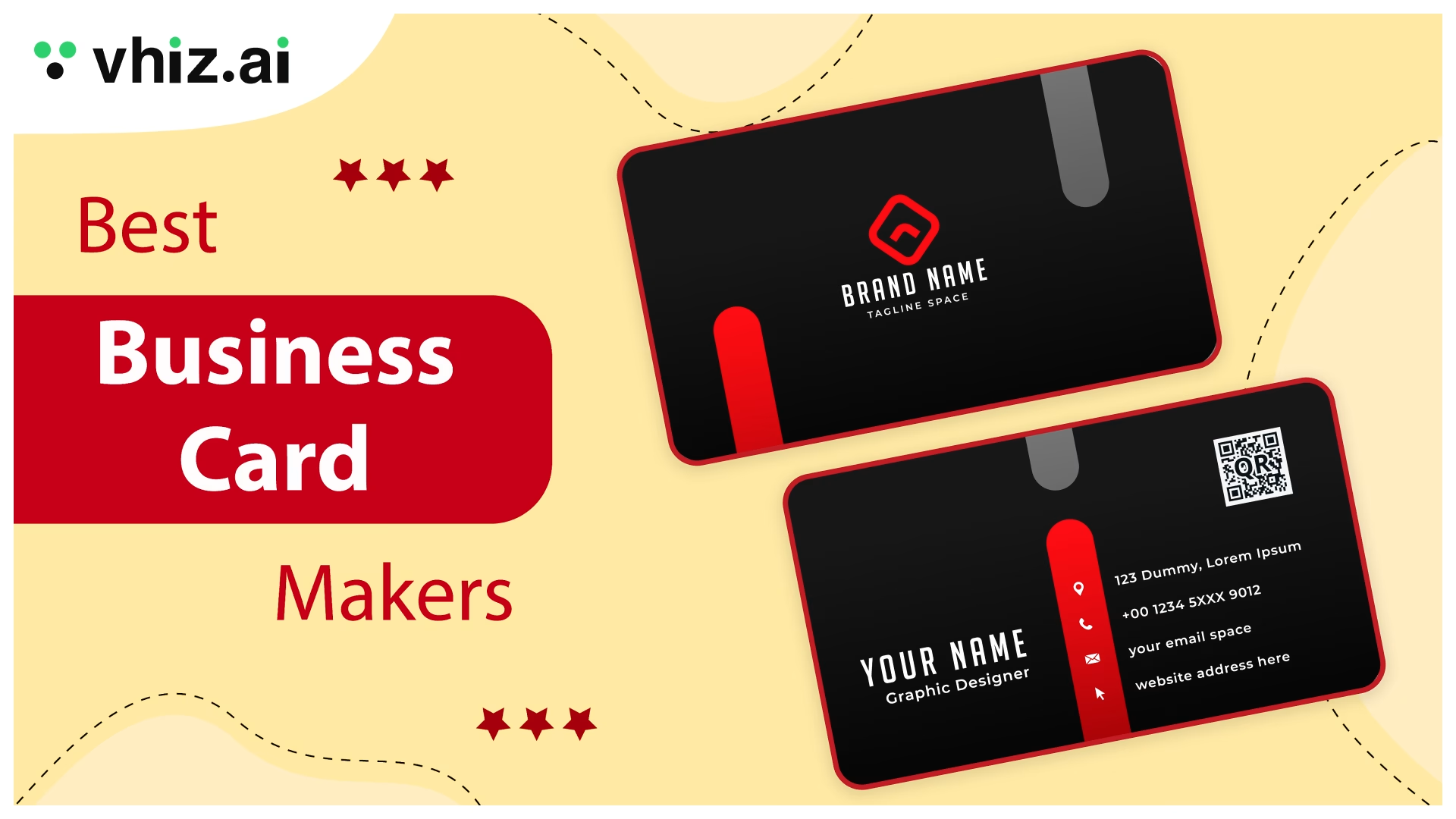

Business cards create a tangible first impression that digital profiles simply cannot replicate. When you hand someone a beautifully designed card, you’re not just sharing contact information; you’re making a statement about your brand’s professionalism and attention to detail. A quality business card is memorable, personal, and shows you’re serious about your business.
The good news? Creating professional business cards has never been easier. With AI-powered design tools and intuitive online platforms, you no longer need to hire a graphic designer or spend hours learning design software. You can now easily make business cards online using a free business card maker, depending on your needs.
Whether you’re a freelancer, a startup founder, or a seasoned executive, the right online business card maker can save you time, money, and design headaches. This guide reviews the best business card makers in 2026 so you can find the perfect fit.
What to Look for in a Business Card Maker
Before diving into specific tools, let’s understand the key criteria that separate great business card makers from mediocre ones. Many users start by searching for where to make business cards, but not all tools deliver the same quality.
Design Templates and Customization
A good tool should give you solid templates, but more importantly, it should let you change them easily. You should be able to adjust colors, fonts, layouts, and add your own logo without feeling restricted. Some tools also offer a blank canvas, which is useful if you prefer to make your own business cards.
Print Quality and Materials
Print quality can make or break your card. Look for platforms that offer high-resolution printing and accurate colors. Material options matter too. Matte, glossy, textured, or even eco-friendly paper can change how your brand feels in someone’s hand.
Pricing and Bulk Value
Pricing should be simple and easy to understand. Most platforms offer better rates when you order in larger quantities, so it helps to compare the cost per card instead of just the total price.
Turnaround and Shipping
Speed matters, especially if you need cards quickly. A reliable platform usually offers production within a few days, along with faster delivery options if needed. Many users also look for a free online business card maker before upgrading
Ease of Use
The design process should feel simple, not overwhelming. Drag-and-drop editors, live previews, and clean interfaces help you get things done faster, even if you are not a designer.
Customer Support
Support often gets overlooked, but it becomes important when something goes wrong. Quick responses and helpful guidance can save time and prevent costly mistakes.
Top Business Card Makers in 2026
| Tool | AI Features | Print Service | Pricing | Templates | Best For |
| Zoviz | AI logo + brand kit generator, auto card layouts, color palette creation | Digital download (print via partner) | $20 one-time (basic), $65 full brand kit | 100+ | Startups, solopreneurs building a full brand identity |
| Canva | Magic Design, AI image generator, background remover, Magic Resize | Built-in printing (global shipping) | Free plan + $14.99/month (Pro) | 5,000+ | Beginners, teams, marketers |
| Adobe Express | Generative Fill, Firefly AI images, text effects, background removal | Third-party printing | Free plan + $9.99/month (Premium) | 1,000+ | Designers, Adobe ecosystem users |
| Visme | Brand Wizard, AI design suggestions, dynamic content | No built-in print | Free plan + $29/month (Starter) | 500+ | Marketing teams, agencies |
| Piktochart | Text-to-design AI, layout optimization, icon suggestions | No built-in print | Free plan + $14/month (Pro) | 300+ | Educators, consultants, professionals |
| Kittl | AI text effects, style suggestions, vector auto-trace | No built-in print | Free plan + $10/month (Pro) | 400+ | Creatives, designers |
| Fotor | AI photo enhancer, background remover, portrait retouch | No built-in print | Free plan + $8.99/month (Pro) | 300+ | Realtors, coaches, consultants |
| VistaCreate | AI design suggestions, background remover, one-click resize | Integrated with Vistaprint (global shipping) | Free plan + $13/month | 50,000+ | Small businesses, marketers |
1. Zoviz Business Card Generator
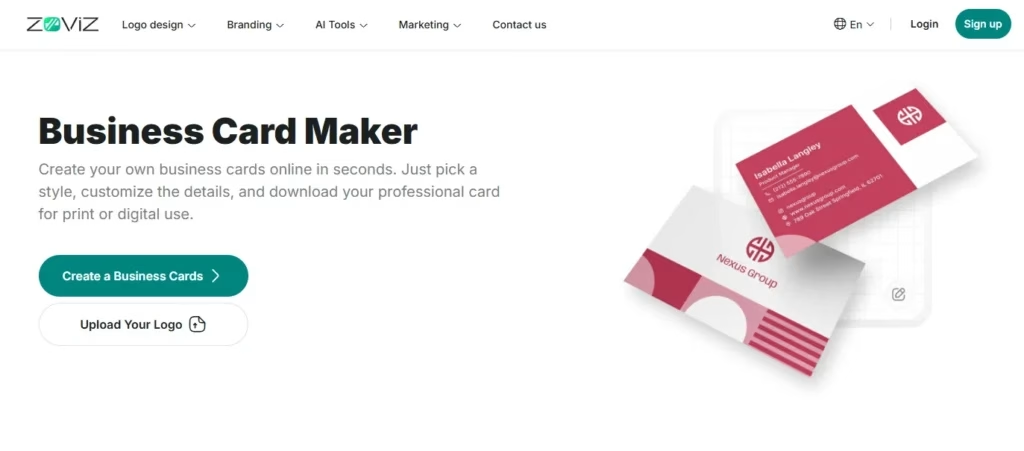
Zoviz is an online business card generator, offering an AI-powered branding suite that ties your business card design directly to your broader brand identity. The platform specializes in clean, modern designs that work perfectly for service-based businesses, freelancers, and startups. Its AI-powered design engine creates refined card variations in seconds, making it ideal for those who don’t have a clear design vision but know they want something polished.
Step-by-Step How to Design:
- Visit Zoviz and select the “Business Card Generator” to make a business card online.
- Input your business information (name, title, email, phone, company)
- Choose your preferred style from AI-generated design options (typically 5-10 variations)
- Customize colors, fonts, and layout using the intuitive editor
- Download your design as a print-ready PDF or order prints directly
Key Features Breakdown:
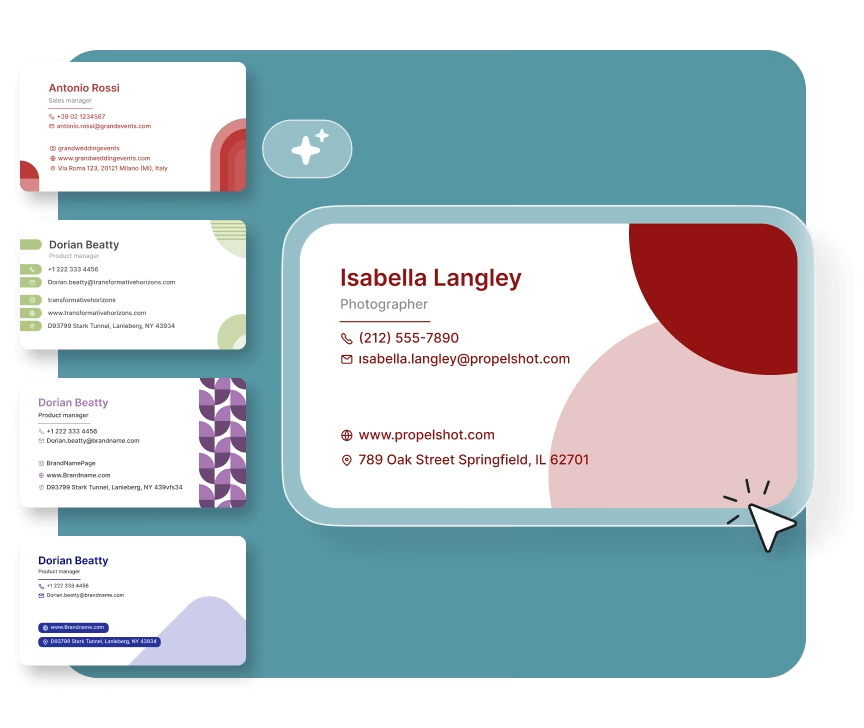
- AI-powered design generation for instant variations
- Minimalist templates focusing on clean aesthetics
- Drag-and-drop customization editor
- Brand color matching and palette suggestions
- Multiple export formats (PDF, PNG, JPG)
- Integration with printing partners for direct ordering
Pros:
- Extremely fast design process (5-10 minutes)
- Great for non-designers seeking modern aesthetics
- Affordable pricing with frequent discounts
- Clean interface without overwhelming options
Cons:
- Limited template variety compared to larger platforms
- Fewer advanced AI design tools for creative professionals
- Integration with printing partners varies by region
Pricing Breakdown:
- Basic Package: $20 one-time
- Full Brand Kit Package: $65 one-time
- Printing is not built in, but designs can be downloaded and printed through partner or third-party services.
Who Should Use It:
Solopreneurs, freelancers, startup founders, and anyone who wants to make business card designs quickly without much complexity.
2. Canva Business Card Maker
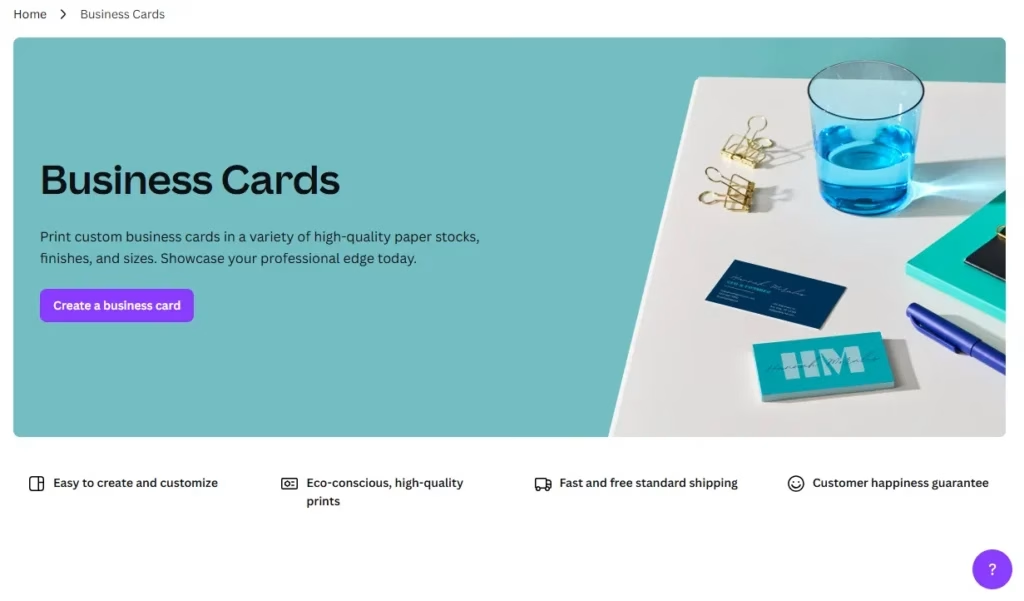
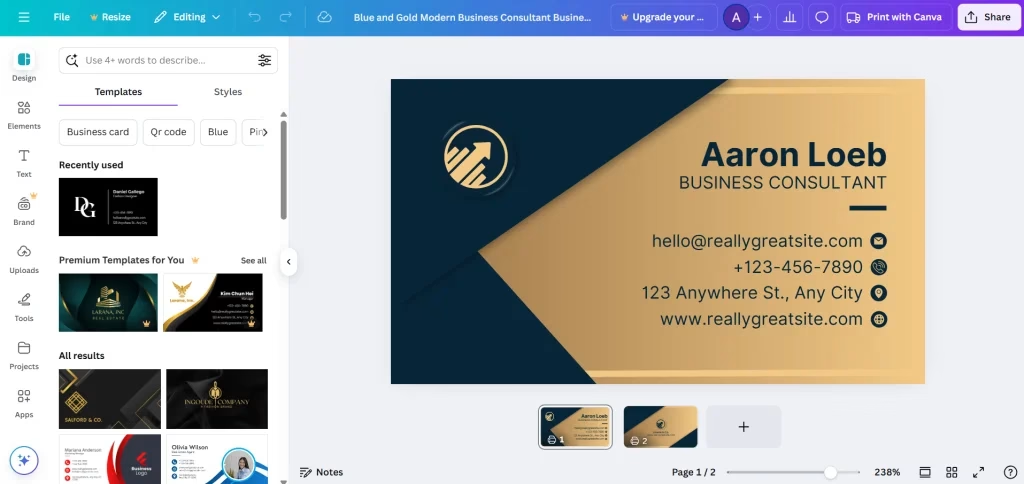
Canva is the world’s most popular design platform, and its online business card maker is among the best available in 2026. With over 5,000 business card templates and an incredibly intuitive interface, Canva removes all barriers to creating professional-looking cards. Their extensive icon library, font collection, and stock image integration make it possible to make business cards free without external resources.
Step-by-Step How to Design:
- Log in to Canva and search for “Business Card.”
- Browse and select from thousands of templates organized by industry and style.
- Customize your card: replace images, change colors, edit text, and add your logo.
- Use Canva’s AI design assistant (Magic Edit) to generate design variations
- Download as print-ready PDF (300 DPI) or order through Canva’s printing partners
Key Features Breakdown:
- 5,000+ professionally designed templates
- AI-powered design suggestions (Magic Edit feature)
- Unlimited revisions and design versions
- Brand kit integration for color and font consistency
- Extensive stock photo and illustration library
- Direct printing integration with major manufacturers
- Mobile app for on-the-go design
Pros:
- Largest template library with continuous updates
- Exceptional AI features for quick variations
- Competitive printing prices through partnerships
- Excellent for maintaining brand consistency across designs
Cons:
- The free version has limited features
- It can feel overwhelming with too many options for beginners
- Canva Pro subscription required for full AI features ($119/year)
- Some templates appear generic
Pricing Breakdown:
- Canva Free: Basic design features and limited templates
- Canva Pro: $14.99/month or $119.99/year
- Printing costs vary by quantity, finish, and shipping location.
Who Should Use It:
Social media managers, content creators, small business owners, and anyone who needs to maintain consistent branding across multiple marketing materials.
3. Adobe Express Business Card Creator
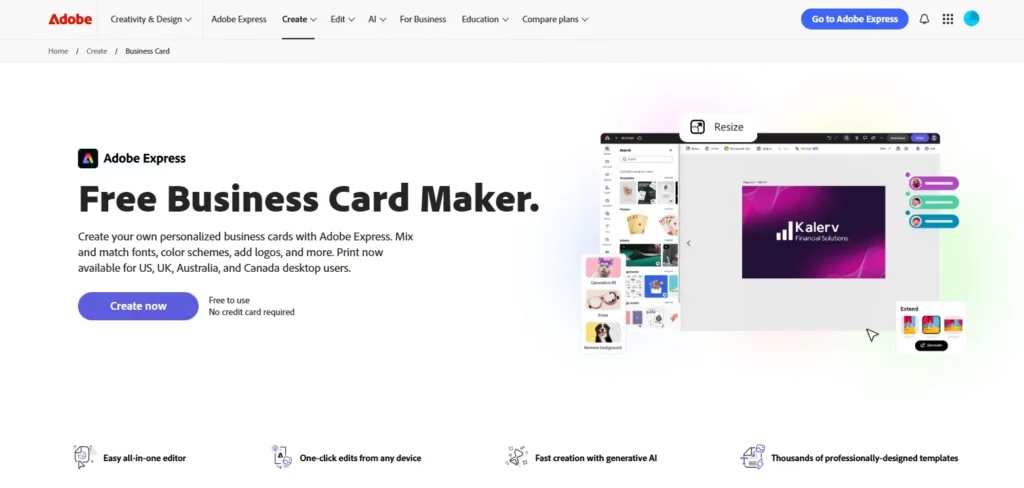
Adobe Express brings professional-grade design capabilities to non-specialists. If you’re already using Adobe’s Creative Cloud, integrating Express into your workflow is seamless. The platform excels at brand detection, automatically analyzing your uploaded logo and creating color palettes that perfectly match your brand identity, which makes it especially useful as a business card design maker online when building consistent visual assets across print and digital.
Step-by-Step How to Design:
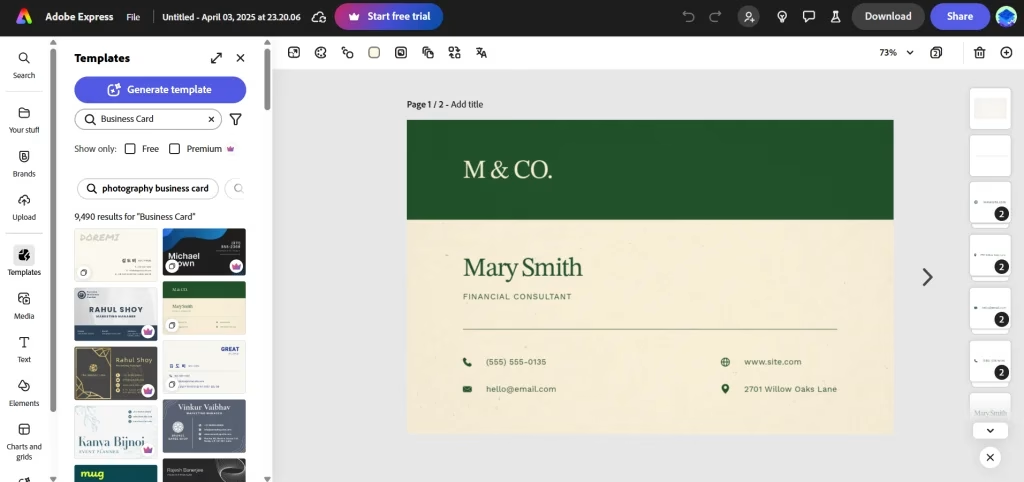
- Open Adobe Express and select “Business Card.”
- Upload your business logo (Adobe analyzes it for brand colors and style)
- Allow AI to generate 5 personalized design variations based on your brand
- Select your preferred design variation
- Fine-tune with Adobe’s tools: adjust fonts, spacing, effects, and layouts
- Export as PDF for professional printing or share the digital version
Key Features Breakdown:
- Automatic brand color detection from uploaded logo
- AI-generated design variations personalized to your brand
- Adobe Generative Fill for custom background elements
- Integration with Adobe Stock for premium photos
- Advanced typography and layout controls
- Premium fonts from Adobe’s collection
- Cloud synchronization with the Creative Cloud account
Pros:
- Superior brand consistency through intelligent color detection
- Professional-grade design tools without overwhelming complexity
- Seamless integration if you use Adobe Creative Cloud
- Quick AI-generated variations save significant time
Cons:
- Premium features require a $4.99/month subscription
- Fewer templates compared to Canva
- Learning curve for non-designers using advanced tools
- Adobe Stock photos require an additional purchase beyond the subscription
Pricing Breakdown:
- Adobe Express Free: Basic design features
- Adobe Express Premium: $9.99/month
- Printing is not built in, so users need to export files and use a third-party print service.
Who Should Use It:
Creative professionals, brands prioritizing visual consistency, businesses already invested in Adobe products, and design agencies.
4. Visme Business Card Design Tool
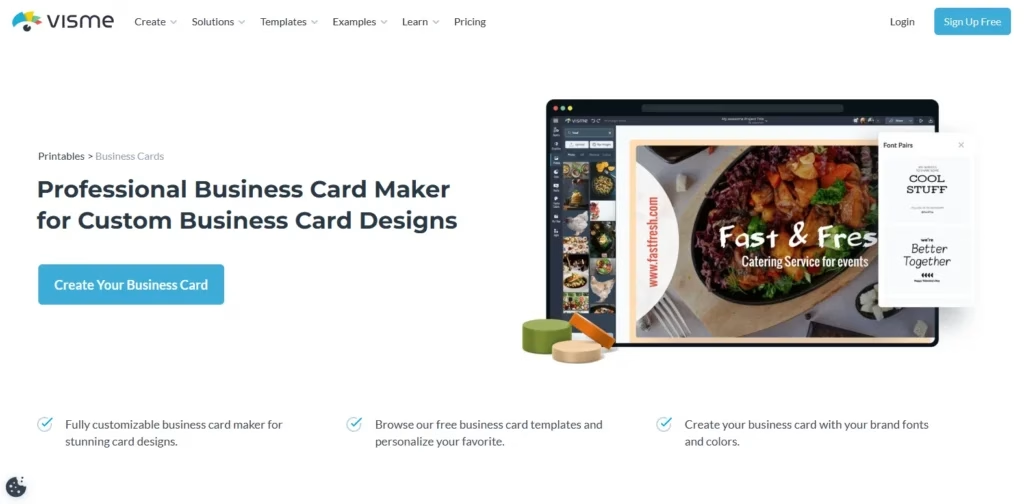
Visme is a visual communication platform that also includes a business card designer. Its strength lies in brand consistency. Once you establish your brand kit in Visme, it flows into every business card you create. It’s an ideal digital business card maker for companies that want unified brand assets across presentations, reports, social media, and print materials.
Step-by-Step How to Design:
- Log in to Visme and navigate to “Business Card” templates
- Choose a template filtered by industry or style (500+ options available)
- Use drag-drop editor to customize: add text, images, icons from 500k+ library
- Optional: Add animations and interactive elements for digital cards
- Preview for print or generate a shareable digital link
- Export as print-ready PDF or publish digital version
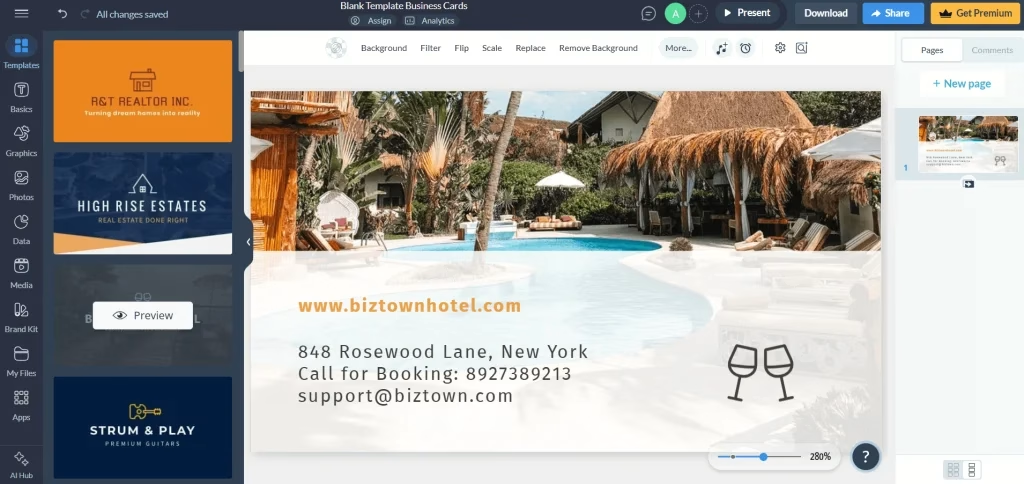
Key Features Breakdown:
- 500+ professionally designed, customizable templates
- Dual-format support: print and interactive digital cards
- Animation and hover effects for digital versions
- 500,000+ icon library integrated directly
- Brand kit with color and font management
- Drag-drop editor with real-time preview
- Built-in stock photos and illustrations
- Team collaboration features
Pros:
- Only platform offering an animated digital card option
- Excellent template variety with consistent quality
- Strong brand kit integration for consistency
- Huge built-in asset library reduces external resource needs
Cons:
- More features can overwhelm beginners
- Premium features require a subscription
- Print integration not as seamless as Canva
- Animation features add complexity without a clear ROI for traditional cards
Pricing Breakdown:
- Free Plan: Limited templates and features
- Starter Plan: $29/month
- Higher-tier team plans are available for businesses with collaboration needs.
Who Should Use It:
Marketing professionals, brand-focused businesses, agencies creating multiple branded assets, and companies exploring digital card options.
5. Piktochart AI Business Card Generator
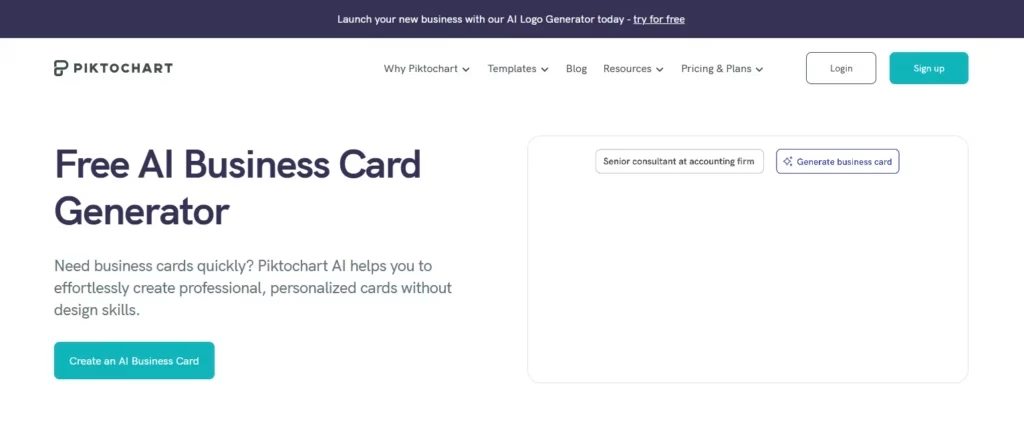
Piktochart brings a fresh perspective to the AI business card generator by emphasizing visual storytelling. Rather than generic templates, Piktochart’s AI generates designs based on descriptive text prompts, making it feel more like collaborating with a designer. This platform shines for professionals in analytics, marketing, education, and any field where visual communication matters.
Step-by-Step How to Design:
- Open Piktochart and select “Business Card.”
- Describe your ideal card design in plain English (e.g., “modern tech startup, minimalist, navy and white”)
- AI generates 4-8 design concepts matching your description
- Choose your favorite design
- Customize with built-in charts, data visualizations, or icons
- Export as high-resolution PDF or PNG
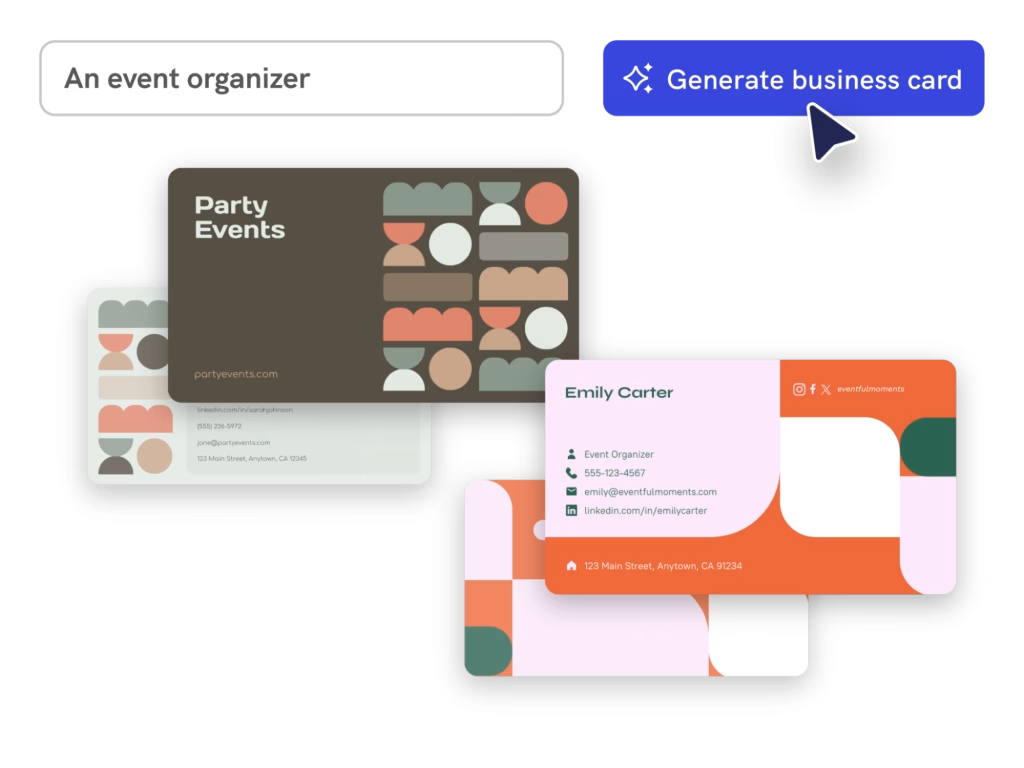
Key Features Breakdown:
- Text-to-design AI generation (describe what you want, AI creates it)
- Built-in chart and data visualization tools
- Icon library with 10,000+ professional icons
- Template-free design approach for uniqueness
- AI-powered layout suggestions
- Brand-safe color palette recommendations
- Quick customization without overwhelming options
Pros:
- Most intuitive text-to-design approach
- Perfect for visual professionals and data specialists
- Generates truly unique designs not based on templates
- Excellent for professionals needing infographic elements
Cons:
- Fewer customization options than other similar design tools
- Limited to purely text-based businesses
- Smaller template library for quick starts
- Less suitable for traditional corporate styles
Pricing Breakdown:
- Free Plan: Limited features
- Pro Plan: $14/month
- Piktochart does not include built-in printing.
Who Should Use It:
Data analysts, marketers, educators, and consultants who want to make business cards free at the concept stage before printing.
6. Kittl Business Card Tool
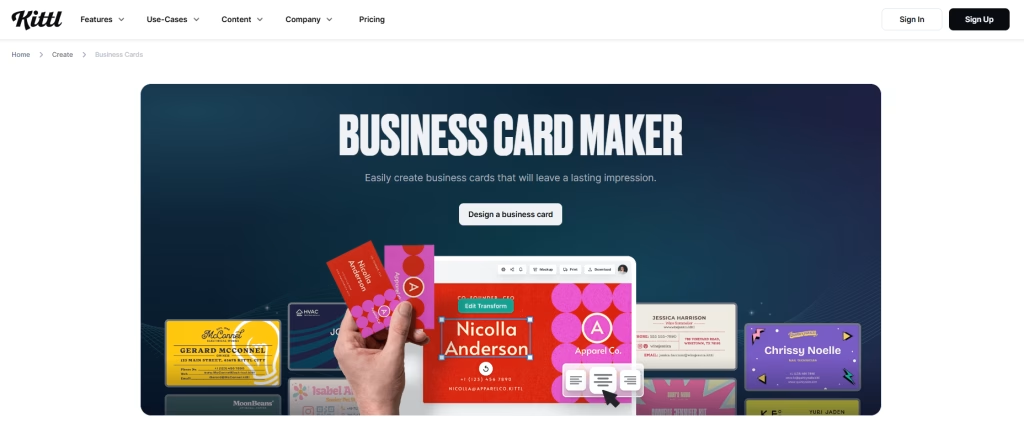
Kittl is a design platform built around vintage, retro, and modern artisan aesthetics, and its business card tool reflects that beautifully. If you want to make a business card that feels handcrafted, timeless, or premium rather than corporate and clean, Kittl is the platform for you. It’s particularly popular with photographers, tattoo artists, florists, coffee shops, and creative professionals.
Step-by-Step How to Design:
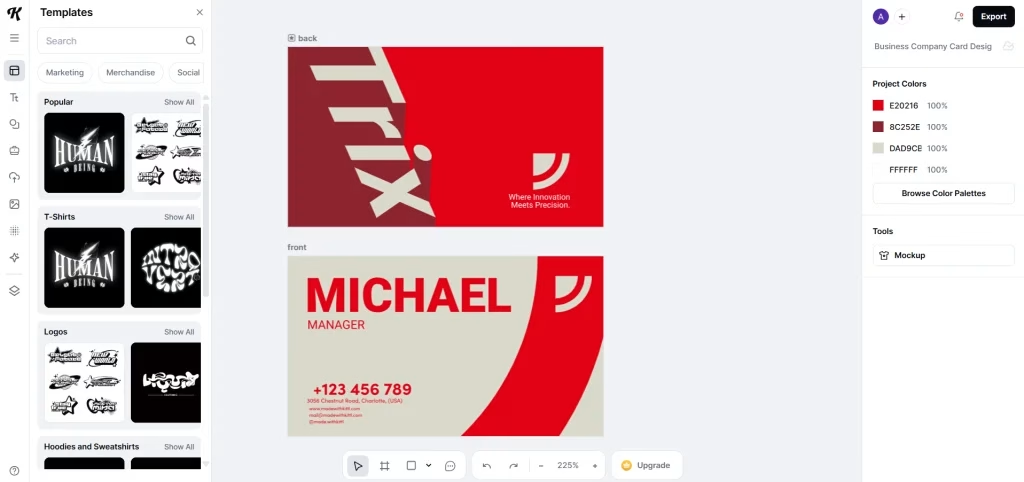
- Create a Kittl account and select “Business Card” or start blank
- Choose a template or begin with a blank canvas
- Use an AI background generator to create unique patterns or textures
- Customize with advanced design tools: gradients, blend modes, effects
- Add text, logos, and branding elements
- Export with crop marks optimized for professional printing
Key Features Breakdown:
- AI background and pattern generator
- Advanced blend modes and layer effects
- Gradient creator with unlimited color combinations
- Professional crop mark and bleed templates
- Modern font library curated for trendiness
- High-resolution export (300 DPI)
- Print-optimized templates with safety guides
Pros:
- Most advanced blend modes and effects available
- Unique AI-generated backgrounds unavailable elsewhere
- Perfect for creating truly distinctive cards
- Modern aesthetic appeals to creative industries
Cons:
- Steeper learning curve than beginner tools
- Fewer pre-made templates than alternatives
- The AI background generator is addictive, but it can lead to overthinking
- Less suitable for traditional corporate designs
Pricing Breakdown:
- Free Plan: Limited design files and assets, suitable for beginners
- Pro Plan: $10/month per user (billed annually), unlocks additional features
- Expert Plan: $24/month per user, offers more advanced tools and flexibility
- Business Plan: Custom pricing for teams and advanced requirements
Who Should Use It:
Creative agencies, startups, fashion brands, artists, and designers are seeking advanced capabilities and modern aesthetics.
7. Fotor Business Card Creator
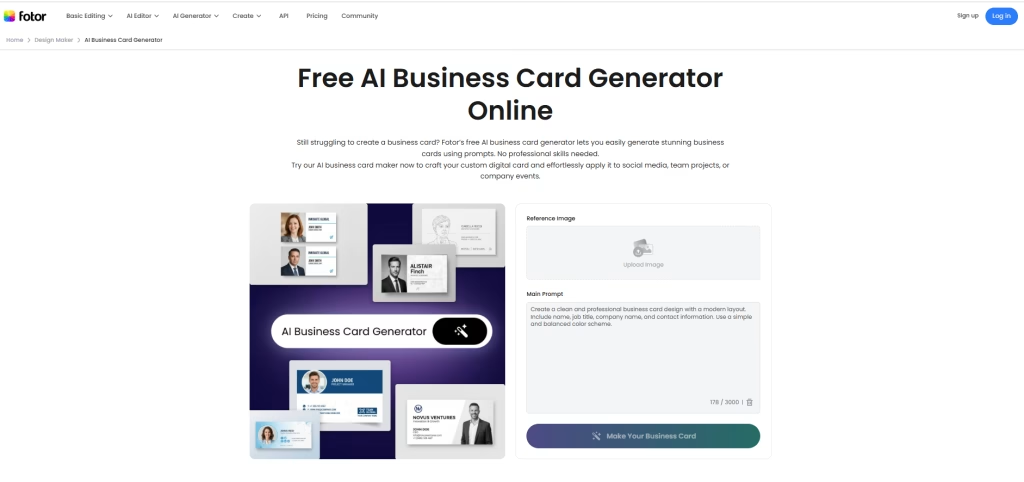
Fotor is primarily an online photo editor, but its free business card maker has grown into a reliable, accessible tool for professionals who need a clean card without spending hours in a design editor. Its strength is speed; you can have a professional-looking business card ready in under 10 minutes, especially if you already have a headshot or product photo to incorporate.
Step-by-Step How to Design:
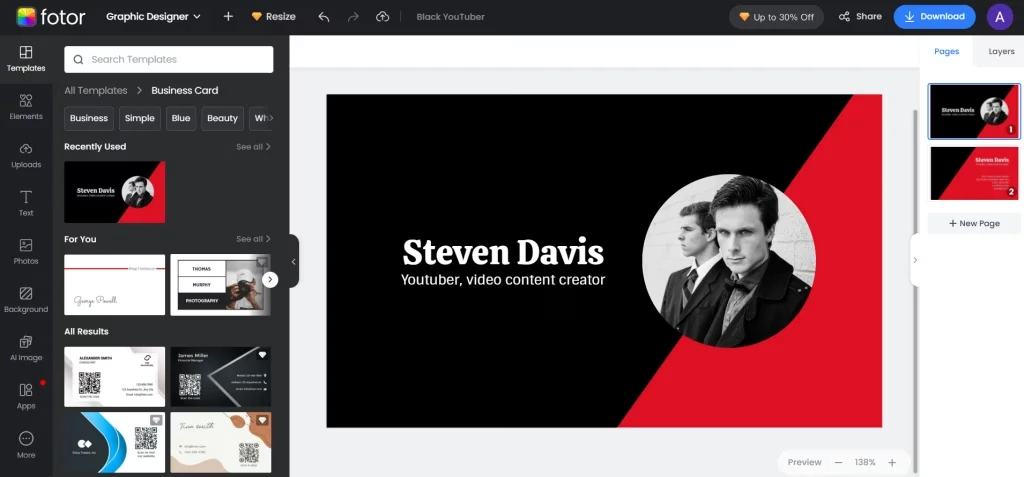
- Open Fotor and select “Business Card.”
- Choose from 1,000+ templates or upload your own photo
- Use built-in photo editor: adjust brightness, contrast, add filters, crop
- Add text elements: name, title, contact information
- Integrate your logo and adjust layout as needed
- Download print-ready file at 300 DPI
Key Features Breakdown:
- 1,000+ business card templates
- Professional photo editing tools built in
- Batch editing capabilities for multiple photos
- AI photo enhancement (brightness, contrast, color correction)
- 300 DPI export for professional printing
- Template library organized by profession and style
- Extensive font collection with web fonts
Pros:
- Integrated photo editing saves time and switching between apps
- Excellent for photographers and image-heavy designs
- Large template library with quality options
- Quick batch editing for multiple cards
Cons:
- Photo editing features may overwhelm pure designers
- Advanced design customization is less robust than competitors
- Fewer animation options than Visme
- The free tier is quite limited
Pricing Breakdown:
- Free Plan: Create basic designs at no cost; ideal for beginners
- Fotor Pro: $3.33/month (billed annually), includes advanced tools, ad-free experience, and AI features
- Fotor Pro+: $7.49/month (billed annually), unlocks premium assets and full design capabilities
Who Should Use It:
Photographers, real estate professionals, influencers, and any business relying on compelling imagery.
8. VistaCreate Business Card Designer
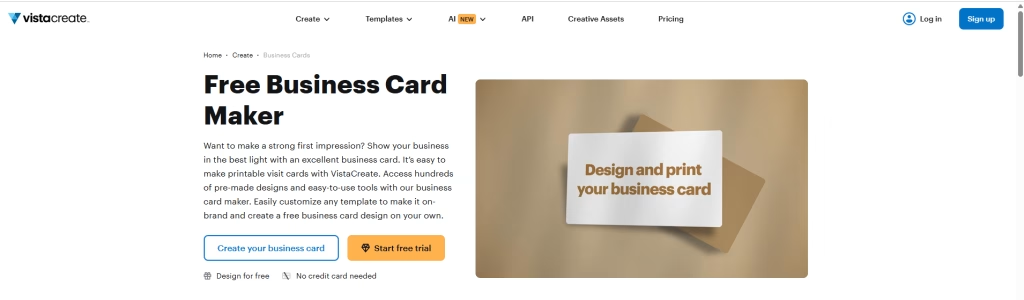
VistaCreate (formerly Crello) specializes in helping marketers and content creators maintain consistent branding across multiple channels to create online free business card maker. Beyond business cards, VistaCreate allows you to design dozens of marketing materials with synchronized brand kits, ensuring your cards match your social media, email templates, and promotional materials perfectly.
Step-by-Step How to Design:
- Log in to VistaCreate and search for “Business Card.”
- Select template or use AI prompt to generate design (“tech startup card”, etc.)
- Apply your brand kit all colors, fonts, and logos sync automatically
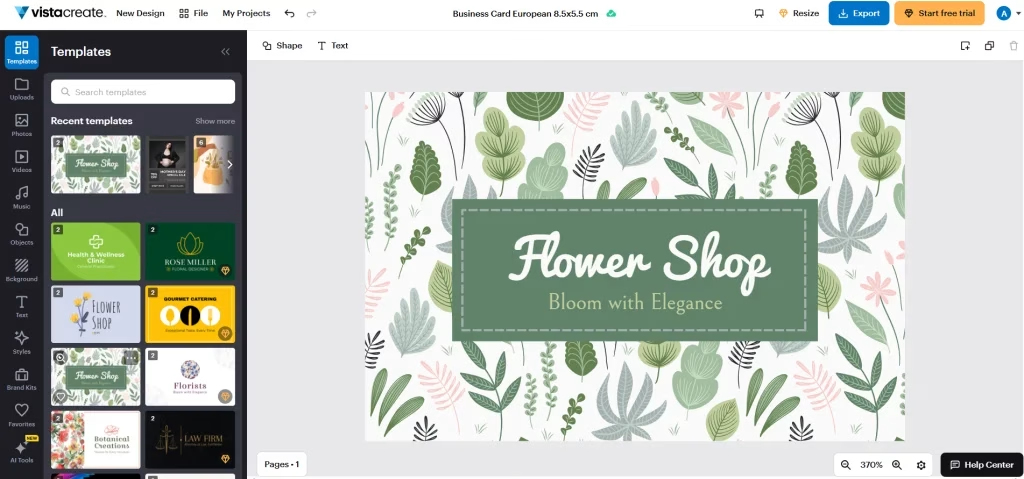
- Fine-tune design using a drag-and-drop editor
- View design in both print and digital formats
- Export for printing or share the digital version
Key Features Breakdown:
- 4,000+ templates spanning business cards and 100+ other formats
- Smart brand kit syncing across all designs
- AI prompt-based design generation
- 4M+ stock photos included with Pro subscription
- Batch design tools (create multiple variations instantly)
- Print and digital preview options
- Social media and email template integration
Pros:
- Best platform for multi-channel marketing consistency
- Huge template library spanning many design types
- Excellent for marketers needing various materials
- Brand kit automation saves significant time
Cons:
- Premium features require a subscription
- The interface can feel cluttered with so many options
- Fewer specialized design tools than alternatives
- Stock photos require a Pro subscription
Pricing Breakdown:
- Free Plan: Includes limited templates and basic features
- Pro Plan: $10/month per user (billed annually)
Who Should Use It:
Content marketers, small businesses, and agencies want to make business cards online while keeping branding consistent.
Design Tips for Effective Business Cards
Creating a professional business card requires more than just slapping your information onto a template. Here are design principles that elevate your cards from average to exceptional.
Typography and Readability
Your card should be easy to read at a glance. Keep body text around 8 to 10 pt, and make your name stand out slightly more. Stick to two fonts at most. One for your name, one simple font for details. Avoid overly decorative styles that look nice but are hard to read.
Give your text some space. A bit of breathing room makes everything feel cleaner and easier to scan.
Color and Brand Consistency
Colors send a message before words do. Blue feels trustworthy, green leans toward growth or sustainability, while brighter tones grab attention.
Whatever you choose, keep it consistent with your brand. If your website or logo uses certain colors, repeat them here so everything feels connected.
Use of White Space
Less really does work better here. A clean layout with space around elements feels more premium than a crowded design. Focus on essentials instead of trying to fit everything in.
Contact Information Hierarchy
Put the most important details first. Phone and email should be easy to spot. The website can be followed. The address is optional and can stay subtle or go on the back.
A small QR code can help you share more without cluttering the card.
Material and Finish
The feel of the card matters more than most expect.
- Glossy looks bright, but can feel basic
- Matte feels more refined and easier to read
- Textured stock adds a premium touch
- Metallic stands out but costs more
- Eco-friendly paper works well for sustainability-focused brands
For most businesses, premium matte or slightly textured paper elevates perceived value better than glossy options.
Conclusion: Invest in Your First Impression
Your business card is one of the most cost-effective marketing tools available. A well-designed card costs just a few cents to produce but can generate business relationships worth thousands. The business card makers reviewed here have democratized professional design, eliminating excuses for poor-quality cards.
Quick Platform Recommendations by Priority:
- Best Overall Value: Canva Pro offers the largest template library and most AI features for reasonable pricing
- Best for Speed: Zoviz generates professional cards in minutes with minimal customization needed
- Best for Brands: Adobe Express excels at detecting and maintaining brand consistency
- Best for Creativity: Kittl provides advanced design tools for creative professionals
- Best for Agencies: VistaCreate for teams needing multiple variations and collaboration.
Don’t settle for generic templates or outdated designs. Take 15-30 minutes to create professional business cards using one of these tools. Most offer free design with paid printing. Try a few and see which fits your workflow best.