
That asymmetry is exactly why AI slide generators took over founder workflows in 2026. You can now go from a blank prompt to a structured, designed, export-ready deck in well under half an hour. The catch is that speed produces the wrong deck just as fast as it produces the right one, and investors have started to notice when a deck reads like it was generated rather than argued.
This guide gives you the full 30-minute build: the inputs to gather first, the prompt that produces investor-grade slides instead of generic filler, the exact 11-slide structure to enforce, the AI deck builders worth using in 2026, and the manual audit that separates a funded deck from a pretty one.
What an AI Pitch Deck Generator Actually Does
An AI pitch deck generator takes an unstructured input, usually a prompt, a document, or a URL, and returns a sequence of designed slides with headlines, body copy, layout, and imagery already applied. Modern tools do four jobs at once, and it helps to name them separately because different tools are good at different ones.
The four jobs under the hood
Structuring. The model decides what your slides should be about and in what order. This is the highest-leverage job and the one most founders assume is a design problem. It is not. It is an argument problem.
Drafting. The model writes the headline and the supporting lines for each slide. Quality here depends almost entirely on the specificity of what you fed it, which is the same principle behind good output from any general-purpose model. Our ChatGPT vs Claude vs Gemini comparison breaks down how the underlying models differ on exactly this kind of structured business writing.
Designing. Layout, type scale, spacing, and colour get applied automatically. Tools like Beautiful.ai enforce design rules so a slide physically cannot break its own grid. Others give you a canvas and let you ruin it.
Illustrating. Charts, icons, and images get generated or pulled in. Gamma added native image generation in March 2026 with Gamma Imagine, which lets founders produce brand-specific charts and graphics inside the same tool rather than exporting to a separate AI image tool and pasting back.
Important distinction: An AI slide generator produces a first draft of a deck. It does not produce a pitch. The pitch is the argument. The deck is the artifact that carries it. Tools are excellent at the artifact and mediocre at the argument, which is why the 30-minute workflow below spends a third of its time on inputs.
Why Most AI-Generated Decks Fail the Investor Test
We reviewed how AI deck tools handle the same brief repeatedly while building out the presentation and business categories in the Vhiz directory. The failure patterns are remarkably consistent, and none of them are design failures.
Failure 1: The deck is longer than it should be
DocSend data on pre-seed rounds found that 40% of successful teams had shorter-than-average decks, while 65% of unsuccessful teams had decks with more slides than average. AI generators default to more. Ask for a pitch deck and most tools will happily hand you 18 to 22 cards, because more cards feel more complete. The DocSend pitch deck research points the other way: successful decks cluster around 15 to 16 slides, and every slide past that is a slide competing for a 224-second budget.
Failure 2: Every slide is a paragraph
Y Combinator’s guidance on deck design comes down to three words: legible, simple, obvious. In YC’s own guide to designing a better pitch deck, the point is that one slide should carry one idea that a reader gets at a glance. AI writes prose. Left alone, it produces slides with four bullets of 20 words each, which reads fine on a laptop and dies in a meeting.
Failure 3: The numbers are invented
This is the one that ends conversations. If you tell a model your market is large, it will produce a market size slide with a TAM figure and a chart. That figure came from nowhere. Every AI deck tool will hallucinate market data if you leave the space empty, and an investor who checks one number and finds it fabricated stops checking the rest.
Failure 4: The deck sounds like every other deck
Generic in, generic out. “We use AI to help small businesses save time” is a sentence that describes 4,000 companies. The generator cannot know what makes you specific, so it reaches for the median phrasing of everything it has seen. That median is exactly what an investor has read forty times this month.
Reality check: The tool is not the differentiator. VCs spend roughly 20 seconds per slide, and now that AI makes a polished deck available to everyone, the team and traction slides carry disproportionate weight. Design parity is the new baseline, not the advantage.
The 10 Minutes of Prep That Decide the Next 20
Do not open a slide tool yet. Open a plain text file and answer these seven prompts in one or two sentences each. This is the raw material the generator will structure, and it is the single biggest predictor of whether your 30 minutes produces a deck you can send.
- One-sentence company purpose. Declarative, specific, no adjectives. “We cut last-mile logistics costs 30% for regional grocers using route-optimisation AI.”
- The customer and their current workaround. Who feels the pain, and what do they do about it today? The workaround is your real competitor.
- Your solution in mechanism terms. Not what it delivers, how it works.
- Why now. What changed in the last 24 months that makes this possible or urgent?
- Three real numbers. Revenue, users, retention, pipeline, pilot results, waitlist. Whatever you actually have, with the date attached.
- Market size with your arithmetic. Bottom-up: customers x price x realistic penetration. Write the arithmetic out, do not just write the total.
- Team, one line each. Why is this the team that wins this? Prior outcomes, not job titles.
That document will be somewhere between 250 and 400 words. It is the difference between a deck and a template with your logo on it. The generator can design, structure, and phrase. It cannot know your retention curve.
How to Create a Pitch Deck with AI in Under 30 Minutes
Here is the full workflow with a time budget attached to each step. It assumes you have the prep document above. If you skipped it, this takes two hours instead and the result is worse.
Step 1: Pick the tool by export format, not by demo (2 minutes)
This is the decision most founders get backwards. Choose based on where the deck has to end up. If your investors want a PDF over email, any web-native tool works. If your deck will be edited by a co-founder in PowerPoint or handed to a designer, pick a tool with clean .pptx export. Web-first tools historically export badly: fonts get substituted, layouts reflow, charts flatten into images. Compare options in the AI business tools and AI design tools categories before you commit.
Step 2: Feed the prep document, not a one-line prompt (3 minutes)
Paste your entire 300-word prep document into the generator as context, then give it the structure instruction (the full prompt is in the section below). Almost every tool accepts long-form input or file upload. Using it is the difference between the model reasoning about your company and the model reasoning about companies in general.
Step 3: Approve the outline before the design (3 minutes)
Most 2026 tools generate an editable outline first. Beautiful.ai builds an outline before it designs; Gamma shows a card list. This screen is where you fix the deck, because fixing structure after generation means regenerating everything. Delete anything that is not one of the 11 slides below. If the tool proposed a “Vision” slide and a “Roadmap” slide and a “Why Us” slide, cut two of them.
Step 4: Generate and do not read it yet (2 minutes)
Let it build. Resist editing the first slide while slide nine is still rendering. You will re-edit it anyway once you see the whole arc.
Step 5: Strip every slide to one idea (8 minutes)
This is the longest step and the highest-value one. Go slide by slide. The headline should be a claim, not a label. “Market” is a label. “Regional grocers spend $4.2B a year on routes they plan by hand” is a claim. Delete any bullet that supports a different idea than the headline. Aim for under 50 words per slide.
Step 6: Replace every generated number with a real one (7 minutes)
Open your prep document alongside the deck. Every figure the AI produced that did not come from you is a liability. Replace it, source it, or delete the slide. If your traction is thin, show the thin traction honestly with the date on it. Investors discount fabricated confidence far harder than they discount early numbers.
Step 7: Apply brand and export (5 minutes)
Load your logo, brand colours, and fonts. Every serious deck tool supports a brand kit upload, and if you do not have one yet, an AI Branding tool will generate a full kit including logo variations and a colour palette in minutes. Our guide on how to create a logo with AI walks through that in under five minutes. Then export to both PDF and .pptx, and keep the .pptx even if you never send it.
Pro tip: Set a timer per step. The reason this workflow works is that it forces the time into editing rather than generating. Founders who blow past 30 minutes almost always do it by regenerating the deck four times hoping the tool will discover an argument they never wrote down.
The 11-Slide Structure Investors Expect
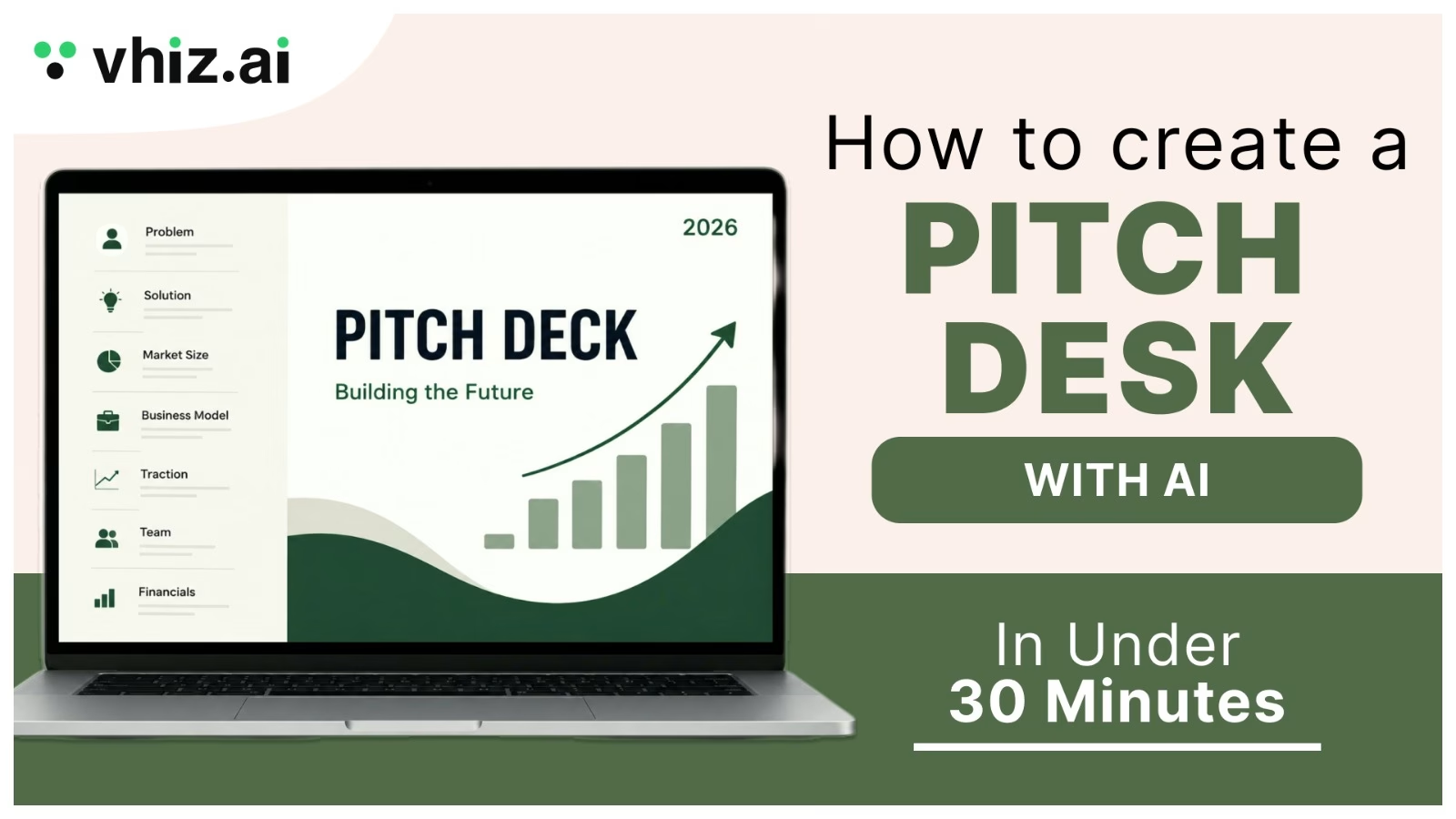
Sequoia’s classic template runs 10 slides. Y Combinator recommends 10 to 12. DocSend’s successful decks average around 16 pages including appendix and cover. The overlap is a stable core of 11. Instruct your generator to produce exactly this and nothing else.
| # | Slide | The one job it does | The mistake AI makes here |
| 1 | Company purpose | Defines the business in one declarative sentence | Writes a mission statement instead of a definition |
| 2 | Problem | Names the customer pain and the current workaround | Describes the problem in the abstract, with no named customer |
| 3 | Solution | Shows the mechanism and where the product sits | Lists benefits instead of explaining how it works |
| 4 | Why now | Explains what changed to make this possible | Says “AI is growing rapidly” and stops |
| 5 | Market size | Shows bottom-up arithmetic to a defensible number | Invents a top-down TAM from a report it never read |
| 6 | Competition | Names real alternatives and your actual edge | Builds a 2×2 with you alone in the top right |
| 7 | Product | Shows the thing working, ideally as a real screen | Uses a generic illustration where a screenshot belongs |
| 8 | Business model | Price, unit economics, path to margin | Writes “SaaS subscription” with no numbers attached |
| 9 | Traction | Proof, with dates and units | Fabricates a hockey-stick chart with no axis labels |
| 10 | Team | Why this team wins this specific market | Lists job titles instead of outcomes |
| 11 | The ask | Amount, runway it buys, milestones it unlocks | Omits the ask entirely, which happens more than you would think |
Investors do not read this in order. They scan for signals. The product section reliably absorbs the most attention in DocSend’s data, which means the slide where AI most wants to insert a decorative graphic is the slide where a real screenshot earns you the most. If your interface is not screenshot-ready yet, a clean mockup beats a stock illustration, and the AI design tools category has options that produce one in minutes.
Pitch Deck Examples and the Formats Investors Like Most
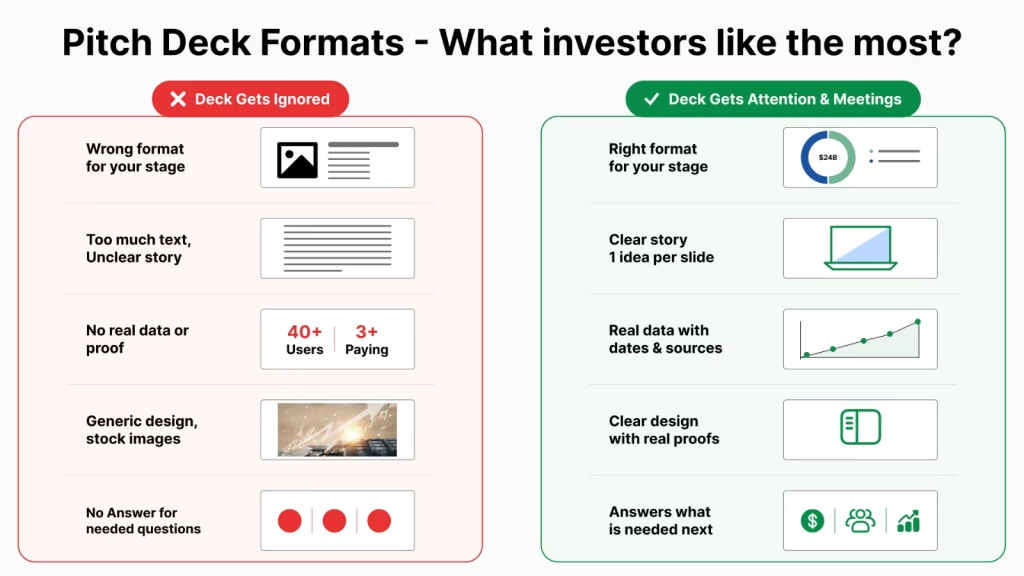
The 11 slides above are the skeleton. The format is how you dress it, and the right format depends entirely on what stage you are raising at and what evidence you have to show. A pre-seed deck that leads with a cohort retention chart looks confused. A Series A deck that leads with vision looks evasive. Investors are not comparing your deck to a design standard, they are comparing it to the other decks at your stage that landed in the same inbox this month. Here are the formats that keep working, and why.
1. The pre-seed and seed narrative deck: 10 to 12 slides
This is the format most founders actually need, and the one AI generators handle best. It is a story deck. You have little data, so the deck carries an argument instead: a specific customer, a painful workaround, a mechanism that removes it, and a reason this is possible now and was not three years ago.
What it should include: company purpose, problem, solution, why now, market size with bottom-up arithmetic, competition including the incumbent behaviour, product screenshot, business model, early traction with dates, team, and the ask. Investors like it because at this stage they are underwriting the team and the insight, not the numbers. Airbnb’s 2008 seed deck is the canonical public example: eleven slides, plain type, one idea per slide, and a problem statement any reader could repeat back. It is still passed around because it argues rather than decorates.
The mistake to avoid: padding thin traction with projections. If you have 40 users and 3 paying, say 40 users and 3 paying, with the month attached.
2. The Series A evidence deck: 12 to 16 slides plus appendix
At Series A the burden shifts from insight to proof. The narrative slides stay, but they compress to make room for evidence. Roughly half the deck becomes data.
What it should include: everything in the seed format, plus a growth chart with labelled axes and a date range, cohort retention, CAC and payback period, revenue by segment, a pipeline or expansion story, a hiring plan tied to the raise, and an appendix holding the detail an analyst will ask for. Investors like this format because it lets a partner skim the story in three minutes and lets an associate stress-test the numbers for an hour afterwards, without either of them fighting the other’s deck. The DocSend pitch deck research is consistent on this point: successful decks are not the ones with more slides, they are the ones where the appendix absorbs the depth so the main body stays scannable.
3. The SaaS metrics deck
SaaS is the most standardised format in fundraising, which is good news: investors know exactly what they are looking for, so meeting the convention costs you nothing and missing it costs you a meeting.
What it should include: ARR and month-over-month or year-over-year growth, net revenue retention, gross margin, CAC payback in months, logo and revenue churn, magic number or an equivalent efficiency metric, and a clear pricing and packaging slide. Every metric needs a definition and a date. Investors like the SaaS format because it is directly comparable across companies, and comparability is how a fund allocates capital. The moment you invent a bespoke metric with a flattering denominator, an experienced reader assumes the standard one is bad.
4. The product or demo deck
Used for design partners, early customers, and technical investors, this format inverts the usual order and leads with the artifact. Fewer words, more screens.
What it should include: the problem in one slide, then a sequence of real product screens with a caption each showing the workflow end to end, then integrations or architecture, then a short traction and ask. Investors like it when the product is the insight and words would only dilute it. This is the one format where generated imagery does the most damage, because a stock illustration on a product slide reads as a product that does not exist yet. If your interface is not ready to screenshot, build a clean mockup with an AI design tool rather than reaching for a decorative graphic.
5. The business or partnership deck
Not every deck is a fundraise. Agencies, service businesses, and solo creators pitch for contracts, distribution, and partnerships, and the format is different because the reader’s question is different. They are not asking whether you will be worth ten times more in four years, they are asking whether you will deliver.
What it should include: who you are in one line, the specific outcome you produce, proof in the form of named clients or case studies with results, how the engagement works, pricing or commercial terms, the team who will actually do the work, and next steps. This format is usually a leave-behind rather than a presentation, which means it must read cleanly without you in the room. Slightly more words per slide is acceptable here, and a clear call to action at the end is mandatory. Tools in the AI business tools category handle this format well because the structure is stable and the content is yours.
6. The competition or accelerator deck
Demo days, pitch competitions, and accelerator applications impose a hard constraint: a strict slide count, often 8 to 10, and a strict time limit, often three minutes. The format is the seed narrative deck compressed, with the ask replaced by what you are asking the programme for.
What it should include: problem, solution, demo or product, market, traction, team, and ask, with almost no body copy. Judges score clarity above completeness, and every slide is being read while you are talking over it. Y Combinator’s guidance on deck design matters most in this format: legible, simple, obvious, because a slide that needs to be read cannot be read while listening.
What the formats have in common
Strip the labels away and the same three properties show up in every format investors respond to. One idea per slide, so a reader who scans still gets the argument. Every number carries a unit, a date, and a source, so nothing invites a check that fails. And the sequence answers the reader’s next question rather than the founder’s favourite topic. Pick the format that matches your stage, then instruct your generator to produce exactly that slide list. If you leave the format open, the model will hand you a generic hybrid of all six, which is the deck that reads like every other deck. Browse the Vhiz AI tools directory if you want to see which builders ship stage-specific templates rather than a single default.
The Best AI Pitch Deck Generators in 2026, Compared
The category consolidated hard. Tome, which hit 20 million users and raised $81.6 million, shut its presentation product down on 30 April 2025 and pivoted the team to sales software; users who had not exported their decks lost them permanently. That is the single most useful fact in this section, because it tells you what to optimise for: own your export.
| Tool | Best for | Generation style | Export | Entry price |
| Gamma | Fastest prompt-to-draft, web-native decks | Card-based, sub-60-second first draft | PDF, PPTX | Free tier, paid from ~$10/mo |
| Beautiful.ai | Design consistency you cannot break | Outline first, then rule-enforced smart slides | PDF, PPTX | Paid from ~$12/mo |
| Plus AI | Teams living in Google Slides or PowerPoint | Generates natively inside the host app | Native Slides / PPTX | Free trial, paid tiers |
| Decktopus | First-time founders who want to be walked through it | Guided, section-by-section prompts with content suggestions | PDF, PPTX | Free tier, paid from ~$15/mo |
| Storydoc | Decks that get read async, with engagement analytics | Prompt or website URL into an interactive scroll deck | PDF, tracked web link | Free trial, paid tiers |
Pricing moves constantly in this category, so treat the entry price column as a directional guide and verify on the vendor site before you commit.
Gamma: the speed benchmark
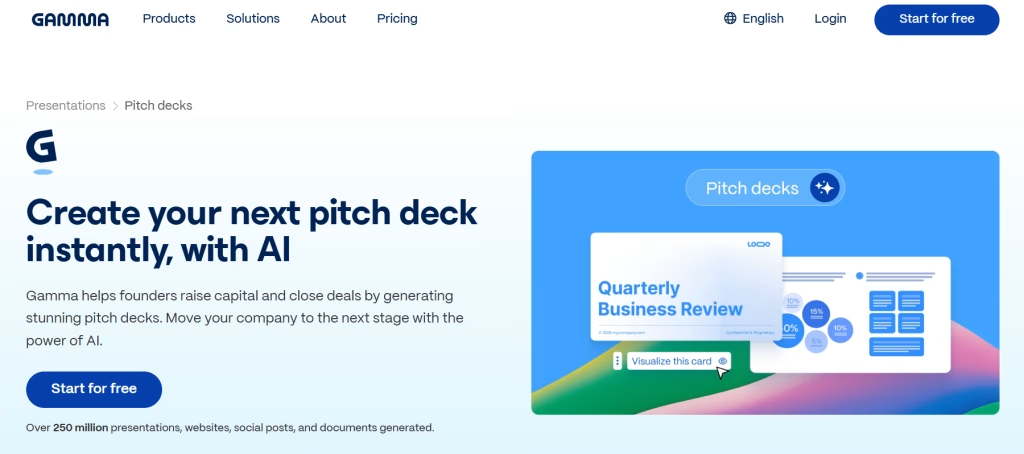
Gamma remains the fastest route from prompt to editable draft, and it is the closest structural successor to what Tome users lost. It generates card-based decks in under a minute, iterates conversationally, and as of March 2026 generates brand-specific images, charts, and infographics natively via Gamma Imagine, a move TechCrunch framed as a direct push at Canva and Adobe. The honest limitation is that the card format is opinionated, and PowerPoint export has historically been its weakest surface. If your deck must land as a pristine .pptx, test that export before you build the whole thing.
Beautiful.ai: the anti-mess option
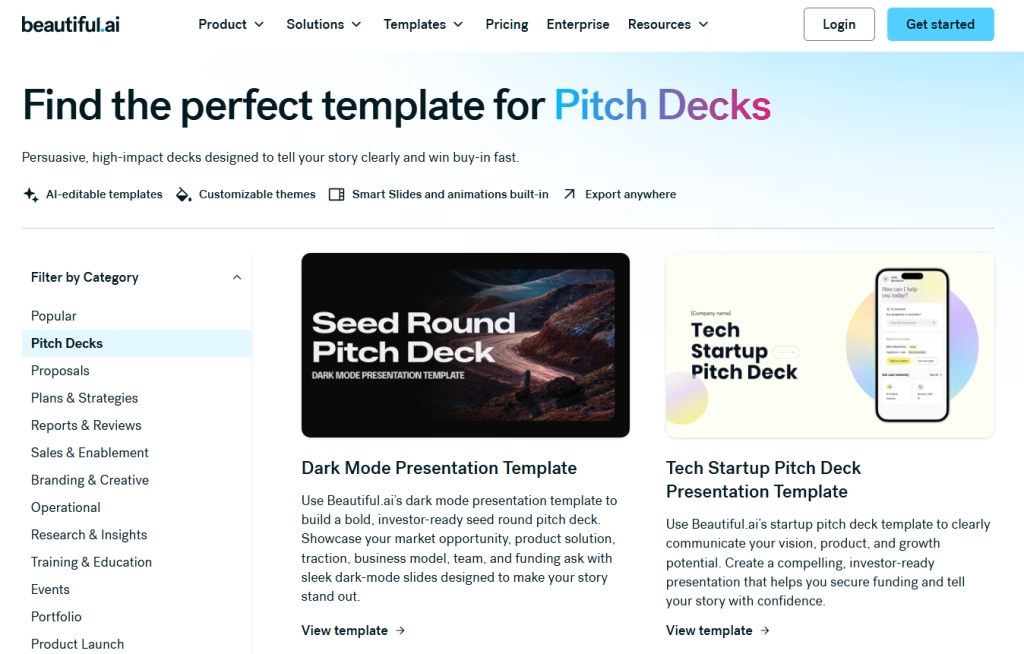
Beautiful.ai bakes design rules into every slide, so spacing, alignment, and type scale self-correct as you add content. Its 2026 workflow drafts the outline before it designs, which maps exactly onto step 3 above. It is the right pick for a founder who knows their argument and does not trust themselves with a free canvas at midnight.
Plus AI: generate inside the file you were going to send anyway
Plus AI takes the opposite approach to every web-native builder on this list and generates directly inside Google Slides and PowerPoint. That is the cleanest answer to the export problem, because there is no export: you were already in the file format. It is the right pick for teams whose co-founders, designers, or board already live in those apps, and for anyone who watched the Tome shutdown and decided never to keep a deck inside a tool they do not control.
Decktopus: the guided option for a first deck
Decktopus builds the deck with you rather than at you. Instead of generating everything from a single prompt, it walks through the sections and suggests content for each one, which suits a founder writing their first deck and unsure what belongs on a business model slide. It also auto-generates speaker notes, which is more useful than it sounds when you are pitching the deck live a week later. The output is less visually polished than Gamma, and the price point is lower to match.
Storydoc: for the deck nobody presents
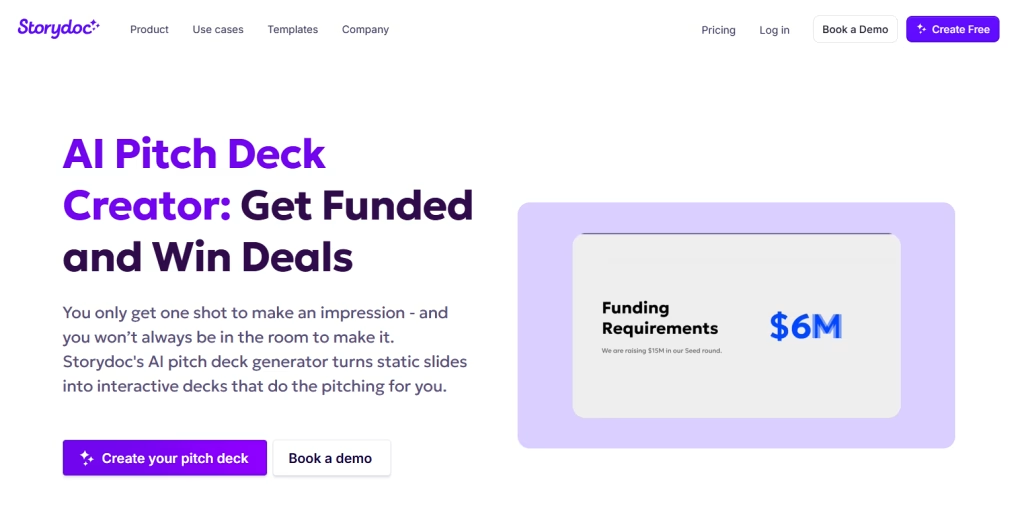
Most investor decks are read alone, in an inbox, with nobody there to narrate them. Storydoc is built for exactly that: you give it a prompt or your website URL and it returns an interactive, scroll-based deck rather than a slide stack, with engagement analytics showing who read what and for how long. That tracking is the real product, and it maps onto the tracked-link advice further down this guide. The trade-offs are honest ones: it is the priciest tool here, and a scroll format is a poor fit if an investor asks for a PDF to forward to their partners.
The Prompt That Produces Investor-Grade Slides
Most people prompt an AI deck builder with a sentence. That is why they get a sentence-quality deck. Use this structure instead, with your prep document pasted underneath.
The prompt template
Build an 11-slide investor pitch deck for a pre-seed round. Use exactly these slides in this order: Company Purpose, Problem, Solution, Why Now, Market Size, Competition, Product, Business Model, Traction, Team, The Ask. Do not add any other slides.
Rules: One idea per slide. Every headline is a specific claim, not a category label. Maximum 40 words of body copy per slide. No adjectives that a competitor could also use about themselves.
Critical: Use only the facts, figures, and numbers in the context below. If a slide requires a number I have not given you, write NEEDS DATA in place of the number. Do not estimate, do not infer market sizes, and do not generate charts from figures I did not supply.
Tone: Direct and factual. Write as a founder to an investor who reads forty decks a week.
Context about the company: [paste your 300-word prep document here]
Why each rule matters
- The slide list stops the generator from padding to 20 cards.
- The claim-not-label rule is what forces the headline to carry the argument, which is the YC legible-simple-obvious principle applied at the prompt layer.
- The NEEDS DATA instruction is the most important line in the prompt. It converts hallucination into a visible to-do list. You will get a deck with four NEEDS DATA markers, and those four markers are your homework.
- The word cap keeps the deck readable in the 224 seconds it will actually get.
If your tool of choice has a weak prompt box, draft the slide-by-slide copy in a general-purpose model or a dedicated AI writing tool first, then paste the finished copy into the deck builder and let it handle design only. That split, write in one tool and design in another, consistently outperforms asking one tool to do both. Our Jasper vs Copy.ai vs Writesonic breakdown covers which writing tools hold a factual brief without drifting.
The Six-Slide Audit AI Cannot Do for You
Once the deck exists, run this audit manually. It takes six minutes and it is the reason your deck will outperform the identically-generated deck sitting in the same inbox.
1. The purpose slide: would a stranger repeat it correctly?
Read slide one to someone outside your industry. Ask them to describe your company back. If they cannot, the sentence is doing branding work instead of definition work. This is the most-viewed slide in the deck and the one founders most often over-write.
2. The market slide: can you show your arithmetic in ten seconds?
If the number came from a generator, delete it. Rebuild it bottom-up: number of target customers, times realistic annual price, times a penetration rate you can defend. An investor who asks “where did that come from” and gets a real answer has just learned more about you than the slide did.
3. The competition slide: did you list the workaround?
AI competition slides list companies. Your real competitor is usually a spreadsheet, an agency, or doing nothing. If the incumbent behaviour is not on the slide, the slide is fiction.
4. The traction slide: are the axes labelled and dated?
Generated charts routinely ship without units, without axis labels, and without a date range. That reads as either sloppiness or evasion, and investors assume the second.
5. The team slide: outcomes or titles?
Team slides now carry more weight than they did two years ago, precisely because AI made everything else easy to produce. “Ex-Stripe, built the payments integration used by 40,000 merchants” beats “Head of Engineering” every time.
6. The ask: is there one?
State the amount, the runway it buys in months, and the two or three milestones it unlocks. AI omits this slide constantly because “pitch deck” in its training data often means a template that stops at Team.
Myth vs reality: Myth: a great AI deck tool means you no longer need to know your numbers. Reality: it means the only thing left that differentiates your deck is your numbers, because the design floor just rose for everyone.
Design and Branding: Looking Like a Company, Not a Template
Investors cannot evaluate your code, so they use proxies. A deck that is visually coherent signals a team that finishes things. A deck built on an untouched default theme signals a team that reached for the nearest button. The gap between those two is about eight minutes of work.
The four brand inputs that matter
- A logo in SVG with light and dark variants. A PNG with a white box around it on a dark slide is the single most common tell of a rushed deck.
- Two brand colours plus one accent, and nothing else. Restraint reads as intent.
- One typeface, two weights. Every additional font is a tax on legibility that YC’s design guidance specifically warns against.
- A real product screenshot. Not a laptop mockup with a blurred screen in it.
If any of those four are missing, fix them before you touch slide design. Generating a complete brand kit now takes minutes rather than a $3,000 designer engagement, and our roundup of the 10 best AI logo generators of 2026 compares the tools that produce vector-ready output rather than pretty raster files you cannot scale. If you also need founder headshots for the team slide and do not have professional photography, AI avatar generation fills that gap credibly.
Where AI imagery helps and where it hurts
Generated imagery works for abstract concept slides, section dividers, and the Why Now slide. It hurts everywhere a real artifact should be: the product slide, the traction slide, and the team slide. An investor who spots a generated face on a team slide will assume the traction chart is generated too. Keep generated visuals to the argument, never to the evidence.
Export, Share, and Track Your Deck
The Tome shutdown is the cautionary tale here. Users who kept their decks only inside a web-native tool lost them when the product sunset, with no export and no recovery. Treat every deck tool as temporary infrastructure.
The export rule
Export a PDF and a .pptx every time you finalise a version, and store both outside the tool. The PDF is what investors open. The .pptx is your insurance policy and your handoff format for anyone who will edit it later.
Share via a tracked link, not an attachment
Sending a PDF attachment tells you nothing. Sending a tracked link tells you which investor read slide nine twice and which one bounced at slide two. That signal is the difference between guessing who to follow up with and knowing. Time on deck correlates strongly with meeting probability, so an investor who spends four minutes is a materially warmer lead than one who spends 90 seconds.
Version per investor type, not per investor
Two variants is the sensible ceiling: one that leads with technical depth, one that leads with go-to-market. Beyond that you are maintaining decks instead of building the company. Keep both versions in the same tool with a shared brand kit so a colour change propagates rather than forking. If you are running fundraising outreach alongside this, the AI marketing tools category covers the sequencing and tracking side, and our best AI marketing tools guide compares the ones that handle outreach without spamming.
Who Should Use an AI Deck Builder and Who Should Not
| You are | Use AI for the deck? | Why |
| Pre-seed founder, first raise | Yes, fully | Design parity for free; your constraint is the argument, not the pixels |
| Seed to Series A founder | Yes, for the draft | Generate structure, then take the final pass yourself or with a designer |
| Agency pitching a client | Yes | Volume of decks makes template enforcement worth more than bespoke design |
| Student or competition entrant | Yes | Judges score the idea and clarity, and free tiers are genuinely usable |
| Solo creator pitching a partnership | Yes | The deck is a leave-behind, not a fundraising instrument |
| Series B and beyond | Draft only | Board-level decks carry data-precision requirements consumer tools do not meet |
| Regulated finance or M&A pitch books | No | Data precision and audit requirements need purpose-built tooling |
| Anyone with no real numbers yet | Not yet | A polished deck around empty claims fails faster than a plain one |
If you land in the “yes” rows, the practical next step is picking your stack rather than reading more comparisons. Browse the full Vhiz AI tools directory or start with the AI business tools and AI productivity tools categories, where the deck builders, brand kit generators, and document tools sit side by side with real pricing and use cases attached.
Frequently Asked Questions
Can you really create a pitch deck with AI in under 30 minutes?
Yes, if you arrive with your inputs ready. The generation itself takes under two minutes with most 2026 tools. The other 28 minutes go to approving the outline, stripping each slide to one idea, replacing generated figures with real ones, and applying your brand. Founders who skip the 10-minute prep document routinely spend two hours and end up with a worse deck, because they are asking the model to invent an argument instead of structure one.
What is the best AI pitch deck generator in 2026?
There is no single winner, and the honest answer depends on your export requirement. Gamma is the fastest prompt-to-draft tool and now generates brand imagery natively. Beautiful.ai enforces design rules so slides cannot break their own grid. Plus AI generates directly inside Google Slides and PowerPoint, which eliminates export problems entirely. Slidebean is built specifically for fundraising workflows. Pick based on where the finished deck has to live.
Is there a genuinely free AI pitch deck generator?
Yes. Gamma, Pitch, and Decktopus all run usable free tiers, and Gamma’s free plan includes PDF and PPTX export. The typical free-tier limits are watermarks, a cap on generations or cards per prompt, and restricted brand controls. For a first pre-seed deck those limits rarely bite. Free tiers become a problem when you need custom fonts, view analytics, or team collaboration, all of which sit behind paid plans.
Will investors know my deck was made with AI?
They will notice a deck that reads generated, which is different. The tells are structural rather than visual: prose-length bullets, unlabelled charts, a market size with no arithmetic behind it, and a competition slide that lists only companies rather than the customer’s current workaround. Fix those and the tool becomes invisible. Design polish alone no longer signals anything, because polish is now available to everyone.
How many slides should an AI-generated pitch deck have?
Eleven core slides, with an appendix if you need one. Sequoia’s template runs 10, Y Combinator recommends 10 to 12, and DocSend’s data shows successful decks clustering around 15 to 16 pages including cover and appendix while unsuccessful decks skew longer. AI generators default to 18 to 22 cards, so you must specify the slide count and the slide list in your prompt or you will get padding.
Can AI generate the market size and financial slides for me?
It can, and you should not let it. This is the highest-risk failure mode in the entire workflow. A generator with no data will produce a plausible TAM figure and a chart to match, both invented. One fabricated number that an investor checks discredits every other number in the deck. Instruct the model to write NEEDS DATA wherever it lacks a figure you supplied, then fill those gaps yourself with bottom-up arithmetic you can defend out loud.
What happens to my deck if the AI tool shuts down?
You lose it, unless you exported. Tome reached 20 million users and raised $81.6 million, then shut its presentation product down on 30 April 2025; decks that had not been exported were permanently deleted. Export a PDF and a .pptx after every meaningful revision and store both outside the tool. Treat any web-native deck platform as a workspace, never as an archive.
Do I need a brand kit before I build the deck?
It makes the last step trivial instead of painful. Every deck tool asks you to upload a logo, colours, and fonts. If you do not have them, you end up making brand decisions inside a slide editor at the worst possible moment. AI branding tools now generate a full kit, including vector logo variations, a palette, font pairings, and a brand book, in minutes. Do that first and step 7 of the workflow becomes a file upload.