
That is the problem with this category. It moves faster than the content written about it. GitHub Copilot changed its entire billing model on June 1. Windsurf raised its price and threw out its credit system in March. Cursor added a new team seat in June. Meanwhile the average roundup you will find on page one of Google was last touched in late 2025 and is quoting prices that are now wrong by 30 percent or more.
This ranking of the best AI coding assistants is built differently. Every price below was verified against the vendor’s own pricing page in July 2026. Every tool listed is one that working developers are actively paying for, not one that scored well on a benchmark and vanished. And rather than pretending all ten are winners, this guide tells you which one to buy for your specific situation, what your bill will actually be once metering kicks in, and where each tool genuinely fails. Vhiz AI tracks over 111 tools across 14 categories in our AI code tools directory, which is how we spotted the Gemini shutdown while most publishers are still recommending it.
1. What an AI coding assistant actually is in 2026
The phrase “AI coding assistant” covered exactly one thing in 2022: an autocomplete engine that guessed your next line. In 2026 it covers four distinct product categories that compete for the same budget line while solving genuinely different problems. Buying the wrong category is the single most common and most expensive mistake teams make.
The four categories
| Category | What it does | Form factor | Examples |
| Inline assistant | Completions, chat, single-file edits inside your existing editor | IDE extension | GitHub Copilot, JetBrains AI Assistant |
| AI-native editor | Rewrites the IDE around the model: multi-file edits, indexed context | Standalone editor (usually a VS Code fork) | Cursor, Windsurf, Trae |
| Terminal or CLI agent | Reads the repo, plans, edits, runs commands, commits | Command line or headless | Claude Code, Antigravity CLI |
| Review and QA agent | Reads pull requests, flags bugs, generates tests | Bot on GitHub or GitLab | CodeRabbit, Greptile, Qodo |
The categories are not substitutes. An inline assistant will never refactor twelve files across a monorepo. A terminal agent will never give you the sub-200-millisecond autocomplete that makes typing feel frictionless. A review agent writes no features at all, and that is the point.
The 2026 pattern: Most professional developers now run two tools, not one. The common stack is an AI-native editor or inline assistant for interactive work, plus a terminal agent for autonomous multi-file tasks, plus a review bot in CI. Budgeting for one tool and then discovering you need three is how AI tooling spend quietly triples.
2. Why picking the wrong AI coding assistant is expensive
The most important number in this category is not a benchmark score. It is the gap between how many developers use these tools and how many trust them. The Stack Overflow Developer Survey, which drew more than 49,000 responses from 166 countries, found that 84 percent of developers are using or planning to use AI tools, and 51 percent of professional developers use them daily. Trust in the accuracy of those tools fell to 29 percent, down from 40 percent the year before. Only 3 percent say they highly trust the output. Among experienced developers, that figure drops to 2.6 percent.
The reason is specific and it should shape your buying decision. The number one frustration, cited by 66 percent of respondents, is “AI solutions that are almost right, but not quite.” A further 45 percent report that debugging AI-generated code is more time-consuming than writing it themselves. This is not a complaint about tools that fail loudly. It is a complaint about tools that fail quietly, producing code that compiles, looks correct, passes a skim read, and then breaks in a way that costs an afternoon.
The independent research points the same way. METR’s randomized controlled trial of experienced open-source developers found they were 19 percent slower when using AI tools on their own repositories, despite believing they had been roughly 20 percent faster. Veracode’s security testing found that roughly 45 percent of AI-generated code samples contained a security vulnerability. The perception of speed and the reality of speed have come apart.
What this means for your choice: Optimize for verification, not generation. Every tool on this list can produce plausible code. The ones worth paying for are the ones that make it cheap to check the code, understand why it changed, and roll it back. That is why review agents rank higher on this list than their marketing budgets would suggest.
Worth noting for accuracy: the figures above are from the 2025 survey cycle. The 2026 Stack Overflow survey is currently open and has not been published. Any article claiming to quote “the 2026 Stack Overflow survey” results is quoting the 2025 data with a different label on it. For a broader view of where the model layer sits right now, our ChatGPT vs Claude vs Gemini comparison covers the underlying models these assistants call.
3. How Vhiz AI evaluated these AI coding assistants
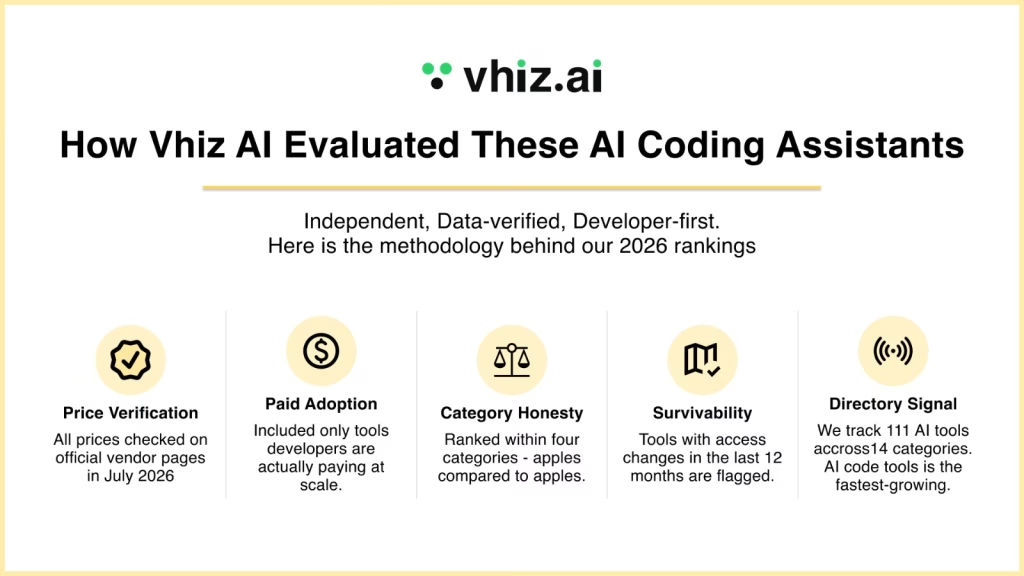
Vhiz AI is an independent AI tools directory. We do not take payment for placement in editorial rankings, and the ranking below is not sorted by affiliate value. Here is the methodology, so you can decide how much weight to give it.
- Price verification: every figure was checked against the vendor’s own public pricing page in July 2026, not against a secondary source or an older article. Where vendor documentation and the checkout page disagreed, we noted it.
- Paid adoption over benchmark scores: a tool qualifies for this list if developers are paying for it in volume today. Benchmark leadership without paid retention did not qualify.
- Category honesty: tools are ranked within the four categories above rather than pretending an autocomplete engine and a terminal agent compete head to head.
- Survivability: tools whose access model changed under their users in the last 12 months are flagged, because a tool that can be switched off is a risk regardless of how good it is.
- Directory signal: Vhiz AI tracks 111 tools across 14 categories. Our AI code tools category is the fastest-growing segment in the directory, which gives us a running view of what enters the market and what quietly stops shipping.
Our bias, stated plainly: We weight cost predictability heavily. In 2026 almost every tool in this category moved to metered billing, and the difference between a $20 plan and a $200 bill is now a workflow decision rather than a plan decision. We think that matters more than a two-point difference on SWE-bench.
4. Best AI coding assistants 2026: the comparison table
Every price below was verified in July 2026. Prices are monthly, individual tiers unless noted. Confirm current figures before you subscribe, because this category re-prices roughly every quarter.
| Tool | Category | Entry price | Best for |
| Claude Code | Terminal agent | Included with Claude Pro at $20 (or $17 annual) | Autonomous multi-file refactors and repo-wide work in any editor |
| Cursor | AI-native editor | Free Hobby, Pro $20 | Developers who want the best integrated editor experience and manual control |
| GitHub Copilot | Inline assistant | Free tier, Pro $10 | Cheapest credible entry point and the widest IDE coverage |
| Windsurf | AI-native editor | Free tier, Pro $20 | JetBrains teams, large codebases, and regulated industries |
| Google Antigravity | Agent IDE and CLI | Free tier | Google Cloud work and developers migrating off Gemini CLI |
| JetBrains AI + Junie | Inline assistant + agent | Free tier available | IntelliJ, PyCharm and WebStorm users who will not switch editors |
| Cline | Open-source agent | Free, bring your own API key | Full control, auditability, and no vendor pricing risk |
| CodeRabbit | Review agent | Free to start | Catching the “almost right” code before it merges |
| Augment Code | Enterprise assistant | Paid | Very large codebases where context is the bottleneck |
| Qodo | Review and test agent | Free to start | Teams that need test generation alongside review |
5. The 10 best AI coding assistants in 2026, ranked
1. Claude Code: the best AI coding assistant overall
Category: terminal agent. Price: included with paid Claude plans. Pro is $20 per month, or $17 billed annually. Max 5x is $100 and Max 20x is $200. Verified against Anthropic’s pricing page in July 2026. See the full Claude Code listing on Vhiz AI.
Claude Code is an agentic command-line tool. You point it at a repository and describe an outcome. It reads the codebase, plans, edits files, runs your test suite, and commits. It runs in the terminal, in VS Code, in JetBrains IDEs, and in the desktop and web apps, which means it does not ask you to abandon your editor.
It tops this list for one reason: it is the only tool in the category where developers routinely report handing over tasks that would take a human an hour and getting back a diff worth reviewing. Its debut in the Stack Overflow IDE rankings at 9.7 percent, alongside Cursor at 17.9 percent, was the fastest first-year showing the survey has recorded. Neither is displacing VS Code, which held at 75.9 percent. They are becoming a second layer that sits alongside the editor.
What you actually pay
Usage runs against a rolling five-hour session window with weekly caps on top, shared across Claude chat and Claude Code. Anthropic stopped publishing fixed message counts, so any article quoting “45 messages per five hours” is repeating 2025 numbers. The honest guidance: Pro covers a few focused hours a day. If you hit the session cap most afternoons, that is the signal to move to Max 5x, not a reason to complain about Pro.
- Strengths: best-in-class multi-file reasoning, editor-agnostic, transparent about what it is about to change, runs on Bedrock and Vertex AI if you need cloud billing.
- Weaknesses: no free tier at all, session limits interrupt long sprints on Pro, and heavy agent use gets expensive fast.
- Buy it if: you work on real codebases and want the agent to do the boring 80 percent while you review.
- Skip it if: you mainly want fast autocomplete. You are paying for capability you will not use.
2. Cursor: the best AI code editor

Category: AI-native editor. Price: Hobby free, Pro $20, Pro+ $60, Ultra $200, Teams $40 per user (Standard) and $120 (Premium), Enterprise custom. Annual billing takes 20 percent off. Verified against Cursor’s pricing page in July 2026.
Cursor is a VS Code fork with the model wired into every surface. Tab completion, inline edits, and an agent that handles multi-file changes while you approve each diff. Its autocomplete is still the best in the category, and its philosophy is control: it wants to do the work with you rather than for you.
The thing to understand about Cursor is the credit pool. Every paid plan includes a credit allowance equal in dollars to the plan price. Pro gets $20 of credits, Pro+ gets $60, Ultra gets $200. Auto mode, where Cursor routes your request to a cost-efficient model, is unlimited and does not draw from that pool at all. Credits only deplete when you manually select a frontier model or turn on Max mode. Most developers who complain about surprise Cursor bills are the ones who set Claude Opus as their default and forgot.
What changed in June 2026
Cursor split Teams seat usage into two pools, one for its first-party Composer and Auto models and one for third-party API models, which gives every $40 Standard seat meaningfully more total usage at the same price. It also introduced a Premium seat at $120 for heavy agent users, roughly five times the usage for three times the cost. Teams can mix seat types.
- Strengths: best autocomplete, polished editor, unlimited Auto mode, mature team controls, huge extension compatibility.
- Weaknesses: single editor only, so JetBrains users are locked out. SOC 2 but no HIPAA or FedRAMP. Credit system still confuses people.
- Buy it if: you live in VS Code, want AI everywhere in the editor, and want to review every diff.
3. GitHub Copilot: the best value AI code assistant
Category: inline assistant. Price: Free tier, Pro $10 (includes $15 in AI credits), Pro+ $39 (includes $70), Max $100 (includes $200), Business $19 per seat, Enterprise $39 per seat. Verified against GitHub’s plans page in July 2026.
Copilot is the widest-deployed tool in the category and the cheapest credible entry point. It runs in VS Code, Visual Studio, JetBrains IDEs, Vim, Neovim, and Azure Data Studio, which no competitor matches. At 68 percent usage among developers who use AI tools, it is still the default.
The June 1, 2026 billing change you need to understand
On June 1, GitHub retired premium requests and moved every plan to usage-based billing on GitHub AI Credits, where 1 credit equals $0.01. Usage is now metered on actual token consumption, including input, output, and cached tokens. Plan prices did not change. What each price buys did. GitHub explained the reasoning in its usage-based billing announcement.
Two details matter more than the headline. First, inline code completions and Next Edit Suggestions remain unmetered and free on paid plans, so if autocomplete is your whole workflow, nothing changed for you. Only chat, agent mode, code review, and Copilot CLI draw credits. Second, Opus-class models were removed from the base Pro tier and now require Pro+ or above. If you were on Pro leaning on Opus, your workflow broke, not your bill.
- Strengths: $10 entry, unmatched IDE coverage, free tier that is genuinely usable, unmetered completions, pooled credits and budget caps on Business.
- Weaknesses: agent mode is behind the AI-native editors. Enterprise at $39 requires GitHub Enterprise Cloud, which pushes real cost higher. Since June 1, Copilot code review also consumes GitHub Actions minutes.
- Buy it if: you want the most coverage for the least money and you are already on GitHub.
4. Windsurf: the best AI coding assistant for teams and regulated industries
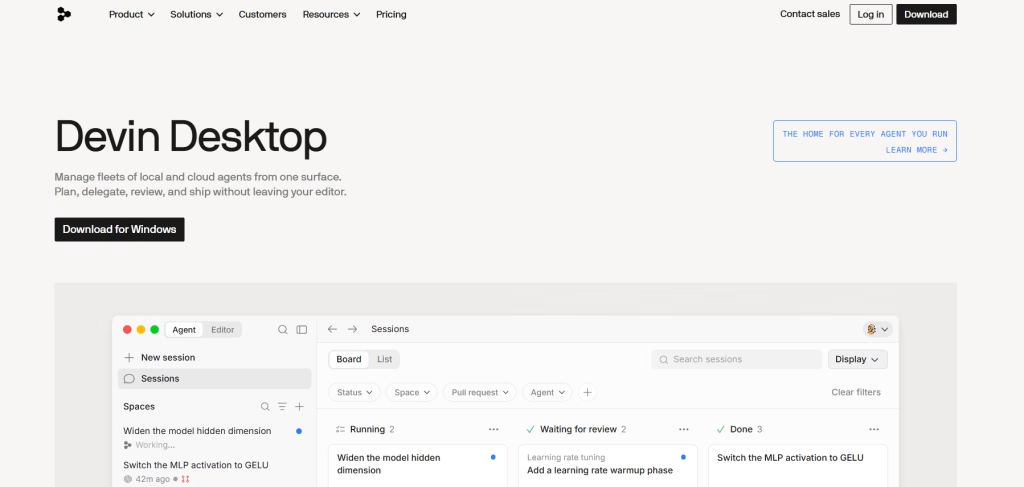
Category: AI-native editor. Price: free tier, Pro $20, Max $200, Teams $40 per user, Enterprise custom. Now owned by Cognition, the company behind Devin.
Windsurf spent two years as the cheap alternative to Cursor at $15. That ended on March 19, 2026, when it moved Pro to $20, retired its credit system in favour of daily and weekly quotas, and launched a $200 Max tier. The price advantage is gone, so the question is what the $20 buys instead.
Three things. First, Cascade, an agent that leans autonomous where Cursor leans collaborative: it gathers its own context and executes multi-step changes with less babysitting. Second, SWE-1.5, Cognition’s proprietary coding model, which the company reports runs at roughly 1,300 tokens per second against Sonnet’s roughly 100, a 13x speedup at near-parity accuracy on its internal evaluations. Treat that as a vendor claim, but the speed difference is noticeable in daily use. Third, and decisively for some buyers, plugins for 40 or more IDEs including JetBrains, Vim, Neovim, and Xcode.
The compliance point: Windsurf carries SOC 2, HIPAA, FedRAMP, and ITAR. Cursor carries SOC 2. If you work in healthcare, government contracting, or defense, this is not a preference, it is the entire decision, and Cursor is simply not eligible.
- Strengths: 40-plus IDE plugins, deepest compliance coverage, fast proprietary model, strong on large and unfamiliar codebases.
- Weaknesses: less granular control over agent context. The quota switch drew real backlash. Ongoing questions about how far it merges into Devin.
- Buy it if: your team is on JetBrains, your codebase is large, or your compliance team has opinions.
5. Google Antigravity: the replacement for Gemini Code Assist

Category: agent-first IDE plus CLI. Price: free tier available, with paid quota tiers through Google Cloud.
This is the entry that most competing articles get wrong, so read it carefully. Google announced at I/O on May 19, 2026 that it was unifying its developer tooling into Antigravity. On June 18, 2026, Gemini CLI and the Gemini Code Assist IDE extensions stopped serving requests for Gemini Code Assist for individuals, Google AI Pro, and Google AI Ultra. Google’s own deprecation notice confirms the Login with Google option no longer works for either product.
The replacement, Antigravity CLI, is invoked as agy. It is written in Go, ships as a single native binary with no runtime dependencies, and is built for asynchronous multi-agent workflows. It carries over Agent Skills, Hooks, Subagents, and Extensions, now called plugins. Google was candid that there is no 1:1 feature parity at launch.
Two caveats worth knowing before you migrate. Antigravity CLI is closed source, where Gemini CLI was an open TypeScript project that accepted thousands of community pull requests, and that transition generated significant developer anger. And early adopters reported hitting weekly quota limits within a handful of requests, with the Antigravity issue tracker filling up with quota complaints. Verify the free tier is workable for you before you build anything on it.
- Strengths: genuinely free entry point, native Google Cloud understanding, fast Go binary, agent-first architecture, tight integration with the Antigravity desktop app.
- Weaknesses: closed source, no feature parity with the tool it replaced, reported quota tightness, and a track record of switching off products individual developers depend on.
- Buy it if: you build on Google Cloud, or you were on Gemini CLI and need somewhere to go.
6. JetBrains AI Assistant and Junie: for developers who will not leave their IDE
Category: inline assistant plus autonomous agent. Price: free tier available, with paid tiers. See the JetBrains AI Assistant and Junie listing for the current breakdown, and confirm pricing on JetBrains’ own site, as it bundles differently depending on your All Products Pack status.
There is a large population of professional developers who are not going to move to a VS Code fork because a model got good. They work in IntelliJ, PyCharm, WebStorm, GoLand, or Rider, and the IDE is the reason their work is fast. JetBrains AI Assistant brings completions, chat, and refactoring inside those IDEs, and Junie is the autonomous agent layer on top, grounded in your project rather than a generic index.
This ranks sixth not because it is weaker than the tools above but because its addressable audience is narrower and its agent is a step behind Cascade and Claude Code. Within that audience it is close to unbeatable, because the alternative is asking a Kotlin team to give up IntelliJ.
- Strengths: native to the JetBrains ecosystem, deep static analysis integration, no editor migration, free tier to evaluate.
- Weaknesses: agent capability trails the leaders, and it is irrelevant if you are not already a JetBrains shop.
7. Cline: the best open-source AI coding assistant
Category: open-source VS Code agent. Price: free and MIT licensed. You bring your own API key and pay the model provider directly. See the Cline listing on Vhiz AI.
Cline is the answer to everything that went wrong in this category in 2026. Google switched off a tool people depended on. GitHub changed the billing model. Windsurf changed its metering. Cursor changed its team seats. Cline cannot do any of that to you, because there is no vendor between you and the model. It is an MIT-licensed VS Code extension with over 1.5 million installs as of April 2026, a Plan and Act mode that forces the agent to show its plan before touching a file, and an MCP Marketplace for extending it.
The economics are honest rather than cheap. You pay API rates with no subscription markup and no credit conversion, which means you can compute your cost exactly. For sporadic use that is cheaper than any subscription. For all-day agent use it is usually more expensive than a flat plan, because subscriptions in this category are subsidised.
- Strengths: no vendor pricing risk, fully auditable, Plan and Act mode is the best safety design in the category, MCP support, switch models freely.
- Weaknesses: you manage keys and cost yourself, no support contract, and heavy use costs more than a flat plan.
- Buy it if: you want control, or you have been burned by a vendor changing the rules mid-project.
8. CodeRabbit: the assistant that catches “almost right” code
Category: AI code review. Price: free to start, paid tiers for teams. Connected to over 2 million repositories with more than 13 million pull requests reviewed. See the CodeRabbit listing.
Remember the number from section two: 66 percent of developers say their biggest frustration is code that is almost right. Every tool ranked above CodeRabbit generates that code. CodeRabbit is one of the few that exists to catch it.
It sits on your pull requests, produces line-by-line review comments, a plain-language walkthrough of what changed, one-click fix suggestions, and an Issue Planner. Adding a review agent is the highest-leverage move available to any team that has already adopted generation tools, because generation without review is exactly how you get the DORA pattern of more throughput and worse stability.
Alternatives in this category worth evaluating: Greptile builds a graph index of your whole codebase and runs agent swarms against it, which catches a class of cross-file bug that line-diff reviewers miss. GitLab Duo is the obvious pick if your team lives in GitLab rather than GitHub.
- Buy it if: your team has adopted AI generation and your review queue or incident rate has quietly gotten worse.
9. Augment Code: for codebases that break other tools
Category: enterprise AI coding platform. Price: paid. See the Augment Code listing.
There is a specific failure mode where every tool above stops working: the codebase is too big. At a certain scale the model is not reasoning about your system, it is reasoning about the twelve files it happened to retrieve, and the results get confidently wrong. Augment Code is built around a proprietary Context Engine that processes over 400,000 files, and it posts among the strongest agentic code-review benchmarks in 2026.
This is a narrow recommendation and it is priced like one. If your repository fits comfortably in a 200K token window, you are paying for infrastructure you do not need. If your monorepo has defeated Cursor and Copilot, this is the category that exists for you.
10. Qodo: review plus test generation in one
Category: review and test agent. Price: free to start. Formerly Codium AI. See the Qodo listing.
Qodo covers 15 or more agentic workflows across IDE, pull request, and security surfaces, with multi-agent code review and a persistent Rules System introduced in Qodo 2.1 that lets your standards survive across sessions rather than being re-explained in every prompt. Its differentiator is test generation. Given the trust data, a tool that writes the tests that verify the AI-generated code is doing something structurally more useful than a tool that writes more code.
Also worth knowing
- Trae: ByteDance’s free AI IDE with Builder Mode and a SOLO agent, shipping 5,000 free autocompletions per month. The most generous free editor in the market.
- Sweep: turns GitHub issues into pull requests. A genuine AI junior developer for well-scoped tickets.
- Wrap Terminal: natural-language terminal with Cloud Agents, open-sourced under AGPL-3.0 in April 2026.
- Builder.io Visual Copilot: Figma-to-code that generates React, Vue, Svelte or Angular using your existing components.
6. Best free AI coding assistants in 2026
“Best free AI for coding” is one of the most searched questions in this category, and the honest answer changed twice this year. Here is where free actually stands in July 2026.
| Free option | What you get | The catch |
| GitHub Copilot Free | 2,000 code completions per month plus limited chat and agent mode | Completion cap arrives fast under daily use |
| Google Antigravity | Free tier with agent IDE and agy CLI | Replaced the tool it deprecated. Users report tight weekly quotas |
| Cline | The entire tool, MIT licensed, unlimited | You pay the model provider directly at API rates |
| Trae | 5,000 autocompletions per month, Builder Mode, SOLO agent | Newer, smaller ecosystem |
| Cursor Hobby | Full editor, limited Tab and agent requests | Runs out quickly. The student free year closed to new signups on June 25, 2026 |
| Windsurf Free | Limited daily quota, unlimited Tab autocomplete | Daily quota, not monthly, so heavy days stop early |
The honest verdict on free: For a student or a hobbyist, GitHub Copilot Free or Trae is enough. For a professional developer, free tiers are an evaluation mechanism, not a workflow. The one genuine exception is Cline, which is free forever because the cost simply moved to your API bill. If someone tells you there is a free tool that fully replaces a $20 plan, ask them what their weekly token spend looks like.
7. The Gemini Code Assist question
This deserves its own section because search interest in “gemini code assist free” is still enormous and the answer everyone is giving is out of date.
Is Gemini Code Assist still free?
No, not for individual developers. Google made Gemini Code Assist free for individuals in March 2026 with an unusually generous allowance. Fifteen weeks later, on June 18, 2026, Gemini CLI and the Gemini Code Assist IDE extensions stopped serving requests for Gemini Code Assist for individuals, Google AI Pro, and Google AI Ultra. The Login with Google authentication path was removed. Gemini Code Assist for GitHub stopped accepting new organisation installations on the same date.
Who still has access?
- Organisations holding a Gemini Code Assist Standard or Enterprise licence keep full access, unchanged and with no announced end date.
- Developers authenticating with a paid Gemini API key or a Gemini Enterprise Agent Platform key keep access.
- Everyone else has to migrate to Antigravity or leave.
Gemini Code Assist Standard and Enterprise remain live products sold through Google Cloud, at roughly $19 to $23 per user per month for Standard and around $45 per user per month for Enterprise depending on commitment term. Confirm current figures on Google Cloud’s pricing page, because the individual tier disappearing did not change the enterprise SKUs.
What should you use instead?
If you want to stay with Google, Antigravity is the intended path and it has a free tier. If you were using Gemini CLI specifically for terminal agent work, Claude Code is the closest equivalent in capability and Cline is the closest in philosophy, being open source and model-agnostic. If you had CI pipelines calling the gemini command, they broke on June 18 with no grace period, and the fix is either Antigravity CLI or a paid API key.
The strategic lesson: Google accepted thousands of community pull requests into an open-source tool, then restricted that tool to enterprise licence holders and replaced it with a closed-source binary for everyone else. Whatever you think of the decision, it is a data point about platform risk. Weight it when you decide how deeply t
8. Pricing decoded: why the sticker price is not your bill
Every major tool in this category now meters usage. The plan price sets your included allowance, not your total. Here is how the three billing models actually work, because this is where the money goes.
Model 1: dollar-denominated credit pools (Cursor, GitHub Copilot)
Your plan includes a credit allowance roughly equal to the plan price. Copilot Pro is $10 and includes $15 in credits, where 1 credit equals $0.01. Cursor Pro is $20 and includes a $20 pool. Credits deplete by token consumption, and expensive models drain them faster. On Cursor, Auto mode does not touch the pool at all, which is the single most valuable thing to know about Cursor pricing. On Copilot, inline completions and Next Edit Suggestions are unmetered, which is the single most valuable thing to know about Copilot pricing.
Model 2: rolling session windows (Claude Code)
No credits. A token budget that refills every five hours, with weekly caps layered on top. You do not get a bill surprise, you get an interruption. When you hit the limit you either wait for the reset or enable usage credits to continue at standard API rates with a spend cap you set.
Model 3: daily and weekly quotas (Windsurf)
Windsurf replaced credits with quotas on March 19, 2026. You get daily and weekly token budgets that refresh automatically. Different models consume quota at different rates. Hit the daily quota and you either wait until tomorrow or pay overage at API pricing.
The rule that saves you money
Across all three models the same principle holds: match the model to the task. Routing every request to the most expensive frontier model available is what turns a $20 plan into a $200 month. Use the cheap router or the vendor’s own model for routine edits, boilerplate, and completions. Reserve frontier models for genuinely hard multi-file reasoning. Teams that do this consistently report that the entry tier stretches far further than the pricing page implies.
Do not do this: Do not start on the top tier “just in case.” Start on the entry plan, run two full billing cycles, and watch the usage dashboard. Upgrade only when accepted work is repeatedly blocked. If your consumption is high because you are using a frontier model for routine edits, fix your routing before you buy a bigger pool. You will save more with a settings change than with an upgrade.
9. Which AI coding assistant should you pick?
| You are | Pick | Why |
| A solo developer on a budget | GitHub Copilot Pro ($10) | Cheapest credible plan, unmetered completions, works in every IDE you might switch to |
| A professional in VS Code | Cursor Pro ($20) | Best autocomplete and editor experience. Keep Auto mode on and credits will not bite |
| Doing heavy refactors and repo-wide work | Claude Code (Pro $20, Max $100) | The only agent that reliably completes multi-file work worth reviewing |
| A JetBrains developer | JetBrains AI + Junie, or Windsurf | These are your only two real options. No editor migration required |
| On a team in a regulated industry | Windsurf Teams ($40/seat) | HIPAA, FedRAMP and ITAR. Cursor is not eligible |
| Working on a huge monorepo | Augment Code | Context is your bottleneck, not model quality |
| Shipping AI-generated code to production | Add CodeRabbit or Qodo | Generation without review is how throughput goes up and stability goes down |
| Worried about vendor lock-in | Cline (free, BYO key) | Nobody can change your pricing or switch you off |
| Building on Google Cloud | Google Antigravity | Native GCP context, and it is the only supported path off Gemini CLI |
| A student or learner | Copilot Free or Trae | Genuinely free, genuinely useful, no card required |
10. Seven practices that separate teams getting value from teams getting noise
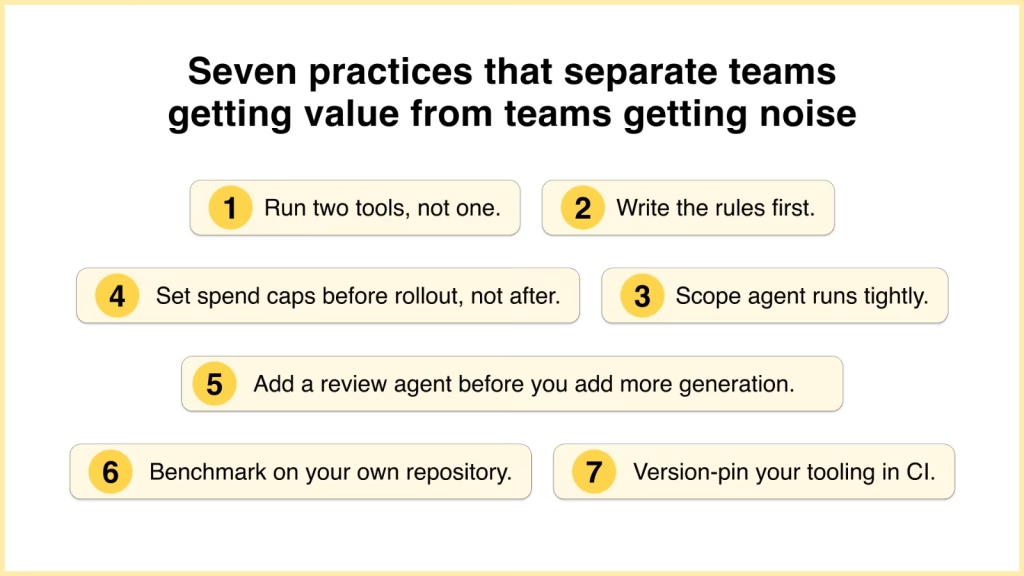
1. Run two tools, not one
The 2026 pattern among productive developers is an editor-based assistant for interactive work plus a terminal agent for autonomous tasks. They are not competitors. Budget for both.
2. Write the rules file
Cursor reads .cursorrules, Claude Code reads CLAUDE.md, and several tools now read AGENTS.md. These are not interchangeable and each tool loads a different file. Teams that maintain one report substantially fewer review comments, because the model stops re-litigating your conventions every session.
3. Scope agent runs tightly
A focused request touching four files costs a fraction of turning an agent loose on the whole repository. Vague scope is the number one cause of both bad output and high bills.
4. Set spend caps before rollout, not after
Every major tool now supports budget controls at the user or organisation level. Configure them on day one, because an enthusiastic agent user will otherwise find the ceiling for you.
5. Add a review agent before you add more generation
If your team already generates AI code and your incident rate has drifted, the marginal dollar belongs in review, not in a bigger model.
6. Benchmark on your own repository
Run the same five tasks through each candidate: one bug fix, one UI change, one test-writing task, one documentation update, one migration. Vendor benchmarks tell you nothing about your codebase.
7. Version-pin your tooling in CI
A bad release can change your consumption rate overnight. Pin the version and upgrade deliberately.
11. Frequently asked questions
What is the best AI coding assistant in 2026?
Claude Code is the best overall AI coding assistant in 2026 for developers doing real multi-file work, because it is the only agent that reliably completes substantial tasks and returns a diff worth reviewing. It is included with Claude Pro at $20 per month. If you want the best editor experience rather than an agent, Cursor Pro at $20 is the better pick. If you want the cheapest credible option with the widest IDE coverage, GitHub Copilot Pro at $10 wins. The category matters more than the ranking: an inline assistant and a terminal agent solve different problems and most professionals now run both.
Is Gemini Code Assist still free in 2026?
No, not for individual developers. Google made Gemini Code Assist free for individuals in March 2026, then on June 18, 2026 stopped serving requests for the individuals tier, Google AI Pro, and Google AI Ultra across both the IDE extensions and Gemini CLI. The Login with Google option was removed entirely. Only organisations with a Gemini Code Assist Standard or Enterprise licence, or developers using a paid API key, retain access. Everyone else must migrate to Google Antigravity, which has its own free tier, though users have reported tight weekly quotas.
What is the best free AI coding assistant?
For most people it is GitHub Copilot Free, which includes 2,000 code completions per month plus limited chat and agent mode, and requires no credit card. Trae, ByteDance’s free AI IDE, offers 5,000 free autocompletions per month and is more generous on volume. The most powerful genuinely free option is Cline, an MIT-licensed VS Code agent with no usage limits at all, though you pay your model provider directly at API rates. Free tiers work well for students and hobbyists but function as evaluation tools rather than full workflows for professional developers.
How much does GitHub Copilot cost in 2026?
GitHub Copilot has a free tier, Pro at $10 per month including $15 in AI credits, Pro+ at $39 including $70, Max at $100 including $200, Business at $19 per seat, and Enterprise at $39 per seat. On June 1, 2026 GitHub replaced premium requests with usage-based billing on AI Credits, where 1 credit equals $0.01 and usage meters on token consumption. Plan prices did not change but Opus-class models moved off the base Pro tier. Inline completions and Next Edit Suggestions remain unmetered on all paid plans.
Cursor vs GitHub Copilot: which is better?
Cursor is better if you want AI woven through the editor, superior autocomplete, and an agent that handles multi-file edits while you approve each diff. Copilot is better if you want the lowest price, the widest IDE support, and unmetered completions. Cursor Pro is $20 with a $20 credit pool and unlimited Auto mode. Copilot Pro is $10 with $15 in credits and free completions. The deciding factor is usually your editor: Cursor only exists as a standalone VS Code fork, so JetBrains, Vim and Xcode users are excluded, while Copilot runs almost everywhere.
Is Cursor or Windsurf better in 2026?
They are now priced identically at $20 for Pro and $40 per seat for Teams, so cost is no longer the tiebreaker. Windsurf raised Pro from $15 to $20 on March 19, 2026 and replaced credits with quotas. Choose Windsurf if your team uses JetBrains or another non-VS Code IDE, if your codebase is very large, or if you need HIPAA, FedRAMP or ITAR compliance, none of which Cursor carries. Choose Cursor if you want the best autocomplete, granular control over agent context, and the most polished VS Code experience.
Do AI coding assistants actually make developers faster?
The evidence is more mixed than the marketing. The Stack Overflow Developer Survey found 84 percent of developers using or planning to use AI tools, but trust in output accuracy fell to 29 percent from 40 percent the previous year, with 66 percent citing code that is “almost right, but not quite” as their biggest frustration. METR’s randomized controlled trial found experienced developers were 19 percent slower with AI tools while believing they were 20 percent faster. The tools deliver real gains on boilerplate and well-scoped tasks, and lose time on complex work where verification costs exceed generation savings.
Which AI coding assistant is best for large codebases?
Augment Code is purpose-built for this, with a Context Engine that processes over 400,000 files, and it is the right answer when your monorepo has defeated other tools. Below that scale, Windsurf handles large and unfamiliar codebases well through semantic context retrieval and remote indexing, and Claude Code performs strongly on repo-wide refactors. For review specifically, Greptile builds a graph index of your entire codebase and catches cross-file bugs that line-by-line reviewers miss. If your repository fits in a 200K token context window, you do not need any of these and should not pay for them.