
This guide shows you exactly how to make an AI avatar three different ways: from a photo, from text, and as a talking video. You will learn which of the three avatar types fits your goal, which tools are genuinely worth your time, where “free” quietly means “watermarked,” and how to keep your avatar brand-safe under the disclosure rules that tightened in 2026. At Vhiz AI, we track and compare more than a hundred AI tools across image, video, design, and branding, so the recommendations here are based on what these tools actually do, not their marketing pages.
No design skills, no camera, and no production budget required. Here is everything you need.
What Is an AI Avatar?
An AI avatar is a digital version of a person or character created by artificial intelligence from a photo, a text prompt, or an audio recording. Instead of hiring an illustrator or booking a shoot, you give the model an input and it generates a likeness you can use as a profile picture, a brand mascot, or an on-screen presenter.
Under the hood, most AI avatar generators rely on one of two approaches. Text-to-image tools use diffusion models, the same family of technology behind modern AI image generators, to paint an avatar from a written description. Photo-to-avatar tools use facial landmark detection and style transfer to keep your real features, your face shape, hair, and expression, while restyling everything around them. A third and newer approach animates a still photo into a talking video by syncing mouth movements to a generated voice. You do not need to understand the math. You do need to know which output you want, because that decides which tool to open.
Why Your Brand Needs an AI Avatar in 2026
A consistent face builds recognition. Whether it is a founder photo on LinkedIn, a mascot on your help center, or a presenter in your product videos, people remember and trust a recurring identity far more than stock imagery. AI avatars make that consistency cheap and repeatable.
Here is what changes when you adopt one:
- Cost. A single avatar setup replaces repeated photoshoots and video shoots. You regenerate outfits, backgrounds, and scripts on demand instead of rebooking a studio.
- Speed. A profile avatar takes about a minute. A scripted talking-avatar video that would normally need filming and editing can be published the same afternoon.
- Scale and language. The strongest video tools let one recorded avatar speak the same script in 100-plus languages without a reshoot, which is a real unlock for marketers and agencies running global campaigns.
- Privacy and flexibility. Many creators prefer a stylized avatar over their real face for privacy, while still keeping a recognizable brand identity across platforms.
Reality check
AI avatars are good enough in 2026 for headshots, social content, training, and explainer videos. They are not a magic replacement for genuine human connection. Use them to scale your presence, not to fake experiences you did not have. More on that in the brand-safety section below.
The 3 Types of AI Avatars (and Which One You Actually Need)
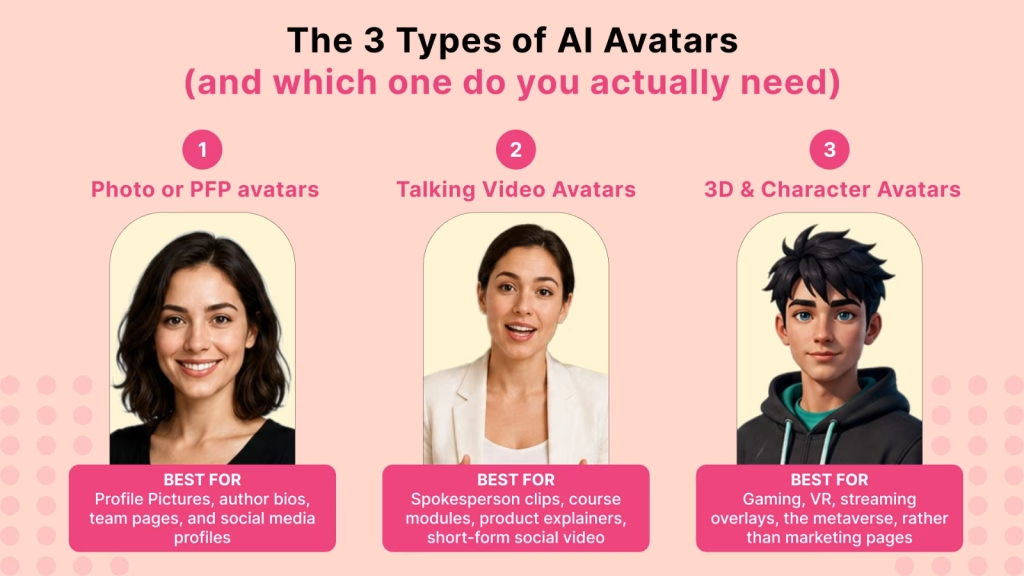
Almost every mistake people make with AI avatars starts with picking a tool before picking a type. There are three. Choose the output first.
1. Photo or PFP avatars (static)
These are still images: professional headshots, stylized portraits, anime or fantasy versions of you, or a brand mascot. You generate them from a few selfies or a text prompt. Best for profile pictures, author bios, team pages, and social media. This is the fastest and cheapest type, and the easiest to make for free.
2. Talking video avatars
These animate a face to speak a script with synced lips, expressions, and a generated or cloned voice. You type the words, pick or build the avatar, and export a video. Best for spokesperson clips, course modules, onboarding, product explainers, and short-form social video. This is the type that saves the most production money.
3. 3D and character avatars
These are rigged 3D models for games, virtual worlds, and apps. Tools like Ready Player Me build a cross-platform 3D avatar from a selfie. Best for gaming, VR, streaming overlays, and the metaverse, rather than marketing pages. Most brands will not need this one, but creators in gaming should.
| Avatar type | You make it from | Best for | Time to first result |
| Photo / PFP (static) | A few selfies or a prompt | Profile pics, bios, mascots | Under 2 minutes |
| Talking video | A photo or short clip + script | Spokesperson, training, ads | 5 to 15 minutes |
| 3D / character | A selfie | Games, VR, streaming | 2 to 5 minutes |
How to Make an AI Avatar From a Photo (Step by Step)
This is the quickest path and the one most people mean when they search how to make an AI avatar. The workflow below works on almost any photo-to-avatar tool, including Fotor, Picsart, and Canva Magic Studio.
- Pick your output style first. Decide whether you want a realistic professional headshot or a stylized look (anime, fantasy, 3D-cartoon, painterly). The tool you choose should specialize in that style.
- Upload clean source photos. Use high-resolution, well-lit images where your face is clearly visible and centered. Some tools need only one selfie; others ask for 10 to 20 to train a stronger likeness. More varied angles usually mean a more accurate result.
- Choose a style pack or write a short prompt. Select a preset (for example “studio headshot” or “cyberpunk”) or describe the look you want. Keep prompts specific: lighting, background, outfit, and mood.
- Generate a batch and compare. Create several variations rather than one. Avatar tools are probabilistic, so the second or third batch is often noticeably better than the first.
- Refine, then upscale. Pick your favorite, nudge the prompt or settings once, and export at the highest resolution available. If the background needs cleanup, run it through a tool like Photoroom before publishing.
Pro tip
Generate a small set of avatars in the same style and lighting, one for your LinkedIn, one square for social, one wide for a banner, so your face stays consistent across every platform. Consistency is what turns a profile picture into brand recognition.
How to Make a Talking AI Avatar Video (No Camera)
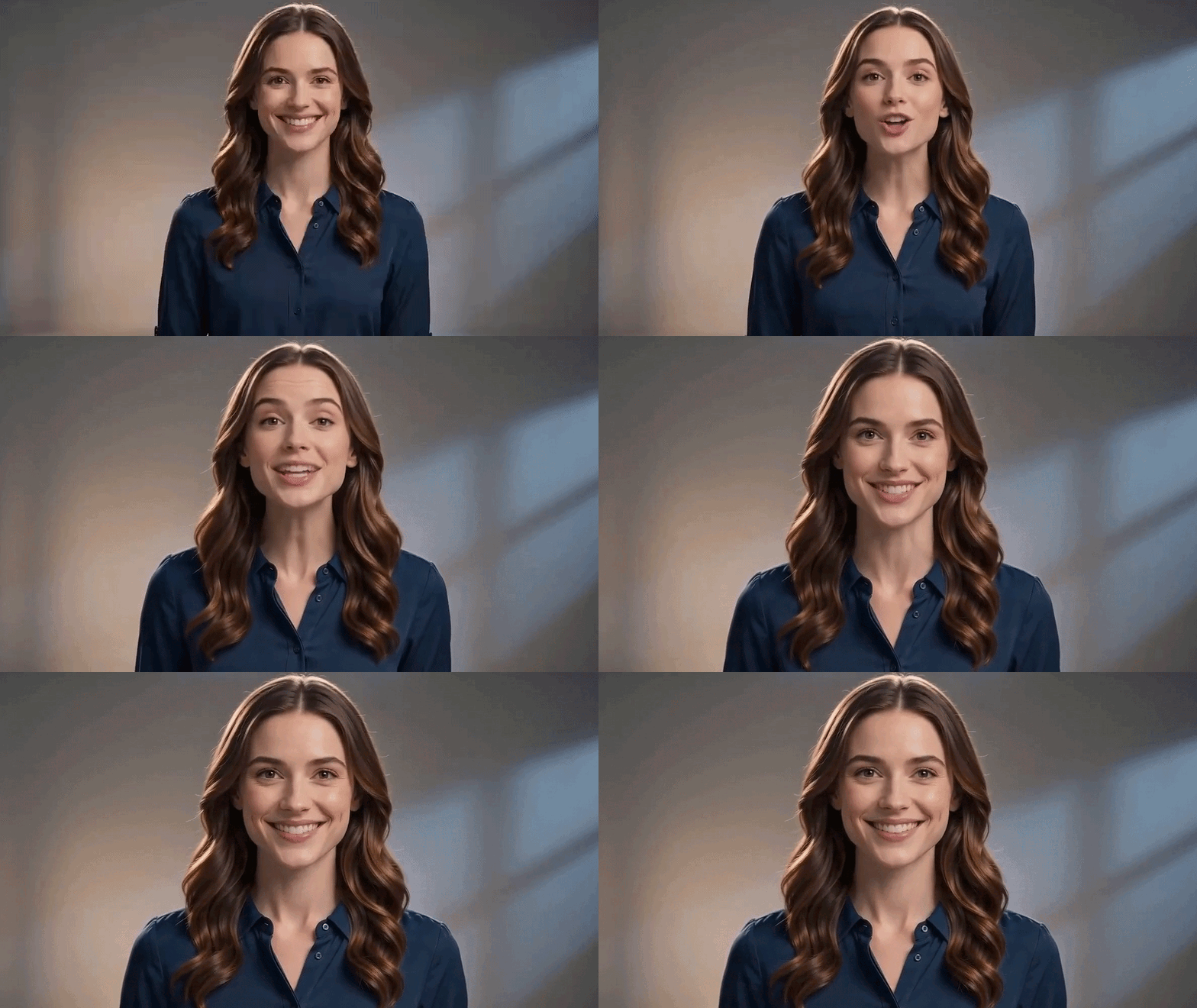
A talking avatar turns a typed script into a video of a presenter speaking it. This is where AI replaces an entire shoot. The leading platform for getting started free is Synthesia, which offers a no-credit-card plan, stock and custom avatars, and narration in well over 100 languages. HeyGen is the fidelity benchmark for photorealistic talking twins. Here is the general workflow.
- Write your script first. Avatar quality holds up; unscripted rambling does not. Write the exact words you want spoken before you open the tool. Keep sentences short and conversational.
- Choose a stock avatar or build your own. Use a ready-made presenter to test fast, or create a personal avatar by uploading a photo or recording a short consent clip so the avatar looks and sounds like you.
- Pick or clone a voice. Select a natural stock voice, or clone your own for a perfect match. For standalone voiceovers and cloning, ElevenLabs is the go-to.
- Set the scene. Choose a background, outfit, and aspect ratio that match where the video will live, vertical for Reels and TikTok, wide for YouTube or a landing page.
- Generate, review, and adjust once. Render a draft, check the lip-sync and pacing, fix any awkward lines, then produce the final. One round of adjustment reliably beats accepting the first take.
- Export and repurpose. Download the video, then reuse the same avatar and script across languages and platforms. Pair it with B-roll from an AI video generator like Runway for a more produced feel.
Watch out
If you clone a real person’s face or voice (including your own team’s), get written consent that explicitly covers AI generation. Cloning a real person without permission is the fastest way to create both a legal problem and a trust problem.
How to Make an AI Avatar From Text (No Photo Needed)
No selfie? No problem. Text-to-image models build an avatar purely from a description, which is ideal for brand mascots, fictional characters, or a stylized persona you do not want tied to your real face. The standout tools here are Midjourney (see our Midjourney V7 review), Leonardo AI, and Adobe Firefly.
- Describe the character, not just the face. Name the subject, style, age, expression, lighting, background, and color palette. Example: “friendly female brand mascot, flat illustration style, purple and teal palette, soft studio light, plain background.”
- Lock your brand colors into the prompt. Reference your hex colors or describe them so the avatar matches your identity from the start.
- Use a consistency feature for a reusable character. If you need the same mascot in different poses, use the tool’s character-reference or “consistent character” feature so the identity holds across images.
- Iterate on a single seed. Keep the prompt and seed, then change one variable at a time (pose, outfit, angle) to build a cohesive avatar set rather than random one-offs.
- For deeper prompting help and a wider lineup of generators, browse the full AI Image Tools category and our guide to the best AI design tools.
The Best AI Avatar Generators of 2026 (by Use Case)
There is no single best AI avatar generator, only the best one for your specific output. Here is how the leading tools line up by what you are actually trying to make. Tools we track and review at Vhiz are linked.
| Your goal | Top pick | Why it wins | Type |
| Fotor | Polished headshots from a few selfies | Smooth, semi-realistic output, fast | Photo |
| Picsart | Quick social avatars | Intuitive, mobile-first, big style library | Photo |
| Canva Magic Studio | Avatars inside your design workflow | Seamless with your other brand assets | Photo + video |
| Midjourney | Stylized art and mascots | Best-in-class aesthetics and control | Text-to-image |
| Leonardo AI | Free daily stylized avatars | Generous free tier, character consistency | Text-to-image |
| Synthesia | Talking spokesperson, free start | No-card free plan, 100+ languages | Talking video |
| HeyGen | Highest-fidelity talking twin | Benchmark lip-sync, 300+ languages | Talking video |
| ElevenLabs | A natural voice for your avatar | Best AI voices and voice cloning | Voice |
For talking and motion-heavy work, also explore the AI Video Tools category and our roundup of the best AI video generators in 2026. If you are making short vertical clips, the same avatars slot neatly into Instagram Reels makers.
Free vs Paid: The Honest Truth About “Free” AI Avatar Generators
Search “free AI avatar generator” and you will find dozens of tools that are technically free. Here is what the marketing pages rarely say plainly: in 2026, free almost always means watermarked, capped, or both, especially for talking-avatar video. A truly free, no-watermark, unlimited video avatar tool does not really exist right now.
That does not mean free is useless. It is perfect for testing a workflow before you commit. Just know the trade-offs.
| Tool | Free tier | Watermark on free | Best free use | |
| Synthesia | Yes, no credit card | Limited minutes / capped | Test talking avatars | |
| Leonardo AI | Daily free credits | No on most exports | Stylized photo avatars | |
| Canva | Free plan | Basic features clean | Quick design avatars | |
| Fotor | Limited styles free | Sometimes | Headshot previews | |
| HeyGen | Short free videos | Yes | High-fidelity test clips | |
| Midjourney | No real free tier | N/A (paid only) | Not applicable | |
Before you publish on a free plan
Free tiers often restrict commercial use. If the avatar will appear in ads, on a sales page, or anywhere that promotes your business, confirm the commercial license terms before you publish. Skipping that check is the most common and most expensive mistake.
Turn Your AI Avatar Into a Complete Brand Identity
An avatar is one piece of a brand, not the whole thing. A recognizable face works best when it sits inside a consistent identity: a matching logo, a defined color palette, and the same look across your site, profiles, and content. An avatar with a mismatched logo and random colors reads as amateur, no matter how good the avatar itself is.
This is where an AI branding platform earns its place alongside your avatar generator. Zoviz builds a full brand identity, a logo, color system, and brand kit, in minutes, so the persona you just created lands inside a cohesive look rather than floating on its own. Generate the avatar, then wrap a real brand around it.
Zoviz – AI Branding and Logo Platform
Create a professional logo, color palette, and complete brand kit that matches your new AI avatar. Used by 1.3M+ people to build a consistent identity fast, no designer needed.
Build your brand identity with Zoviz →
Want to dig into the branding side first? Read how to create a logo with AI, compare the top AI logo generators, or browse the full AI Branding Tools category.
9 Pro Tips for an AI Avatar That Does Not Look AI-Generated
- Start with high-resolution source photos. Garbage in, garbage out. Sharp, well-lit inputs produce the most realistic avatars.
- Face the light. Even, front-facing lighting beats dramatic shadows for facial detection and a clean result.
- Generate in batches. Never settle for the first output. Compare several and pick the strongest.
- Change one variable at a time. Adjust pose, outfit, or background individually so you learn what each setting does.
- Avoid the over-smoothed look. Plastic, poreless skin is the classic AI giveaway. Prefer tools and settings that keep natural texture.
- Keep a consistent style. Use the same lighting, framing, and palette across your avatar set for instant recognition.
- Match your brand colors. Bake your palette into prompts and backgrounds so the avatar feels on-brand from the start.
- Upscale before publishing. Export at the highest resolution, then upscale if needed so the avatar stays crisp everywhere.
- Test with your real script and language. For talking avatars, judge a tool on your actual words and target language, not its polished demo reel.
Brand-Safe AI Avatars: Disclosure, Consent, and Rights (2026)
Most avatar tutorials stop at “here is how to make one.” For a brand, that is the dangerous half of the story. In 2026, how you disclose and license an AI avatar matters as much as how you make it, and the rules got stricter.
The core principle from the U.S. Federal Trade Commission is simple: technology does not excuse deception. The FTC applies its existing endorsement and testimonial guidance to AI-generated content with the same force as human-made content. A few practical takeaways for brands:
- Disclose synthetic spokespeople. If an AI avatar could be mistaken for a real person delivering an endorsement, label it clearly, for example “AI-generated spokesperson.” Plain language beats jargon.
- Do not fake experience. An AI avatar saying “I used this and got results” implies a real customer experience. AI-generated testimonials that imply lived experience are treated as deceptive.
- Cosmetic vs substantive edits. Basic retouching, lighting, and color grading generally do not need disclosure. Face swaps, voice clones, and AI lip-sync do.
- Get consent for real likenesses. Using a real person’s face or voice requires written permission that explicitly covers AI generation, scope, and duration.
- Platform labels are not enough. Meta’s “Made with AI” tag and TikTok’s synthetic-media label help, but they supplement your own clear disclosure rather than replace it. Several states, including New York, have added their own disclosure rules, so multi-state campaigns should meet the strictest standard.
Bottom line
Used honestly, AI avatars are a legitimate, powerful brand asset. Keep disclosures clear and conspicuous, get consent for real likenesses, and confirm commercial licensing. Penalties for undisclosed AI endorsements can reach tens of thousands of dollars per violation, so transparency is not just ethical, it is cheaper.
Who Should Make an AI Avatar (Quick Recommendations)
Match your role to the fastest sensible starting point.
| If you are a… | Start with | Avatar type |
| Solo founder / personal brand | Fotor for a headshot, Synthesia for video | PFP + talking |
| Content creator / YouTuber | HeyGen or Synthesia | Talking video |
| Marketer / agency | Synthesia + ElevenLabs (multi-language) | Talking video |
| Small business owner | Canva for the avatar, Zoviz for the brand | PFP + identity |
| Developer / SaaS team | HeyGen or Synthesia (API, support bots) | Talking video |
| Student / beginner | Leonardo AI or Canva (free) | PFP |
Frequently Asked Questions
How do I make an AI avatar for free?
Pick a tool with a real free tier and a photo or prompt. For static avatars, Leonardo AI and Canva let you generate without paying. For talking video, Synthesia offers a free plan with no credit card. Upload a clear photo or write a short prompt, choose a style, generate a batch, and export. Just remember that free plans often add watermarks or limit commercial use, so check the license before you publish anything for your business.
What is the best AI avatar generator in 2026?
It depends on the output. For polished photo headshots, Fotor is a strong pick. For stylized or mascot avatars from text, Midjourney and Leonardo AI lead. For talking spokesperson video, Synthesia is the easiest free starting point and HeyGen sets the fidelity benchmark. There is no universal winner, only the best tool for the specific avatar you are trying to make. Vhiz AI compares them side by side so you can match the tool to your goal.
Can I make an AI avatar from a single photo?
Yes. Many 2026 tools need just one good selfie, though some ask for 10 to 20 images to train a more accurate likeness. For a static avatar, upload a high-resolution, well-lit, front-facing photo and pick a style. For a talking avatar, a single photo can be animated into a speaking presenter. More varied source images generally improve accuracy, but one strong photo is often enough to get started.
How do I make a talking AI avatar without a camera?
Use a talking-avatar platform such as Synthesia or HeyGen. Write your script first, choose a stock avatar or build one from a photo, select or clone a voice, set a background and aspect ratio, then generate. The tool syncs the avatar’s lips and expressions to the audio, so you get a presenter video without ever turning on a camera. Review the draft, fix any awkward lines, and export. The same avatar can then repeat the script in other languages.
Are AI avatar generators really free, with no watermark?
Sometimes for static images, rarely for video. Several photo-avatar tools export clean images on their free tiers. For talking-avatar video, free almost always means a watermark, a time cap, or both. A truly free, unlimited, watermark-free video avatar tool does not really exist in 2026. If you need clean, professional video, plan to pay for at least an entry tier.
Can I use my AI avatar commercially for my brand?
Usually yes, but verify the license. Most paid plans grant commercial rights, while free tiers often restrict commercial use or require attribution. If the avatar will appear in ads, on a sales page, or anywhere promoting your business, read the tool’s commercial terms first. And if your avatar is built from a real person’s likeness, get written consent that explicitly covers AI generation and commercial use.
Do I have to disclose that my avatar is AI-generated?
Often, yes. If an AI avatar could be mistaken for a real person making an endorsement, or if it is a synthetic spokesperson in advertising, disclose it clearly. The FTC applies its endorsement rules to AI content the same way it does to human content, and several states have added their own disclosure requirements. Use plain language like “AI-generated,” keep it clear and conspicuous, and do not rely on a platform label alone.
How do I make an AI avatar that does not look fake?
Start with sharp, well-lit source photos, generate several variations instead of accepting the first, and avoid the over-smoothed, plastic-skin look that signals AI. Keep a consistent style and lighting across your avatar set, match your brand colors, and upscale before publishing. For talking avatars, test the tool with your actual script and target language rather than judging it by the demo reel. Small adjustments make the difference between convincing and obviously synthetic.