
Such as: Design tools online, posters, brochures, social post designs templates, logo maker, etc.
Canva has become a favorite among designers and small businesses because it makes creating visual content simple and accessible. However, as more brands rely on the same ready-made templates, designs can begin to look repetitive and less distinctive. When multiple businesses use similar layouts, maintaining a strong and unique brand identity becomes more difficult.
Below are seven standout alternatives that cover everything from quick social posts to design systems. Each entry explains what makes the tool unique, who it’s best suited for, and how its pricing compares. A summary table at the end provides a quick, easy-to-scan overview.
What makes the Best Canva alternatives?
Before we dive into the tools, let us first define what actually makes a strong Canva alternative. Not every Canva alternative delivers the same balance of usability, flexibility, and value. To help you make the right choice, here are the key factors to consider:
- Ease of use: An intuitive interface that does not require a steep learning curve.
- Template library: A strong selection of high-quality, professionally designed templates.
- Customization options: Enough flexibility to adjust layouts, fonts, colors, and elements to match your brand.
- Pricing: Affordable plans that offer real value, including a useful free tier.
- Features: Specialized tools for your main use case, whether that’s logos, websites, presentations, or social media content.
- File formats: Access to professional export formats like SVG, EPS, or high-resolution PDFs for print and scalability.
- Brand consistency: Built-in tools, such as brand kits, that help maintain a cohesive look across all materials.
With these criteria in mind, let us explore the best Canva alternatives and see which ones truly stand out.
The Best Canva Alternatives At A Glance
Below is a quick summary comparing the seven alternatives. The table covers the primary use case (“Best for”), standout features, and core pricing.
| Tool | Best For | Standout Features | Starting Price* |
| Adobe Express | All‑around design & video | Powerful editor; integrates with Adobe apps; AI tools | Free; Premium ~$9.99/mo |
| VistaCreate | Brand consistency & print | Brand kit; 40k+ templates; VistaPrint integration | Free; Pro ~$10/mo |
| Figma | Collaboration & design tool | Real‑time editing, component libraries, and presentations | Free; Team ~$15/mo per editor |
| Snappa | Quick social graphics | Pre‑sized templates; all assets free; simple interface | Free with 3 downloads; Pro ~$15/mo |
| Pixlr | Budget‑friendly editing suite | Multiple apps; AI features; Photoshop‑style layers | Free with 3 saves; Plus ~$2.49/mo |
| Kittl | AI‑generated art & merch | AI design tools, community templates, dropship integration | Free (20 credits); Pro 200 credits ~$15/mo |
| Fotor | AI‑powered photo & video | AI image, headshot & video generators; face swap; templates | Free; Pro ~$3.33/mo |
1. Adobe Express
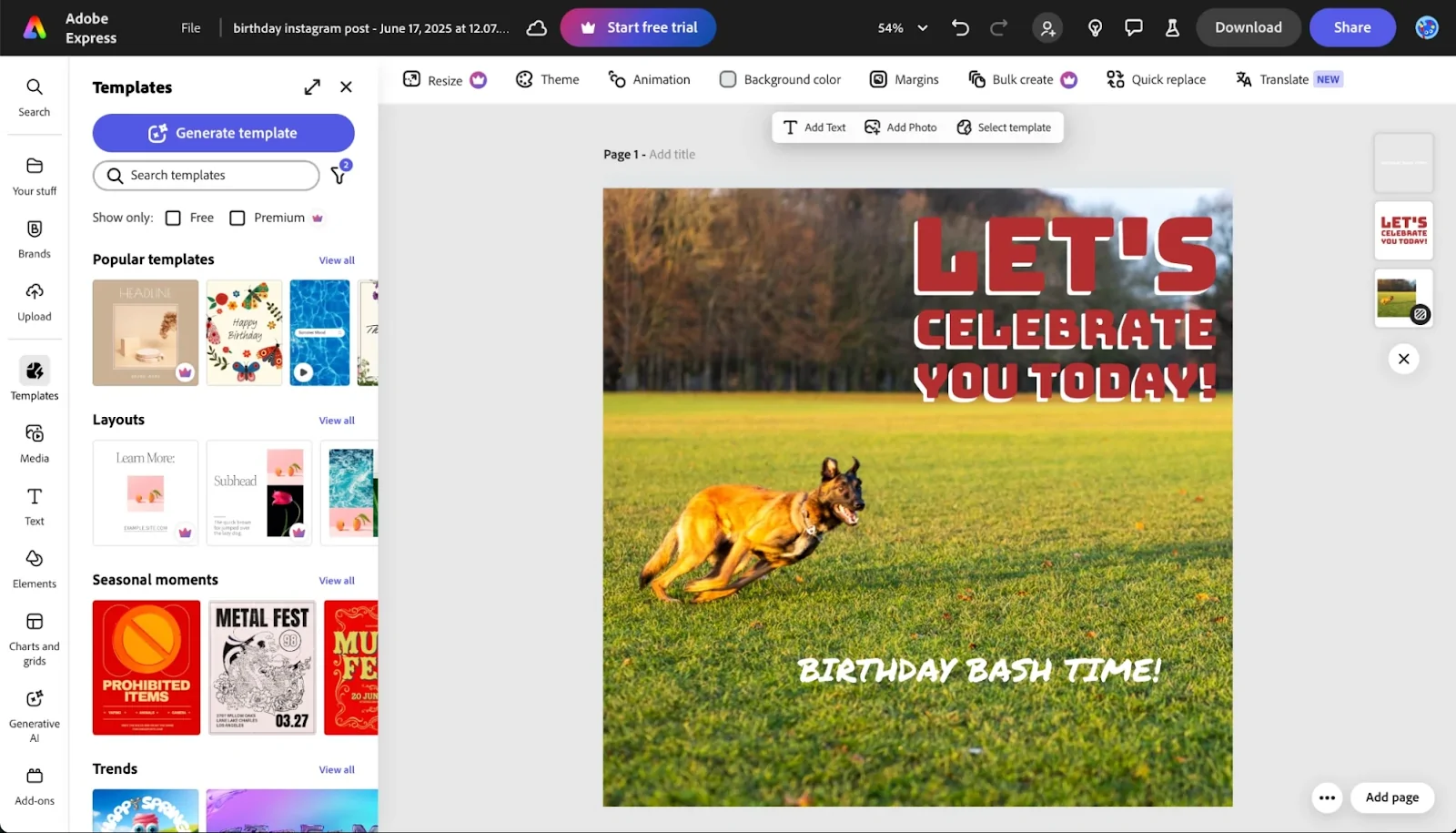
Adobe Express combines Adobe’s professional design expertise with an easy-to-navigate interface that many users find more intuitive. Powered by Adobe Firefly AI, it delivers high-quality design tools without the complexity of software like Photoshop or Illustrator.
You get access to professionally designed, ready-made templates, or you can upload your own assets. It includes powerful background removal, animation and video editing tools, layer support, built-in apps, AI features, and flexible export and import options for different use cases.
Key Features
- Extensive template and asset library. Even the free plan offers over 100,000 templates, millions of design assets, and thousands of fonts.
- Better editor than Canva. Express provides layers, animation, and video editing tools, plus one‑click background removal.
- Integration with Adobe Creative Cloud. Edits made in Photoshop automatically sync to Express; you can import assets from Firefly, Adobe Fonts, and Adobe Stock.
- AI‑powered tools. Firefly and other generative tools help you generate text effects and images from prompts.
Pricing
The free plan includes 100,000+ templates, 1,000,000+ design assets, and 4,000+ fonts; premium features and much more are available from $9.99/month (billed monthly).
2. VistaCreate
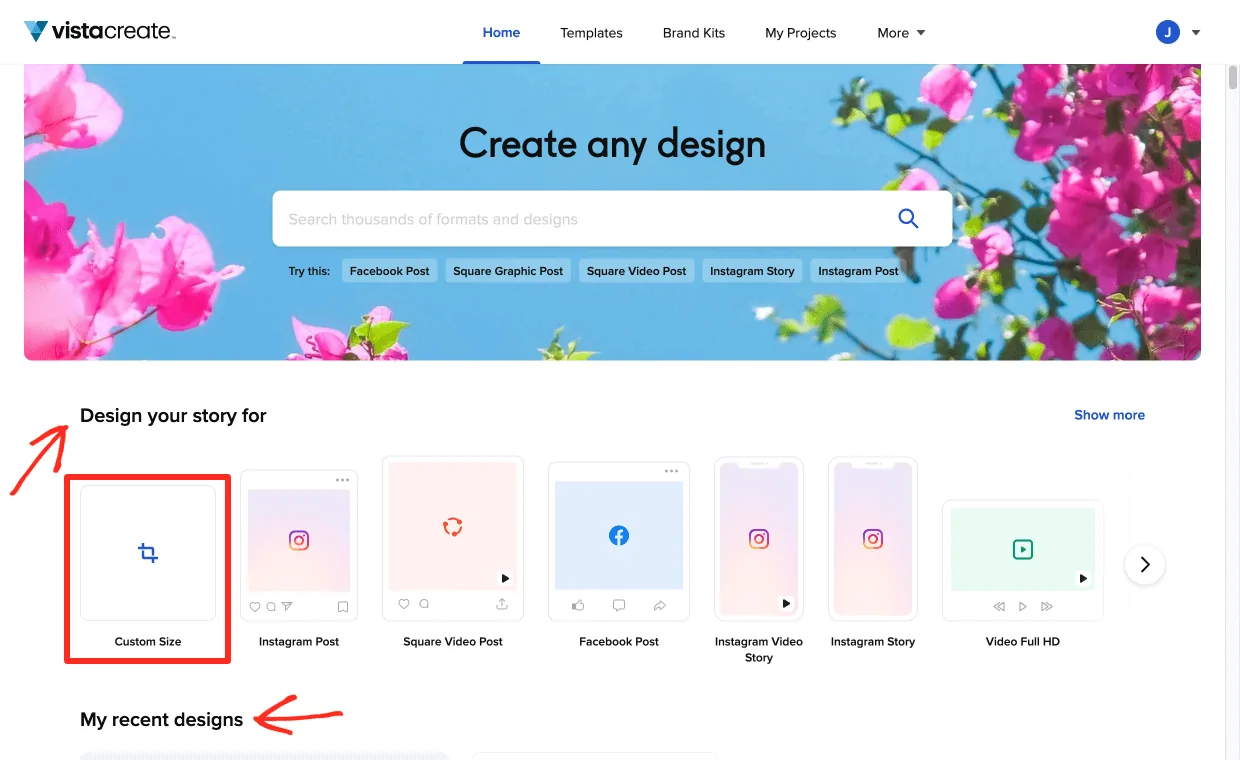
VistaCreate is built by the team behind VistaPrint, the well-known online printing service. It combines built-in design tools with direct integration with VistaPrint’s printing services, making it easy to move from design to production within a single workflow.
Inside VistaCreate, you will find a wide range of ready-made templates along with access to stock photos, videos, and vector graphics, giving you everything you need to create both digital and print-ready designs.
Key Features
- Brand kit and automatic adaptation. Upload your logo once; every template matches your colors and fonts.
- Large template library. VistaCreate offers over 40,000 designs organized logically and 1 million stock assets.
- Integration with VistaPrint. Order posters, cards, or brochures directly from the platform.
- Scheduling tools. Schedule social posts from within the app.
Pricing
The free tier includes templates, stock assets, brand kits, and 10 GB storage. Paid plans start around $10 per month.
3. Figma
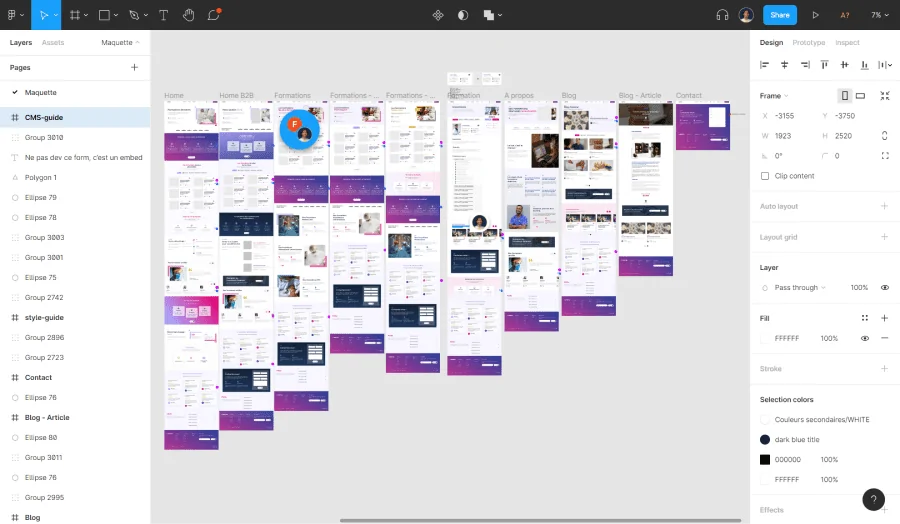
Figma began as a UX/UI design tool but has evolved into a powerful platform for digital graphics. Its real-time collaboration lets clients comment directly on designs, developers inspect elements, and teams build reusable component systems for scalable workflows.
From web graphics and app interfaces to animations, presentations, and social content, Figma offers precise control for users who need flexibility and consistency in digital design.
Key Features
- Real‑time collaboration. Multiple stakeholders can simultaneously edit, comment on, and review files.
- Reusable components and design systems. Build a library of buttons, icons, and layouts that update everywhere when you modify a component.
- Versatile formats. Beyond UI/UX, you can create social media graphics, presentations, and even animations.
- FigJam and third‑party plugins. Extend functionality with brainstorming boards and hundreds of plugins.
Pricing
Figma’s free plan supports up to 3 projects. Team plans start around $15 per month.
4. Snappa
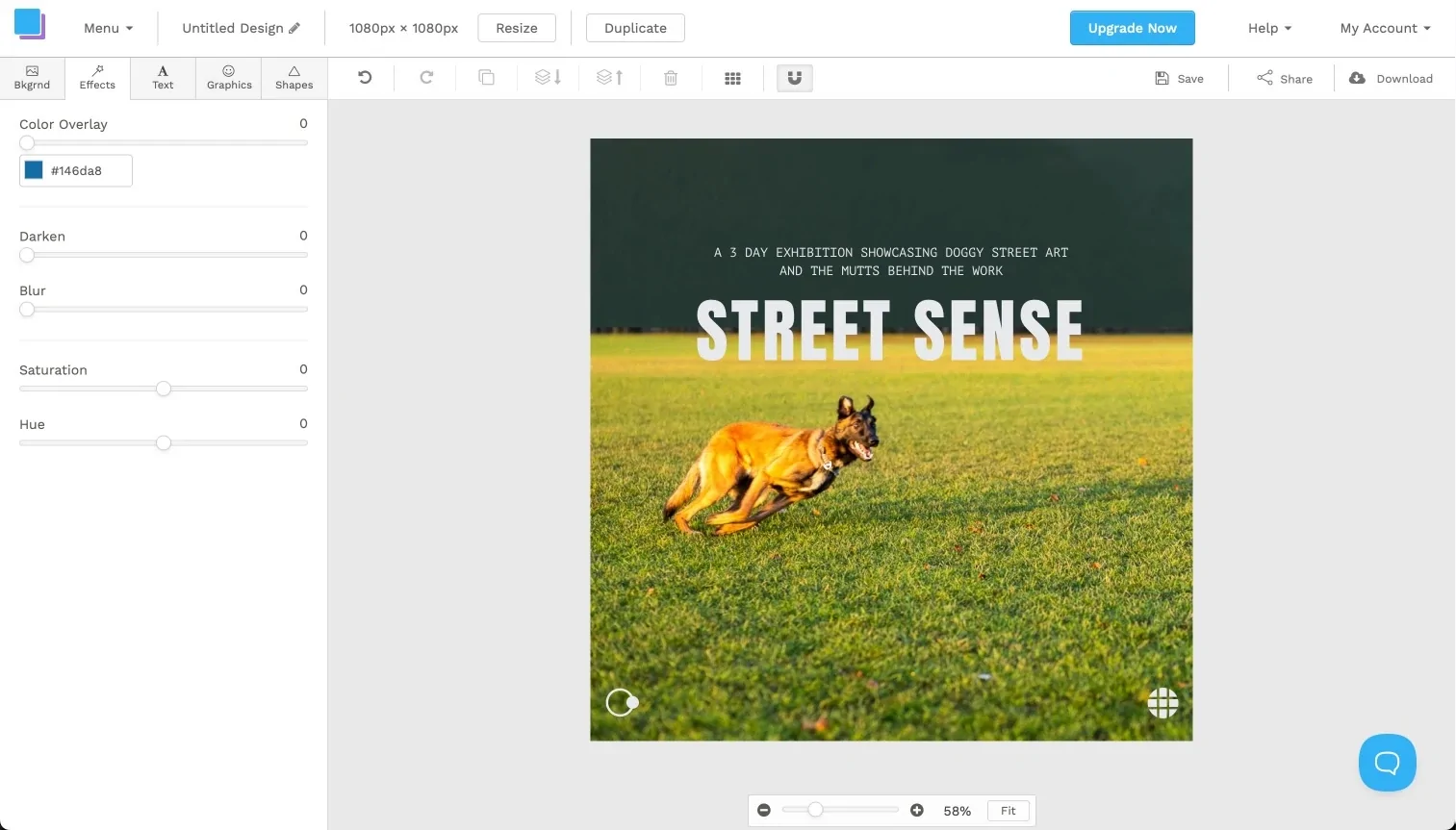
Snappa is a simple, no-frills design tool built for users who value speed and ease over complex features. Unlike many freemium platforms, Snappa gives you access to all templates, graphics, and core features, even on its free plan.
The main limitation is a download cap of three designs per month. For occasional design needs, Snappa is a refreshingly straightforward option that doesn’t constantly push you to upgrade while you work.
Key Features
- Pre‑sized templates for every platform. Choose from social posts, blog headers, and ads and export in multiple formats.
- Unlimited access on the free plan. Use any template or asset without paywalls.
- Simple interface. The stripped‑down editor makes Snappa easy for virtual assistants or junior team members to learn.
Pricing
The free plan offers all features but limits you to three downloads or shares per month. The Pro plan costs about $15 per month and unlocks unlimited downloads and social‑media integrations.
5. Pixlr
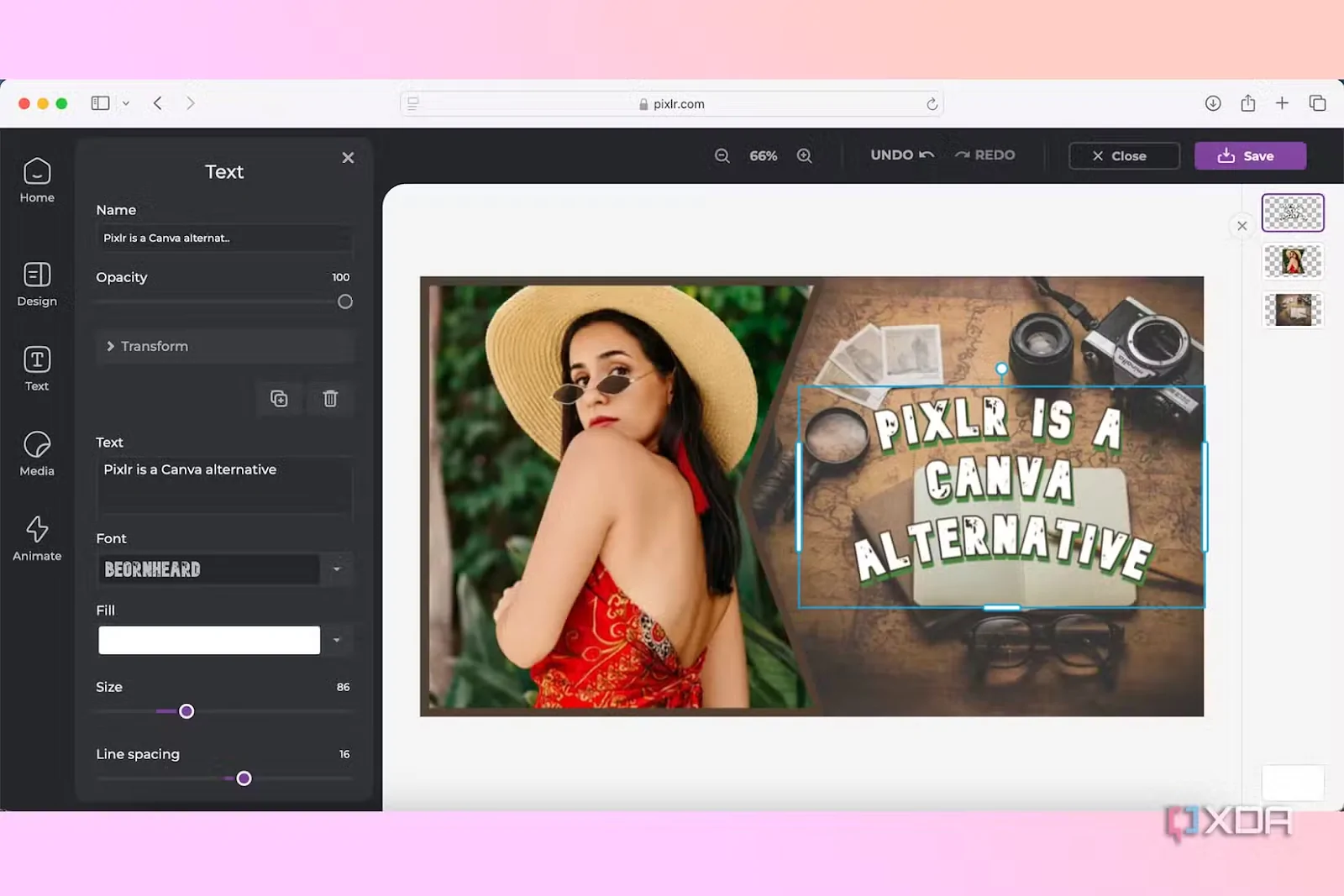
Pixlr is ideal for users who want powerful design tools at an affordable price. It offers a solid free plan and budget-friendly paid tiers, making it a practical choice for cost-conscious creators.
The platform includes Pixlr Designer for templates, Pixlr Editor for advanced photo editing, and Pixlr Express for AI-powered enhancements. While structured as separate apps, they integrate smoothly, allowing easy transitions between basic design and advanced editing.
Key Features
- Multiple integrated apps. Designer for templates, Editor for advanced photo editing, Express for AI effects, Remove BG, and Batch Editor.
- AI tools. Generate images, replace backgrounds, and apply AI filters.
- Photoshop‑style capabilities. Layers, masks, and adjustment tools make Pixlr more powerful than typical drag‑and‑drop apps.
- Offline mode. Work offline on the desktop version.
Pricing
The free tier allows three saves per day with limited AI use. Pixlr Plus removes ads and provides 80 AI credits for about $2.49 per month. Pixlr Premium ($7.99/month) offers 1,000 AI credits and expanded templates.
6. Kittl
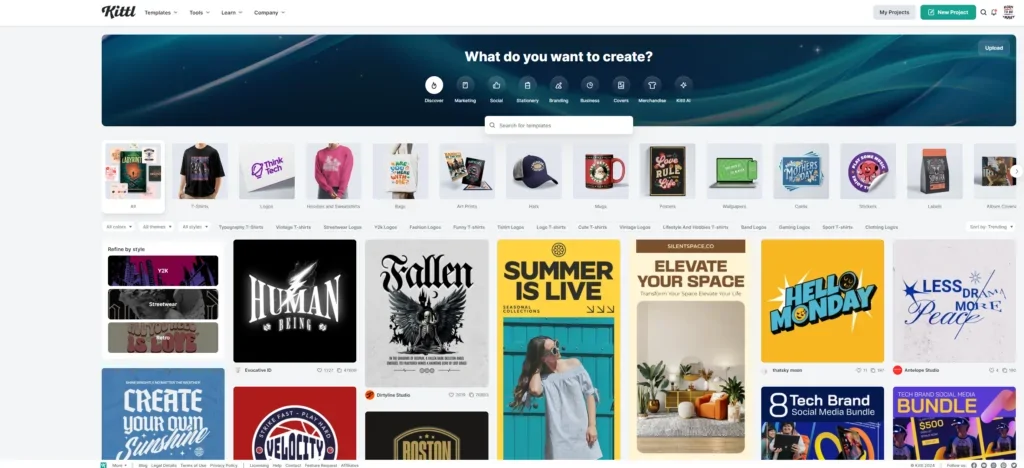
Kittl is a newcomer that has quickly earned a reputation for its advanced AI-powered tools. It combines user-generated templates with intelligent design features, making it easy to create modern and high-quality visuals.
Beyond digital design, Kittl also connects with production services to support drop‑ship designs, enabling creators to move directly from design to physical products within a single design‑to‑product platform.
Key Features
- AI‑based design tools. Create logos, graphics, and vector art using AI generators.
- User and contributor templates. Browse a growing library of community templates.
- Production integration. Dropship printed items directly to customers.
- Flexible export quality. Pro and Expert plans allow high‑quality exports and transparent backgrounds.
Pricing
You can use Kittl for free, but free users only receive 20 AI credits. Pro plans grant 200 AI credits per month, while Expert plans offer 600. Pricing starts around $15 per month.
7. Fotor
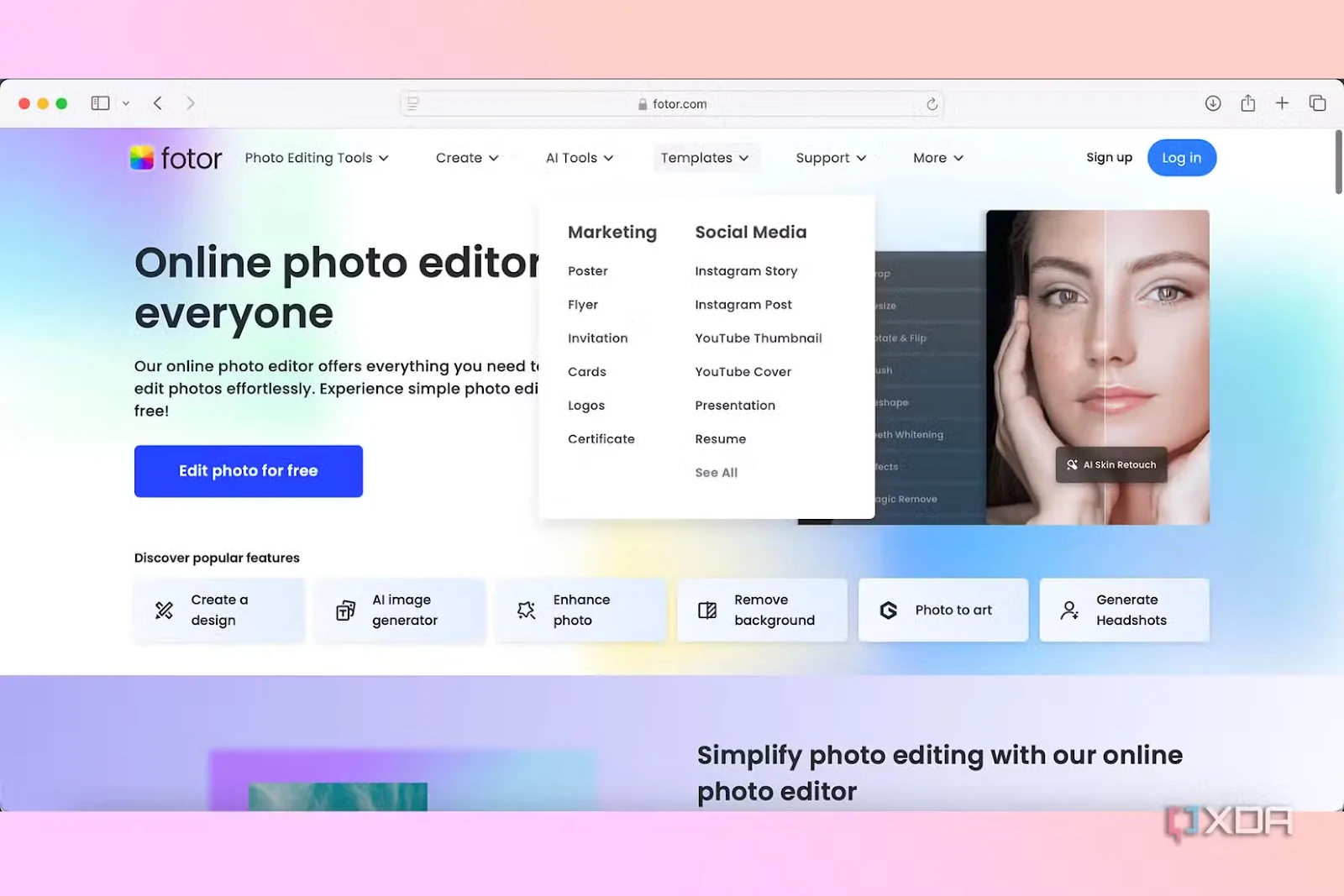
Fotor combines traditional photo editing with a wide range of AI tools at an affordable price. It offers features such as an AI image generator, a headshot generator, a background remover, a photo restorer, a face swap, an AI video generator, and even a watermark removal tool.
These capabilities make it easy for non-designers to create eye-catching social media visuals and marketing content with minimal effort.
Key Features
- AI generators. Generate images, headshots, and videos from simple prompts.
- Comprehensive photo editor. Restore old photos, swap faces, and remove backgrounds.
- Library of templates and elements. Includes social media templates and design assets for marketing.
- Mobile apps. Available on iOS and Android for editing on the go.
Pricing
Fotor offers a free Basic plan. The Pro subscription costs only about $3.33 per month, making it one of the most affordable AI‑powered design tools.
Find the Perfect Canva Alternative According to Your Needs
Choosing the right design platform comes down to your workflow, priorities, and the type of projects you handle most often. If you are already in the Adobe ecosystem and want advanced editing with AI capabilities, Adobe Express is a strong fit. For brand consistency and print-focused projects, VistaCreate offers built-in brand tools and seamless print integration.
If collaboration and digital product design are your focus, Figma stands out with real-time editing and scalable components. Need quick social graphics? Snappa keeps things fast and simple. Looking for value-packed photo editing? Pixlr delivers powerful tools at a low cost. For AI-generated artwork and merchandise, Kittl is a compelling option, while Fotor offers a broad range of AI features at a budget-friendly price.
The best part? Most of these platforms offer free plans or trials. Test the tools that align with your creative goals and see which feels most natural for your workflow.
Ready to move beyond Canva? Start exploring these alternatives and find the platform that best fits your design needs.