
The insights come from hands-on experience in marketing and web development, along with an understanding of how website builder platforms work. Over the past few months, different AI tools have been tested, including website generators. Some felt limited, while a few stood out for their usability and output quality.
This article breaks those tools down clearly, showing where they fit, what they offer, and how they perform in practical use. The goal is to help you make a more informed decision based on your specific needs, rather than relying on general claims or surface-level features.
What is an AI website builder?
An AI website builder is a tool that creates a website based on what you describe. You can type something simple like “portfolio for a designer” or “online store for handmade jewelry,” and it will generate the layout, basic text, and visuals.
These tools use trained models to build websites with a clear structure, consistent branding, and common layout patterns. After the first version is ready, you can adjust elements such as colors, fonts, sections, or navigation to suit your needs.
Most of these builders work without coding. They assist at each step, from idea to design to content. Some tools don’t stop at basic websites. They support full web apps with backend logic and databases, which opens up a lot more flexibility.
What are the benefits of using an AI website builder?
AI website builders speed up website creation and make them easier to manage.
- Faster Setup: With the right tool, a basic website can be created in minutes. The tool generates layouts, text, and sections automatically, so you don’t have to start from scratch.
- Easy to Use: You don’t need design or coding skills. You can describe what you want, and the builder handles the structure and styling.
- Built-in SEO Support: Many tools include basic SEO features such as page structure, metadata, and sitemaps. This helps your site follow standard search guidelines from the start.
- Lower Cost to Start: Most platforms offer free versions that include hosting and security. In most cases, you will need a paid plan to connect a custom domain or unlock advanced features.
- Simple Editing Process: You can adjust content, images, or layout using drag-and-drop editors. Changes are visible instantly, which makes it easier to refine the site.
Best AI Website Builders to Try in 2026 (Tested & Reviewed)
| Tool | What It Actually Does Best | Where It Feels Limited | Setup Speed | Best Use Case |
| Zoviz | Builds a complete brand + website from logo | Not flexible for complex layouts or scaling | Very Fast | Quick branded business websites |
| Relume | Plans site structure, sitemap, and SEO hierarchy | Doesn’t publish sites (needs Webflow/dev) | Medium | SEO-focused, scalable business sites |
| Wix AI | All-in-one builder with apps, SEO, and eCommerce | Can get heavy and messy with too many features | Medium | Small business sites with growth needs |
| Framer AI | Generates clean, modern designs with visual control | SEO and backend flexibility are limited | Fast | Portfolios, landing pages, marketing |
| Lovable | Builds full websites + logic + basic web apps | Ecosystem lock-in needs good prompts | Very Fast | SaaS ideas, prototypes, internal tools |
| Wegic | Simplest way to launch a working local website | Weak customization and limited control | Very Fast | Local businesses, quick client sites |
| 10Web | AI + WordPress with migration and scalability | Requires WordPress setup for full control | Medium | Long-term business or eCommerce sites |
Zoviz
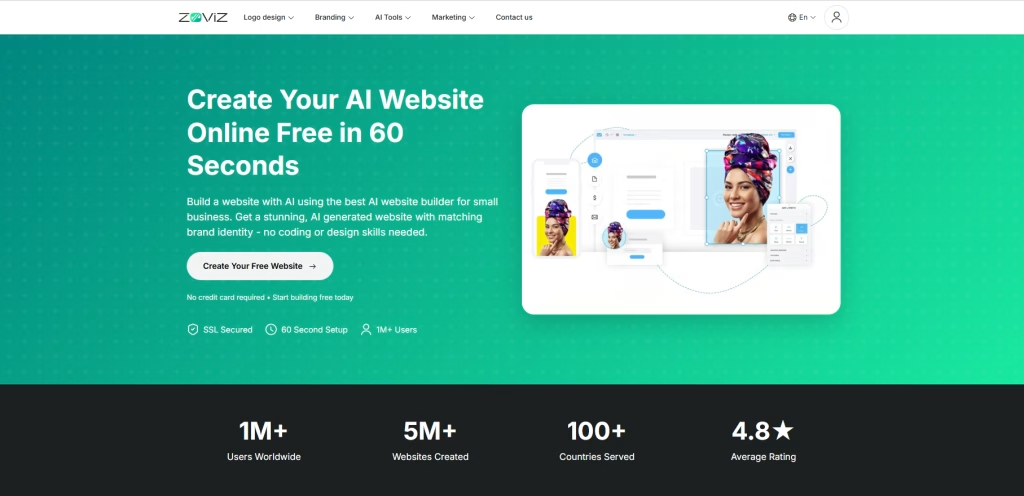
Zoviz is an AI website builder designed for businesses that want a complete branding and website solution in one place. Unlike traditional website builders that rely on templates, Zoviz uses a brand-first approach. It builds your website design around your visual identity.
You can start by creating a logo using the AI logo generator or by uploading an existing one. Based on that, Zoviz automatically generates a website with matching colors, fonts, layouts, and visual elements. This ensures brand consistency across the entire site and avoids generic designs. The built-in editor lets you adjust layout and content easily without slowing down your workflow.
Zoviz also works as a branding tool, not just a website builder. It generates marketing assets that stay aligned with your brand identity, making it easier to maintain consistency across your website and promotional materials without using multiple tools.
Pros
- Creates brand-focused websites based on logo and identity
- Fast website setup with minimal manual input
- Includes AI logo generator and branding assets
- Simple and beginner-friendly editing experience
Cons
- Limited flexibility compared to advanced website builders
- Less control over detailed design customization
- Not suitable for complex or large-scale websites
Who should use it
Zoviz is best suited for small businesses, startups, and entrepreneurs seeking an easy way to quickly create a branded website. It is ideal for users who want a simple, all-in-one AI website builder with built-in branding tools, rather than advanced customization.
Test Result
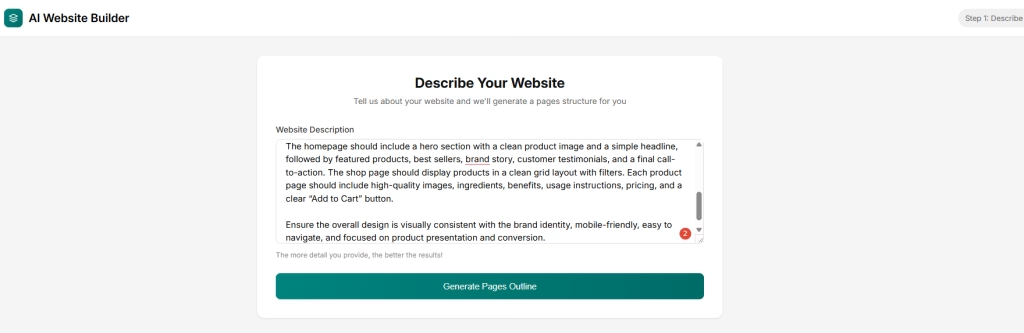
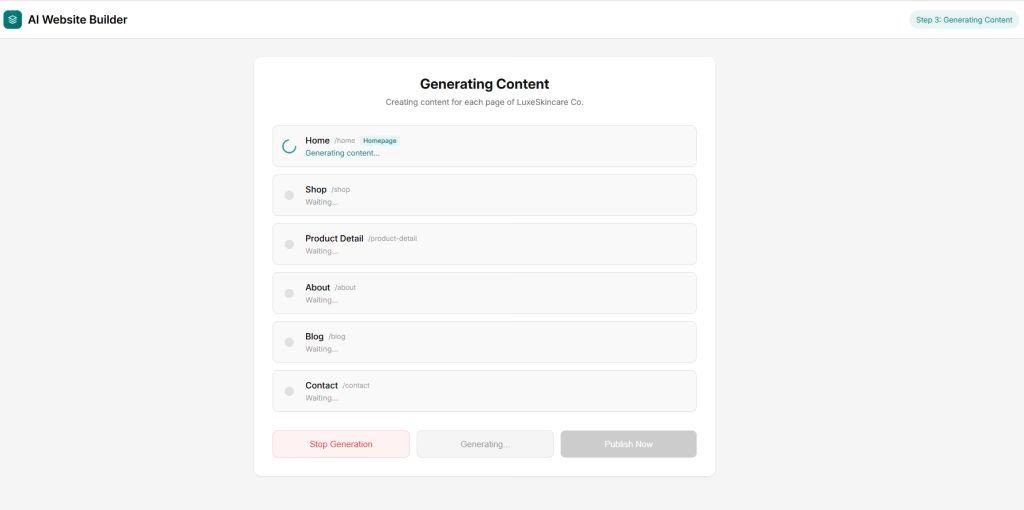
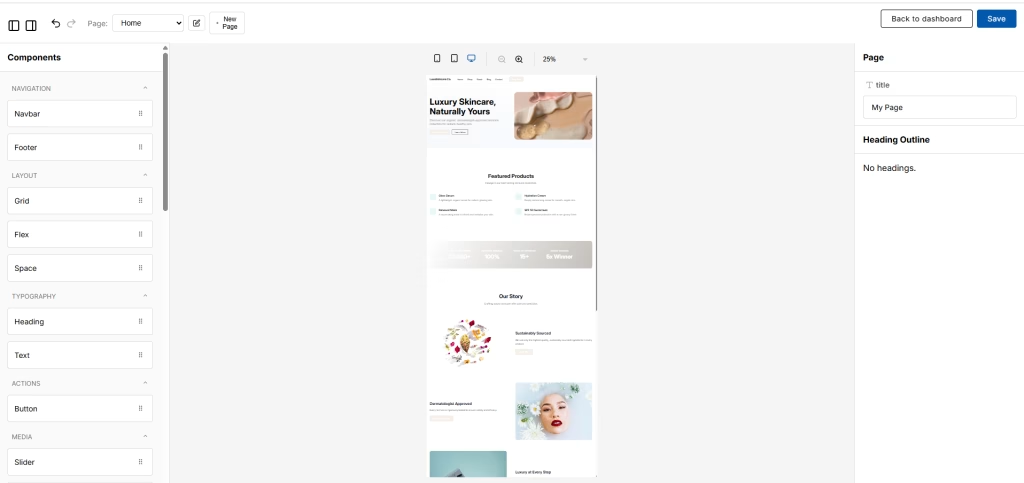
Prompt: Create a modern, premium eCommerce website for LuxeSkincare Co., a luxury skincare brand selling organic and dermatologist-approved face and body care products. The target audience is women aged 25-45 who value high-quality skincare, self-care, and clean beauty. Start with a soft, elegant logo and build the website around that identity using a light, minimal palette with beige, white, and pastel tones, along with clean typography. Include pages for Home, Shop, Product Detail, About, Blog, and Contact. The homepage should feature a hero section with a clean product image and a simple headline, followed by featured products, best sellers, the brand story, testimonials, and a final CTA. The shop page should use a clean product grid with filters, while product pages should include images, ingredients, benefits, usage instructions, pricing, and an “Add to Cart” button. Keep the design mobile-friendly, visually consistent, and focused on product presentation and conversion.
Describe Your Website
Generating Content
Open in Editor
Pricing
- Basic Logo Kit ($19.99 one-time): Standard and scalable logo files with commercial rights
- Full Logo Kit ($49.99 one-time): Includes logo, full brand kit, social media assets, favicon, email templates, and access to website builder and AI marketing tools.
Relume
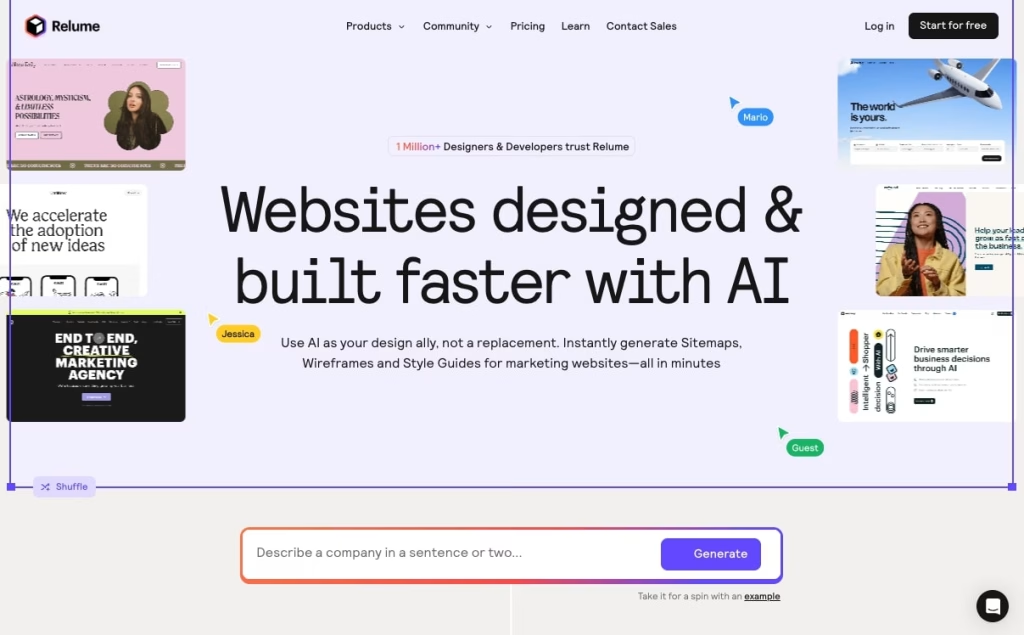
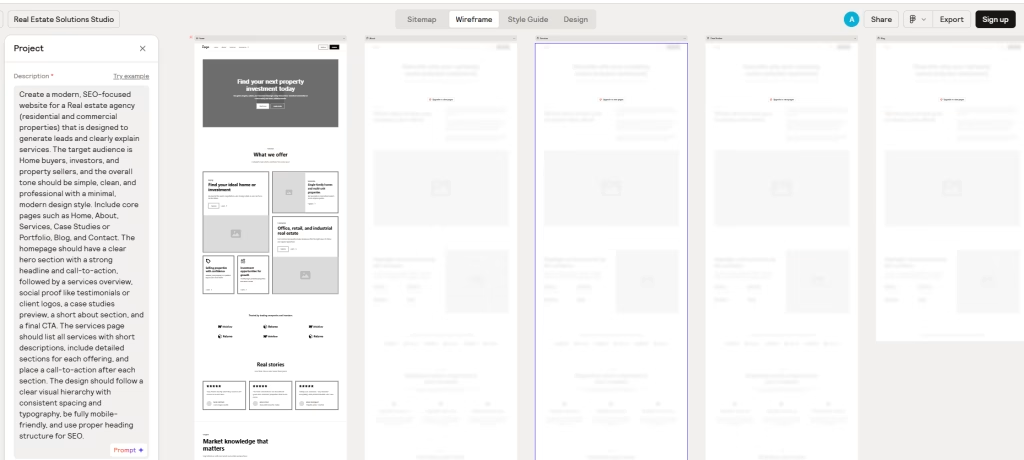
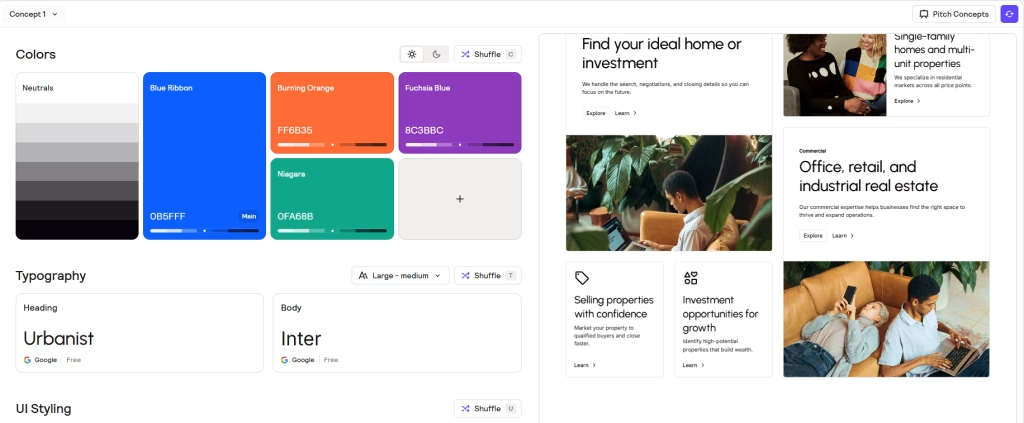
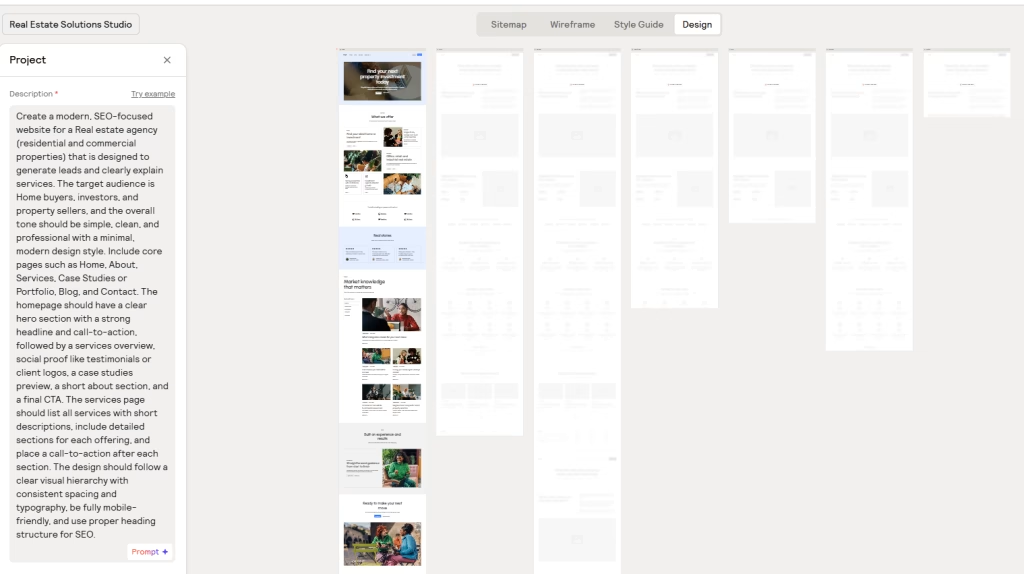
Relume is an AI website builder framework designed for professionals who want to plan and structure websites before development. Unlike traditional AI website builders that generate a full live site, it focuses on creating sitemaps, wireframes, and design systems that can be exported into tools like Webflow, Figma, or React.
Its main strength is structure. You start by describing your website, including its purpose and number of pages, and it generates a sitemap with page layouts. From there, you can build sections such as hero banners, testimonials, feature blocks, and service areas, all guided by a consistent design system that maintains spacing, typography, and layout across the site.
This approach is useful for SEO-focused websites where structure, hierarchy, and page flow matter. Once the planning is complete, you can refine sections as needed and export the wireframes into Webflow, Figma, or a development environment for final design and publishing.
Pros
- Generates SEO-friendly sitemaps and wireframes quickly
- Maintains consistency with AI-generated design systems
- Integrates smoothly with Webflow and modern development tools
- Strong focus on website structure and performance
Cons
- Requires Webflow or development tools for publishing
- Not suitable for beginners or non-technical users
- Limited focus on visual styling compared to full AI website builders
Who should use it
Relume is best suited for designers and developers who already work with Webflow or custom code. It is not designed for beginners looking for a simple drag-and-drop website builder. Instead, it fits workflows that prioritize planning, structure, and scalability.
Test Results
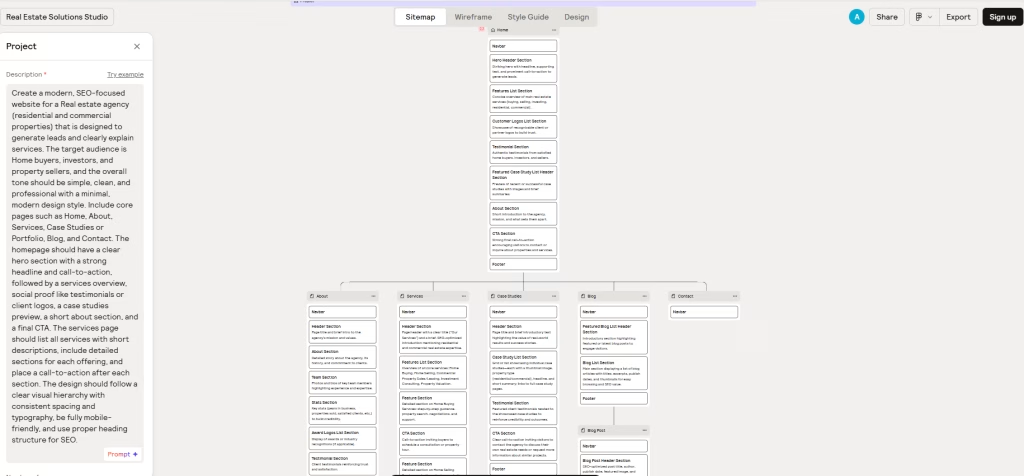
Prompt: Create a modern, SEO-focused website for a real estate agency offering residential and commercial properties. The goal is to generate leads and clearly present services to home buyers, investors, and property sellers. Use a simple, clean, and professional design with a minimal modern style. Include pages such as Home, About, Services, Case Studies, Portfolio, Blog, and Contact. The homepage should feature a strong hero section with a clear headline and CTA, followed by services, testimonials or client logos, case studies, a short about section, and a final CTA. The Services page should list key services with short descriptions, detailed sections, and a CTA at the end of each section. Keep the layout mobile-friendly, visually clear, and SEO-structured with proper headings and spacing.
Sitemap
Wireframe
Style Guide
Design
Pricing
- Free: 1 project, limited pages, basic exports
- Starter ($26/month): More pages, export options, commenting
- Pro ($58/month): Unlimited projects and pages
- Team ($52/user/month): Collaboration features with shared workspace
Wix AI Website Builder
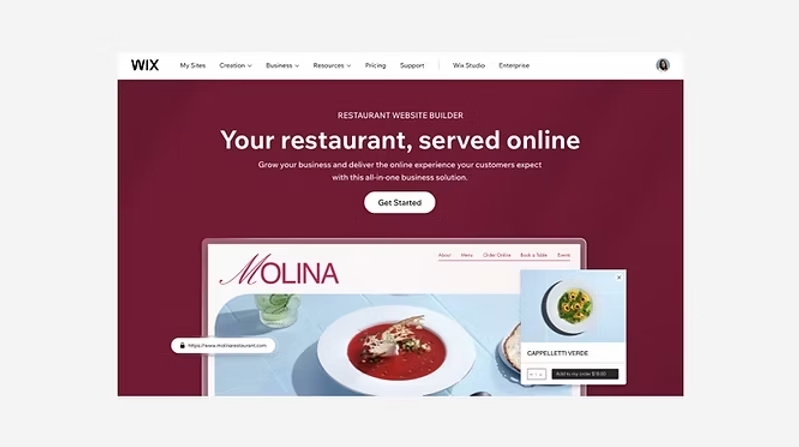
Wix AI is a beginner-friendly AI website builder designed for small businesses and individuals who want to create a website without coding. It uses a conversational setup to generate a complete website, including layout, content, and essential features tailored to your needs.
You start by answering a few questions about your business, audience, and goals. Based on this input, Wix AI automatically creates a website with structured pages, design elements, images, and even AI-generated content. Unlike traditional template-based builders, it delivers a more personalized starting point rather than a fixed design.
Once the site is generated, you can fully customize it using Wix’s drag-and-drop editor. You can adjust layouts, update content, add sections, and install apps without any technical skills. The platform also sets up key elements like SEO structure, meta tags, and mobile responsiveness from the start.
Wix AI goes beyond basic website creation by offering built-in tools for SEO, content creation, e-commerce, and marketing, along with access to 800+ integrations. This makes it a complete AI-powered website builder for users who want to design, manage, and grow their online presence from a single platform.
Pros
- AI-generated website structure and content
- Easy-to-use drag-and-drop website editor
- Built-in SEO tools and marketing features
- 800+ integrations for extended functionality
Cons
- Pricing increases with advanced features and apps
- Requires manual mobile optimization in some cases
- Can feel complex compared to simpler AI website builders
- Limited flexibility for custom development
Who Should Use It
Wix AI website builder is best suited for beginners, small business owners, and entrepreneurs who want to build a professional website without coding. It works well for business websites, e-commerce stores, and content-driven platforms that require customization and scalability.
Test Results
Prompt Used: “Create a modern, mobile-friendly website for a cozy local restaurant that focuses on seasonal dishes and table reservations. The website should feel welcoming, easy to navigate, and designed to encourage bookings.
Include the following pages: Home, Menu, About Us, Reservations, Events & Specials, Gallery, and Contact with Location details. The homepage should highlight the restaurant’s atmosphere, featured dishes, and a clear reservation call-to-action.
The design should follow a warm, inviting style with earthy tones such as terracotta, cream, and olive green. Use large food imagery, minimal icons, and a handwritten-style accent font for headings. The overall look should feel intimate, clean, and modern while maintaining strong readability and mobile responsiveness.”
Pricing
- Free: Includes Wix branding and limited features
- Light ($17/month): Basic website features
- Core ($29/month): E-commerce and business tools
- Business ($36/month): Advanced features and storage
- Business Elite ($159/month): Full access with priority support
Framer AI
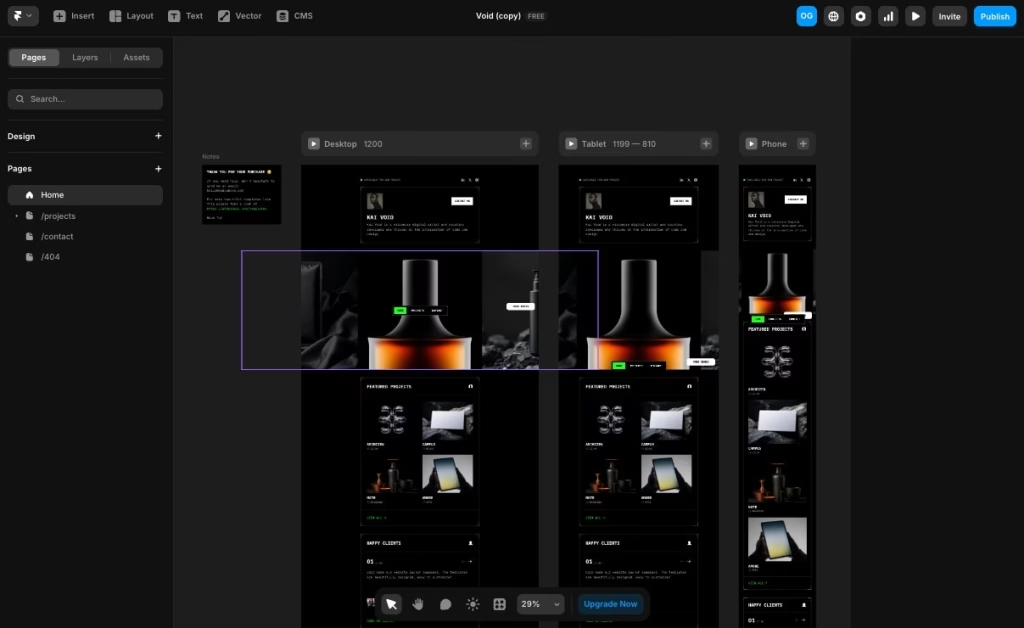
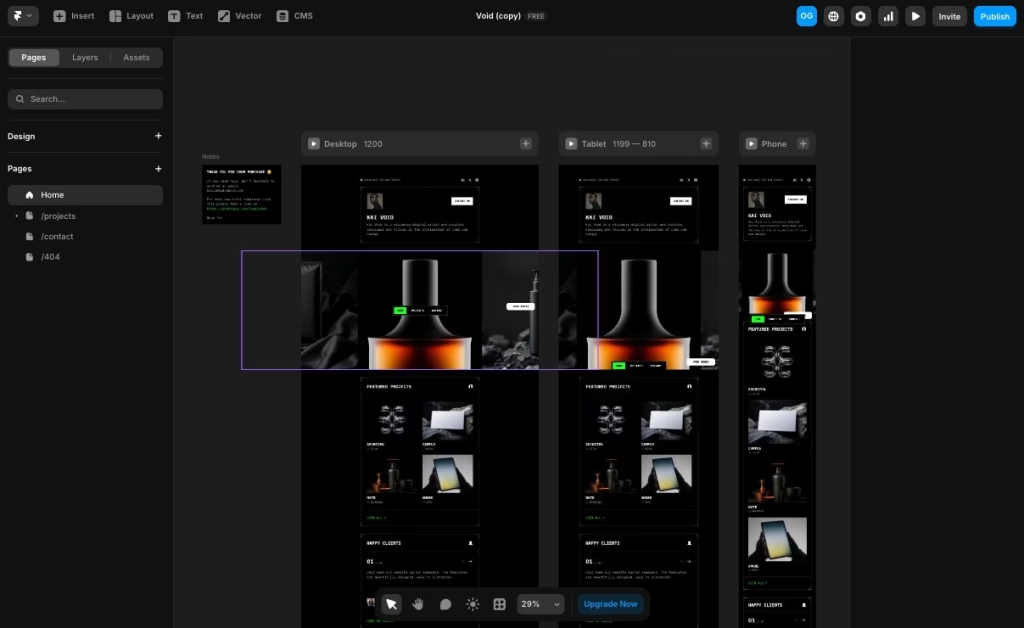
Framer AI is a visual AI website builder that lets you create and edit websites using simple natural language. What started as a design tool has gradually turned into a full website builder, now widely used by startups and small businesses to launch modern, high-quality sites quickly.
You describe the kind of website you want, maybe a portfolio, blog, or business page, and Framer generates a complete layout for you. From there, you’re not locked into a static design. You can jump straight into a visual editing canvas where everything is adjustable, from sections and components to content and styling.
That balance is really what sets Framer apart. It doesn’t just generate a site and leave you there. You get the flexibility to refine, tweak, and shape the design without having to rebuild everything from scratch.
A built-in CMS is also included, making it a practical choice for content-driven websites such as blogs, portfolios, or marketing pages that require frequent updates.
Pros
- Fast website layout generation using AI
- Full visual editing after AI output
- Built-in CMS for content-based websites
- Large template library with modern designs
Cons
- Limited support for complex web apps
- SEO performance may require manual improvement
- Higher cost when using CMS or advanced features
Who Should Use Framer AI
Framer AI is best suited for designers, marketers, and freelancers who want a visual website builder with AI support. It works well for users who prefer design flexibility and want to adjust AI-generated layouts manually.
This makes it a common choice for portfolios, landing pages, and marketing websites. However, it may feel limiting for projects that require complex web applications or heavily SEO-driven content structures.
Test Results
Prompt: Create a dark, premium eCommerce website for a luxury perfume brand targeting young professionals and luxury buyers. Use a black background with subtle gradients and warm tones like amber, gold, and soft orange. Keep the typography clean, modern, and slightly bold. The homepage should include a hero section with a centered perfume bottle image, a minimal headline, and a CTA such as “Shop Now” or “Explore,” followed by featured products, best sellers, or collections, testimonials, and a final CTA. Product pages should include a large image, fragrance notes, a short description, price, and an “Add to Cart” button. Keep the design minimal, mobile-friendly, and focused on strong visuals and a luxury brand feel.
Pricing
- Basic ($15/month): Custom domain, hosting, AI tools, basic SEO
- Pro ($45/month): CMS, permissions, redirects, staging features
- Scale ($100/month): Advanced features, A/B testing, higher limits
- Enterprise: Custom pricing for larger teams
Lovable
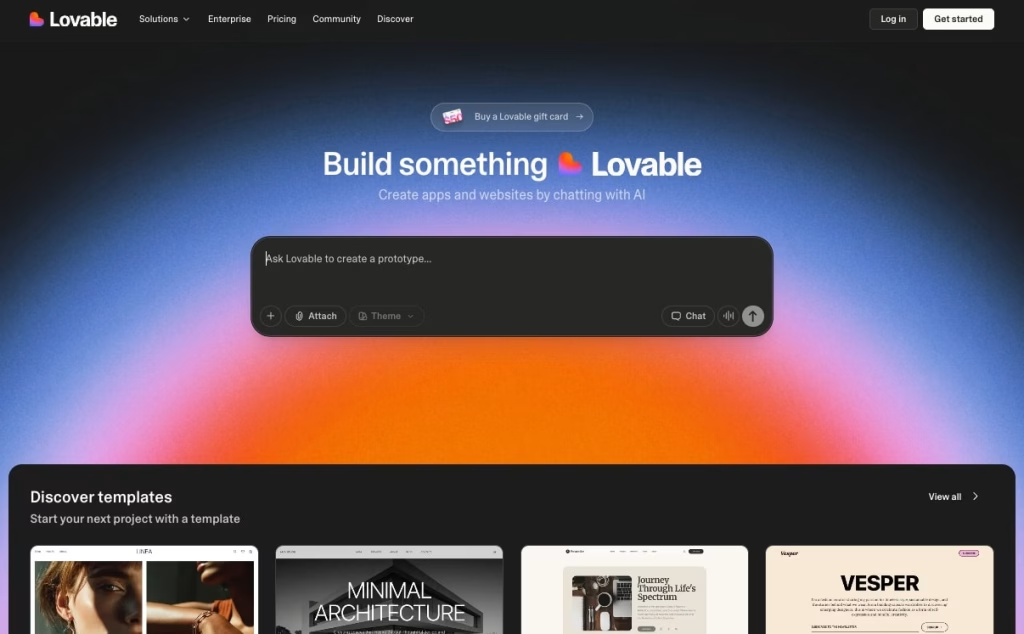
Lovable is a powerful no-code AI website builder that allows users to create websites and web applications using simple text prompts. Built with speed in mind, it helps turn ideas into production-ready websites without writing a single line of code.
It handles UI generation, backend logic, and deployment on a single platform. You simply describe your project, whether it’s a landing page, internal tool, or SaaS product, and the AI generates a complete website layout along with basic functionality.
Once you enter your prompt, Lovable automatically creates the interface, page structure, and core logic. From there, you can refine the design, adjust layouts, and customize themes based on your needs. It also enables deeper functionality through integrations with databases and APIs, opening the door to building more advanced projects.
You’re not limited to static pages here. Features like user authentication, dynamic content, and backend connections can be added without switching tools. Everything happens within a single dashboard, keeping the process simple even as the project itself becomes more complex.
Pros
- Fast website creation from idea to live product
- Supports logic, APIs, and database integrations
- Flexible design and theme customization
- No coding required for most use cases
Cons
- Not ideal for highly complex or large-scale applications
- Limited flexibility outside Lovable’s hosting environment
- Requires well-written prompts for better results
Who Should Use Lovable
Lovable is best suited for beginners, small business owners, marketers, creators, and product managers who want to quickly build websites, prototypes, or micro-SaaS products. It is especially useful for users exploring AI website builders for the first time or testing new ideas without setting up technical infrastructure.
Test Results
Prompt: Create a modern, conversion-focused landing page for a CRM SaaS product targeting sales and marketing teams. The design should be clean and minimal, with a dark navy base, teal or cyan accents, bold headings, and simple sans-serif text. The homepage should include a strong hero section with a clear headline, a short description, and two CTAs, such as “Start Free Trial” and “Watch Demo.” Add sections for social proof, key stats, core features (automation, pipeline tracking, analytics), testimonials, and a pricing preview. Keep the layout structured, mobile-friendly, and focused on driving signups.
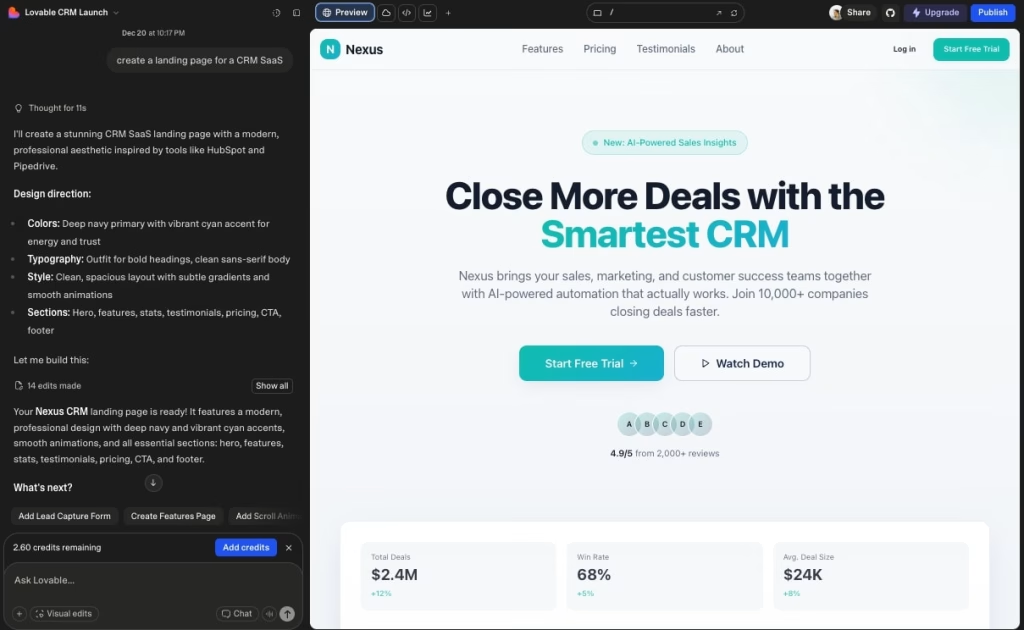
Lovable Pricing
- Free Plan: Limited credits, public projects, basic domains
- Pro ($25/month): More credits, custom domains, and removal of branding
- Business ($50/month): Advanced features, templates, internal publishing
- Enterprise: Custom pricing with additional support and integrations
Wegic
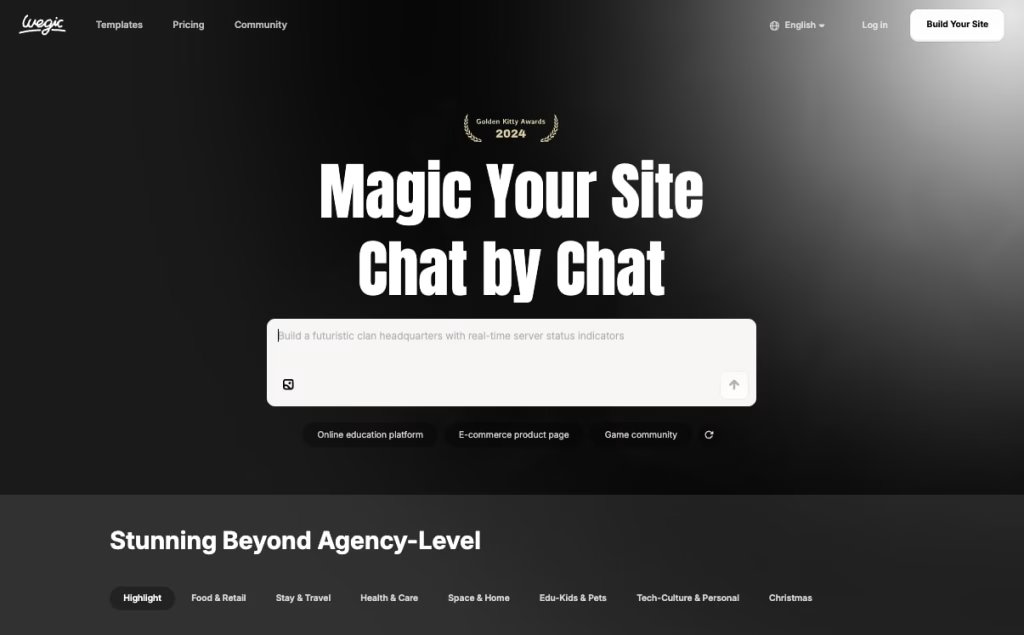
Wegic AI website builder is a beginner-friendly platform designed to create simple, responsive websites for local businesses. It’s built for users who want to launch a website quickly without dealing with coding or complex tools, making it a good fit for restaurants, clinics, schools, and service-based businesses.
The process is chat-based. You describe your business, target audience, and services, and Wegic generates a complete website with pages, layout, design, and basic content. Instead of relying on templates or manual setup, it creates a ready-to-use site based on your input.
Once the website is generated, you can make quick edits, update text, adjust sections, and refine the design without technical effort. The platform also handles essentials like hosting, mobile responsiveness, and basic site structure, so there’s very little setup required on your end.
You can publish your website on a Wegic domain or connect a custom domain, depending on your needs. Overall, Wegic keeps things intentionally simple, positioning itself as a practical AI website builder for beginners who want a fast, no-fuss way to get online.
Pros
- Easy-to-use AI website builder for beginners
- Designed for local business websites
- Built-in hosting and responsive web design
- Fast website creation using AI chat interface
Cons
- Limited customization compared to advanced website builders
- Not suitable for complex websites or web applications
- Editing flexibility is restricted
- Still a newer platform with evolving features
Who Should Use It
Wegic AI website builder is ideal for beginners, small business owners, freelancers, students, and agencies building websites for local businesses. It works well for simple business websites where ease of use and speed are more important than advanced customization.
Test Results
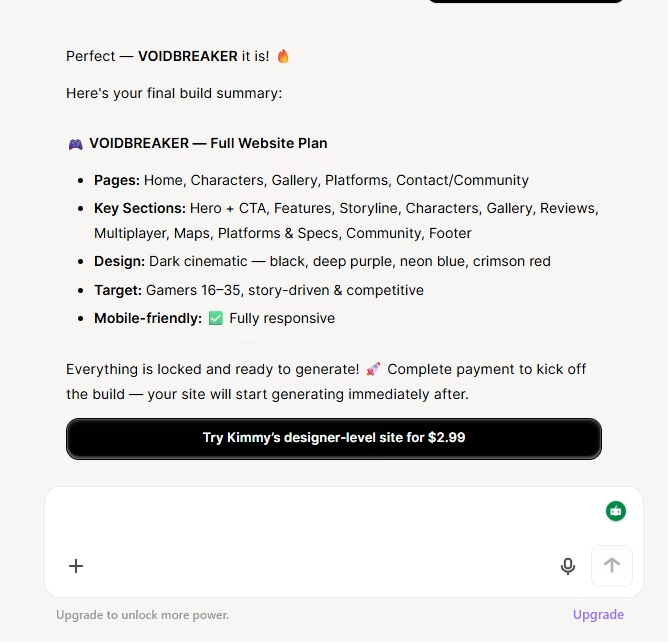
Prompt Used: Create a modern gaming website for a new action or adventure game aimed at gamers aged 16–35. Use a bold, dark, cinematic design with black, deep purple, neon blue, and red accents. Include pages or sections for Home, Game Features, Characters, Gallery, Platforms, and Contact or Community. The homepage should feature a hero section with a large background image or trailer preview, a strong headline, and a CTA like “Watch Trailer” or “Play Now.” Add sections for game features, storyline, character highlights, screenshots or gameplay clips, player reviews, multiplayer modes, maps, supported platforms (PC, PlayStation, Xbox), and system requirements. Include a footer with links to Discord, Twitch, YouTube, and social media. Keep the layout mobile-friendly, visually engaging, and easy to navigate.
Seems like you have to pay a few dollars to proceed further!
Pricing
- Free: 30 credits for basic website creation
- Starter ($23.90/month): More credits, multiple websites, remove branding
- Premium ($41.9/month): Unlimited websites and pages with a custom domain
- Ultra ($2,999/month): Advanced features, automation, and dedicated support
10Web AI Website Builder
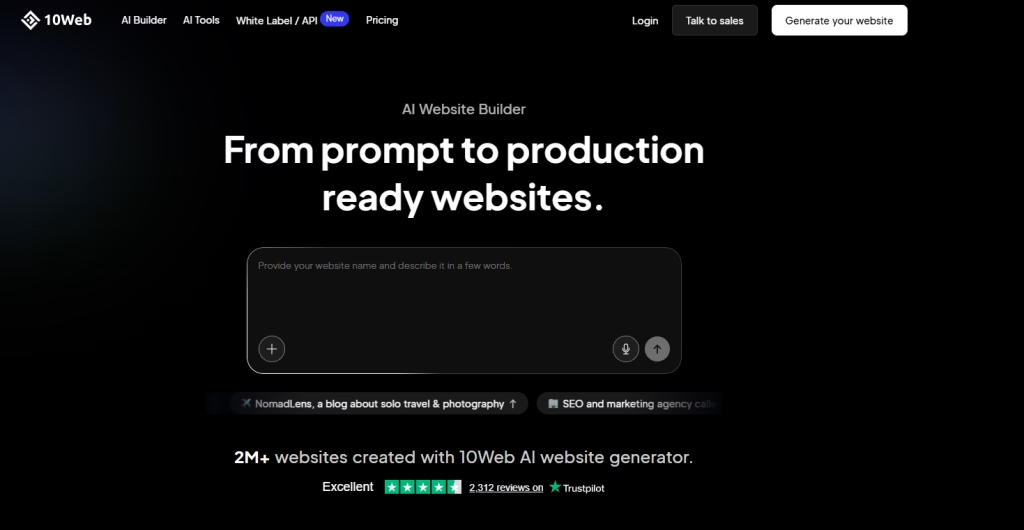
10Web AI website builder is an AI-powered website builder built on WordPress that allows users to create, migrate, or convert websites quickly. It combines AI-driven site generation with managed WordPress hosting, making it a practical choice for users who want automation without giving up long-term flexibility.
Unlike standalone AI builders, 10Web works within the WordPress ecosystem, which means you get both speed and scalability. You can generate a new website from scratch, migrate an existing WordPress site, or even convert websites from platforms like Wix or Squarespace into WordPress.
The process begins with a few simple inputs. You select your website type such as a business site, blog, or online store and the AI generates a complete website with pages, a layout, and basic content. You can also choose design styles, color schemes, and fonts, which are applied consistently across the site.
Once the website is ready, you can refine everything through the WordPress dashboard. This includes editing content, adjusting layouts, and configuring features like payments, plugins, and integrations. The platform also supports AI-assisted migration and conversion, making it easier to transition from other builders.
Pros
- Fast AI website creation on WordPress
- Supports site migration and platform conversion
- Managed hosting is included with all plans
- Good starting structure for business and e-commerce sites
Cons
- AI-generated layout limited to a fixed number of pages
- Content may require manual editing for quality
- Advanced features need to be set up inside WordPress
- Learning curve for users unfamiliar with WordPress
Who Should Use It
10Web AI website builder is best suited for small business owners, freelancers, agencies, and e-commerce users who want a fast way to build WordPress websites. It works well for users who want AI assistance but still need full control over their site.
Test Result
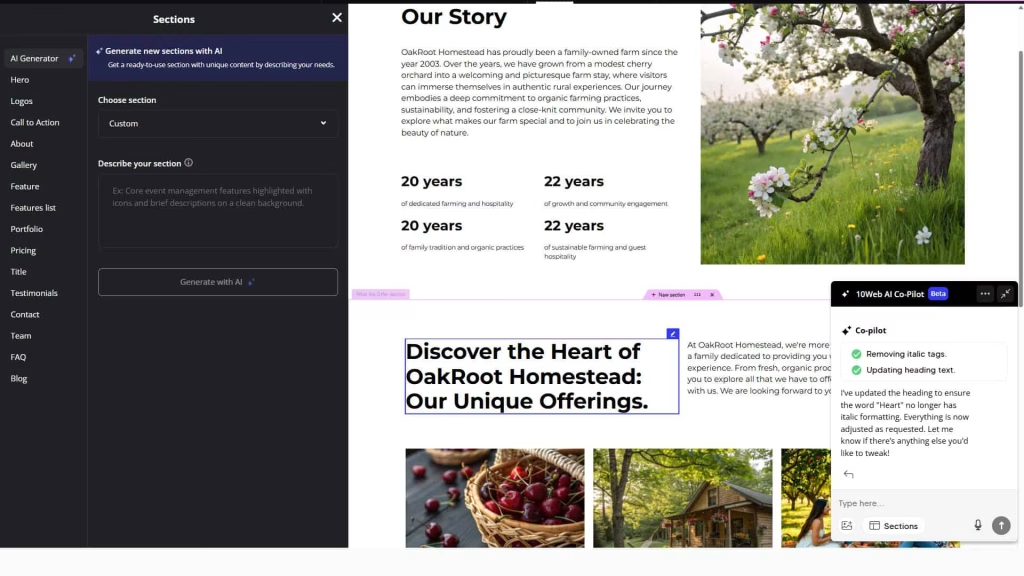
Prompt: Create a nature-inspired website for a farm or homestead business offering organic produce, farm stays, and rural experiences. The design should feel warm and inviting, using earthy colors like green, cream, and brown with large natural imagery. Include sections such as Home, About (Our Story), Offerings or Services, Gallery, and Contact. The homepage should feature a strong headline, a short introduction, and a clear call to action. Add sections highlighting farm experiences, organic practices, and key stats or milestones. Keep the layout simple, mobile-friendly, and focused on storytelling with clear headings and smooth content flow.
Pricing
- AI Starter ($25/month): Basic AI website builder with hosting
- AI Premium ($36/month): More resources and features
- AI Ultimate ($55/month): Higher limits and advanced usage
So Many Options… Which AI Website Builder Should You Pick?
The best AI website builder depends on what you’re trying to build.
For simple websites like landing pages or small business sites, beginner-friendly tools work best. They handle setup, design, and structure automatically if SEO and performance matter, more advanced builders offer better control over layout, structure, and long-term growth.
For complex projects like web apps or SaaS, choose platforms that support backend logic and integrations. And for online stores, it’s better to use tools built specifically for e-commerce websites.
There’s no single best option; it depends on your goals, experience, and the level of control you need.